Tally Dascom 2600 2610
19
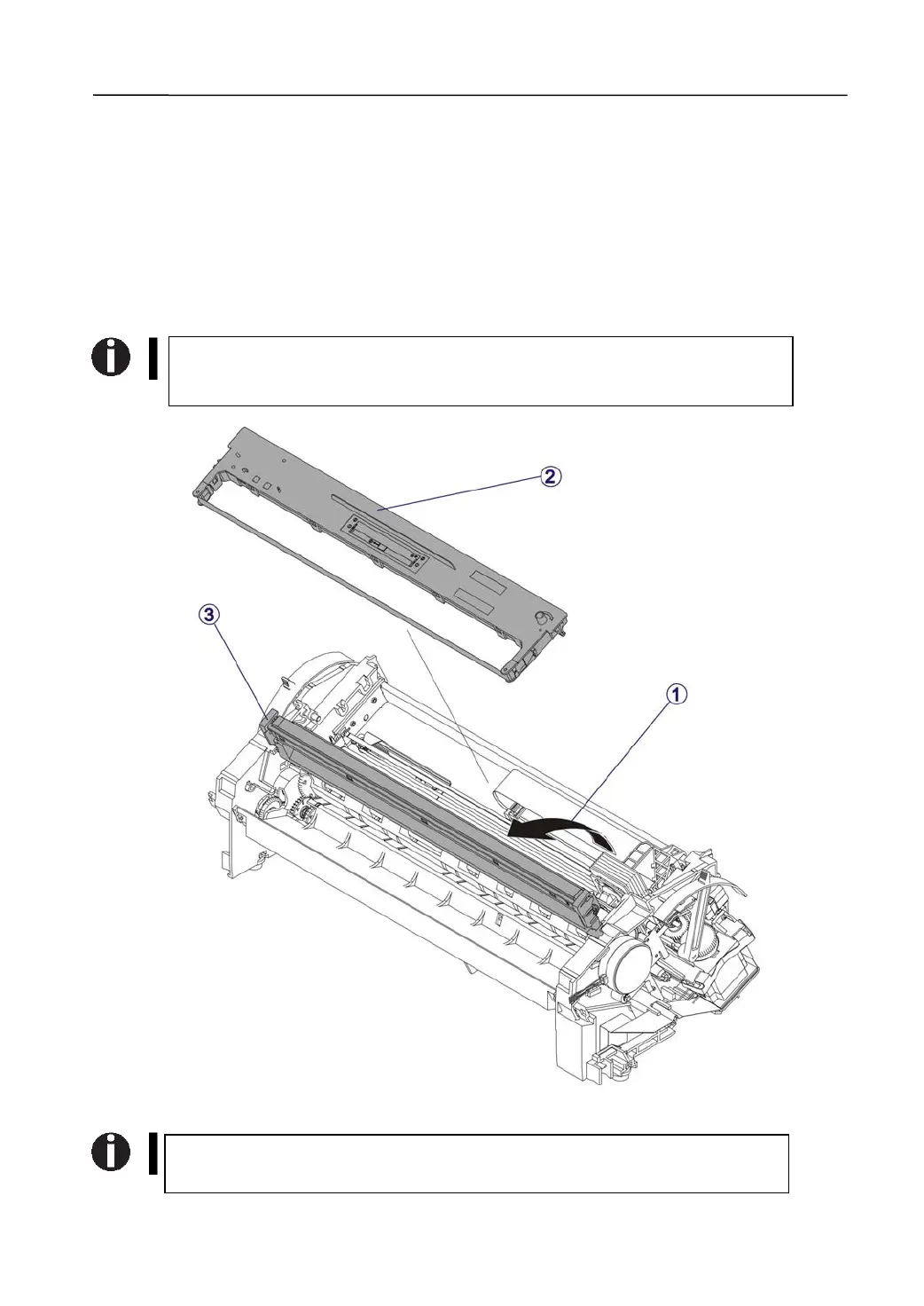
3.2.2 Remove the Ribbon Cartridge and the Upper Friction
1) Remove the Ribbon Cartridge
Flip the Upper Friction up.→①
Pull out the Ribbon Cartridge by 2 hands.→②
2) Remove the Upper Friction
Lift either end of the Upper Friction to vertically pull it out.→③
Properly engage the Ribbon Cartridge and the Upper Friction when
restore them to the mechanism. A ‘click’ indicates a proper engagement.
For details on how to mount the ribbon cassette, please refer to the user
guide.



 To Next Page