Tally Dascom 2600 2610
44
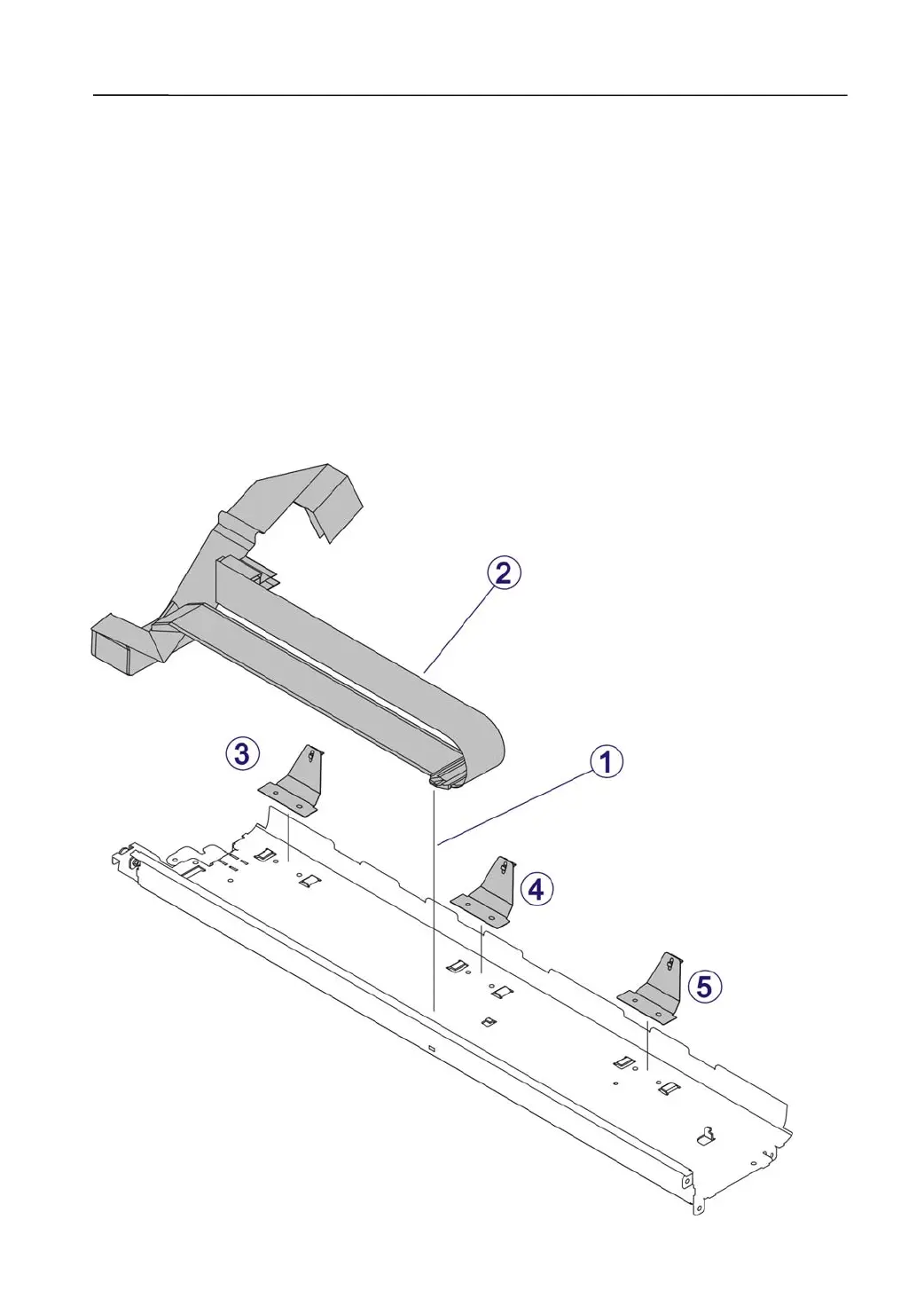
3.2.27 Disassemble the Base Plate
1) Disassemble the Base Plate
Unlock the Holder Flex Cable from the Base Plate. →①
Take out the two Flex Cables. →②
Take out the three Leaf Spring Lower Friction. →③,④,⑤
.
2) Fix the Print Head Flex Cable and Adjust the Cable Routing
Route the Flex cables through the long slit on the left end of the Base Plate. Lay
the cables flat along the surface of the Base Plate and latch the Holder as ①.Fold
the other ends of the cables and route them beneath the Carriage. Hold the cables
in place within the Carriage’s by the two molded stoppers.
Ensure the curving end of the Cables has a 5 mm safety clearance from the Right
Side Wall.
Ensure the Cable will not rise by 5 mm during the left/right Carriage movement.



 To Next Page