Tally Dascom 2600 2610
39
3.2.22 Disassemble the Paper Width Sensor
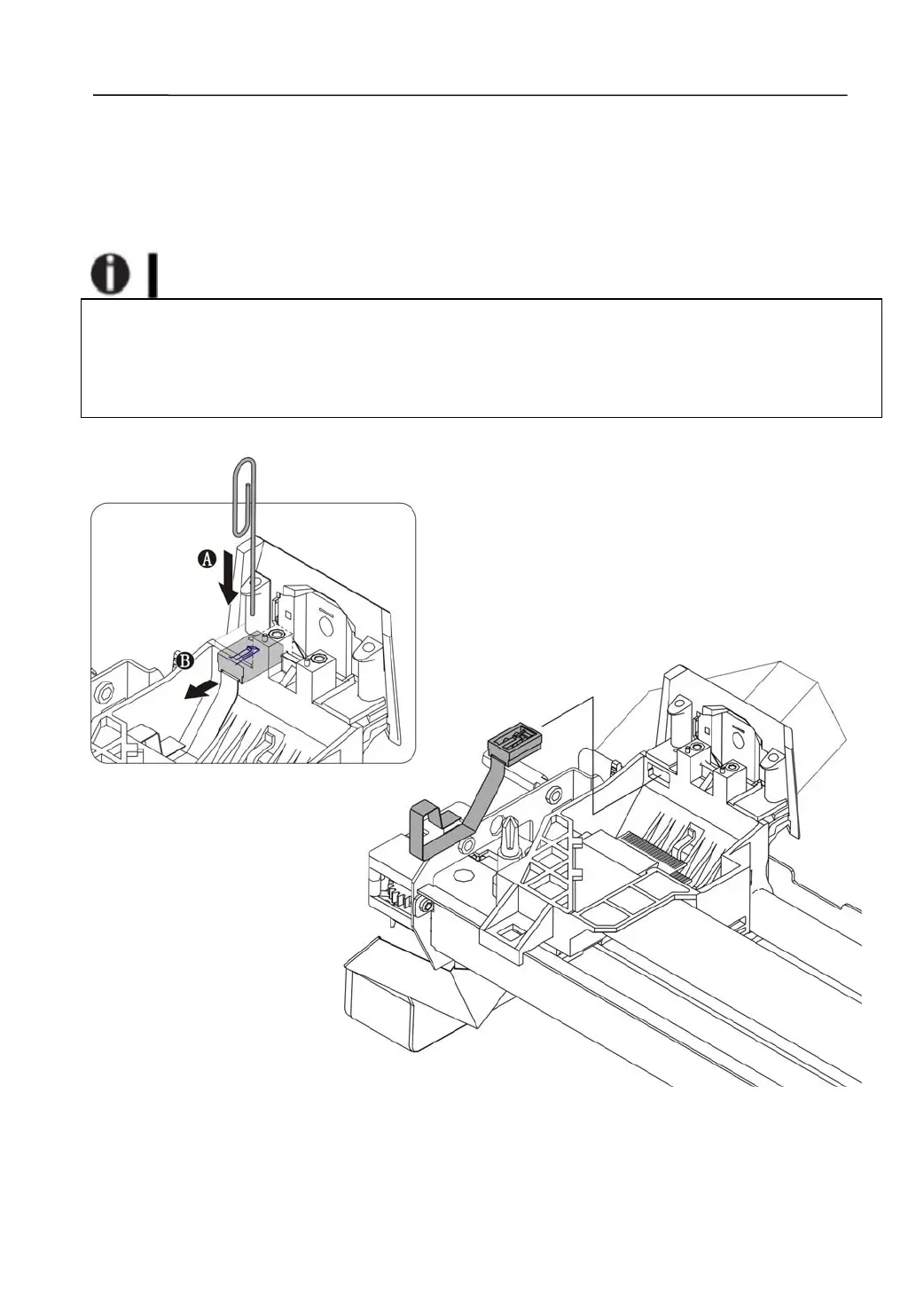
1) Disassembling the Paper Width Sensor
Disengage the Sensor Holder from the Carriage with a paper clip or a sharp tool.
→A
Take out the Paper Width Sensor Assembly. →B
Precaution on assembling and disassembling the Paper Width Sensor:
Slide the Assembly into the slot on the Carriage and lock it in position with l atches. Guide
the cable to run underneath the cable clip.
Ensure the Assembly securely sits in the slot.
Ensure the Assembly tightly presses against the transparent Paper Guide Carriage.



 To Next Page