Tally Dascom 2600 2610
30
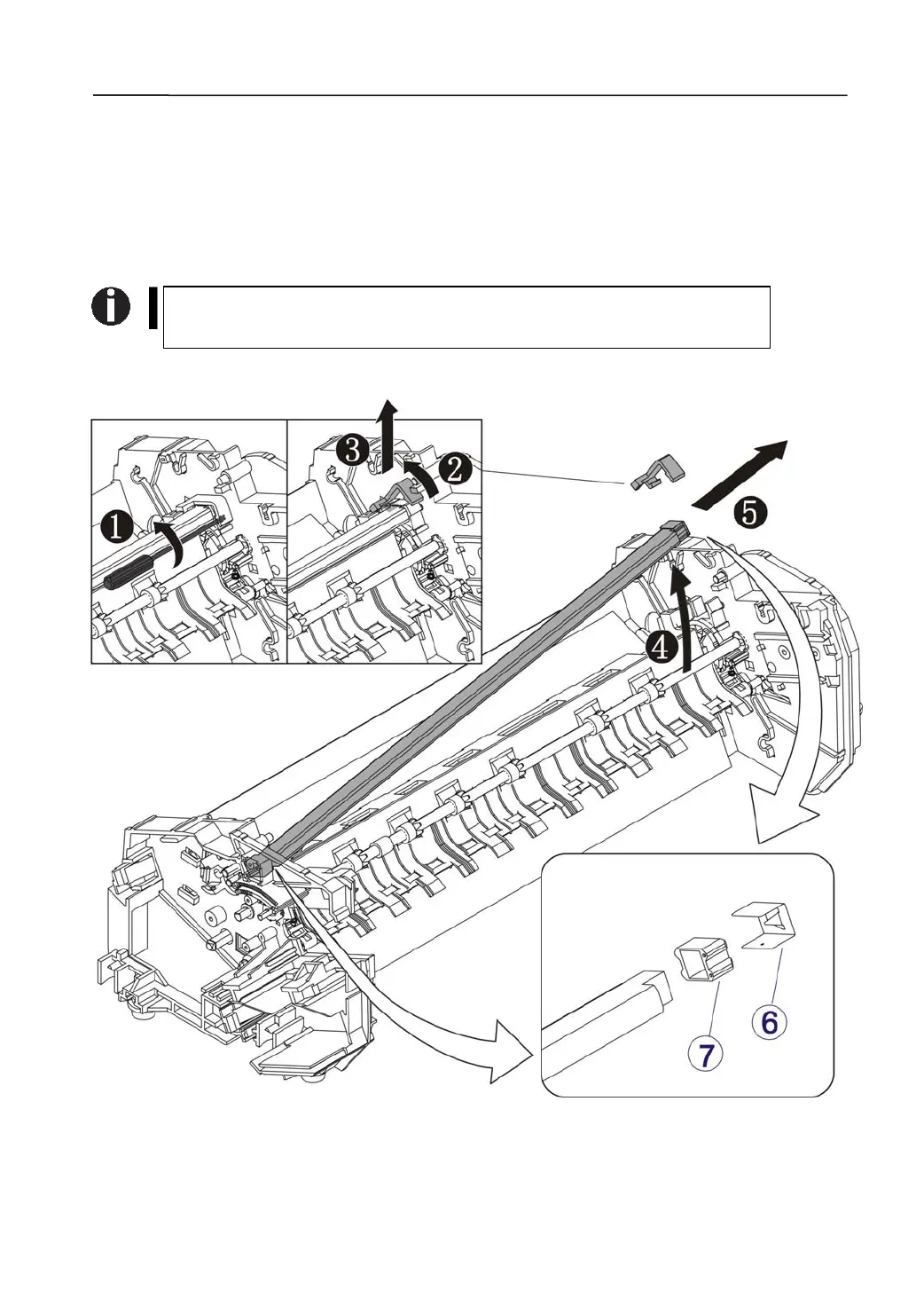
3.2.13 Disassemble the Print Bar Assy
1) Disassemble the Print Bar Assy
On the right side, pry the Clamp Print Bar off with a flat-bladed screwdriver.→①
Remove the Clamp from the top.→②,③
Lightly lift up the Print Bar Assembly.→④
Pull the assembly to the right.→⑤
Please take care of the 2 metal ESD brackets and bearings on the
both sides.→⑥,⑦



 To Next Page