Tally Dascom 2600 2610
29
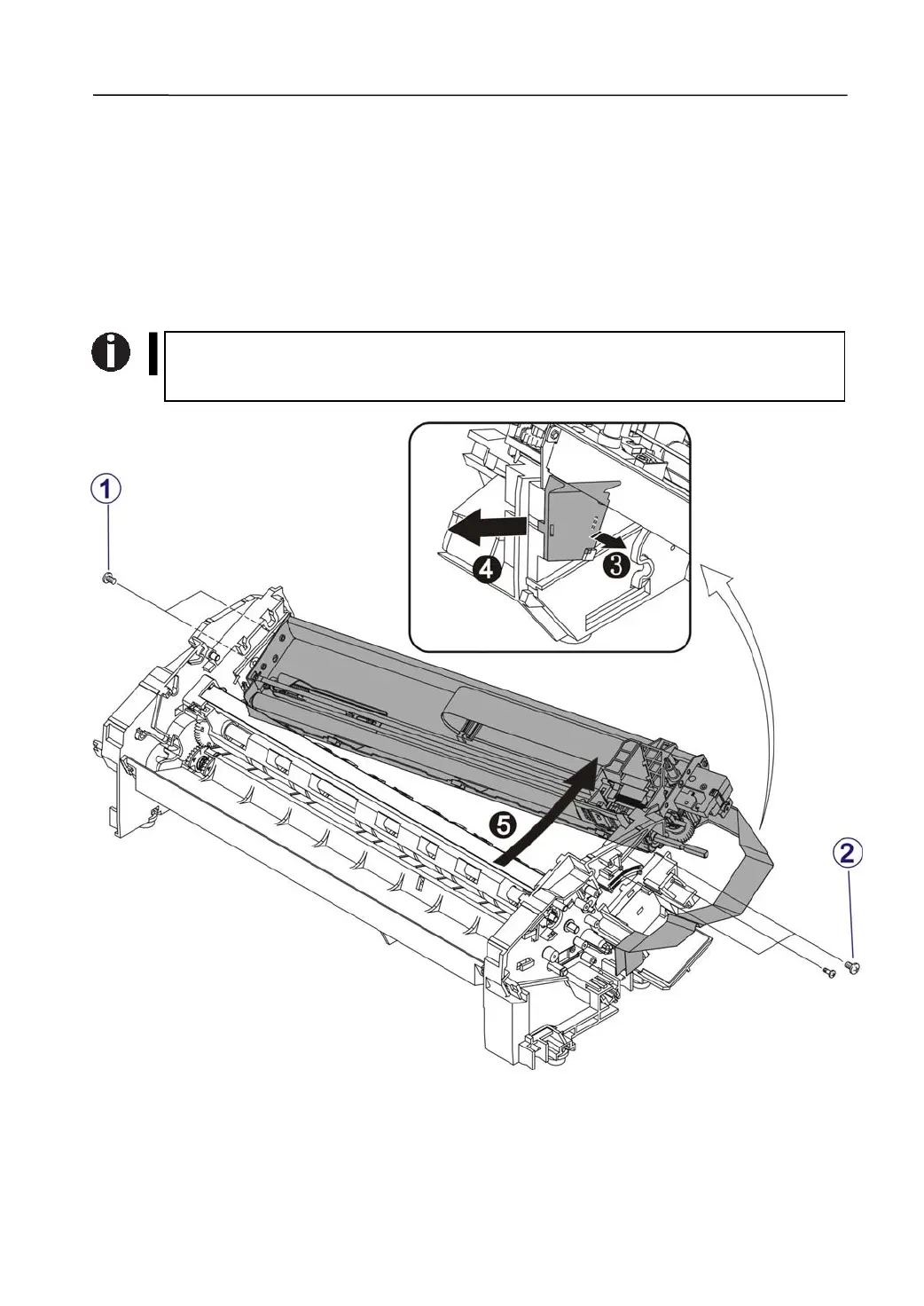
3.2.12 Disassemble the Print Module
1) Disassemble the Print Module
Unfasten the 2 screws fixing the Print Module on the left. →①
Unfasten the 3 screws fixing the Print Module on the right. →②
Pull out the Cable Cover Holder from the right. →③
Remove the Cable Cover. →④
Hold the Print Module with both hands and pull it out from the right. Remove Print
Module. →⑤
When restore the Print Module, secure the fixing screws; otherwise, loose fixing
of the Print Module affects the head gap stability to produce poor print quality.



 To Next Page