User Guide Options and accessories
This setting is not reset by loading the default factory settings.
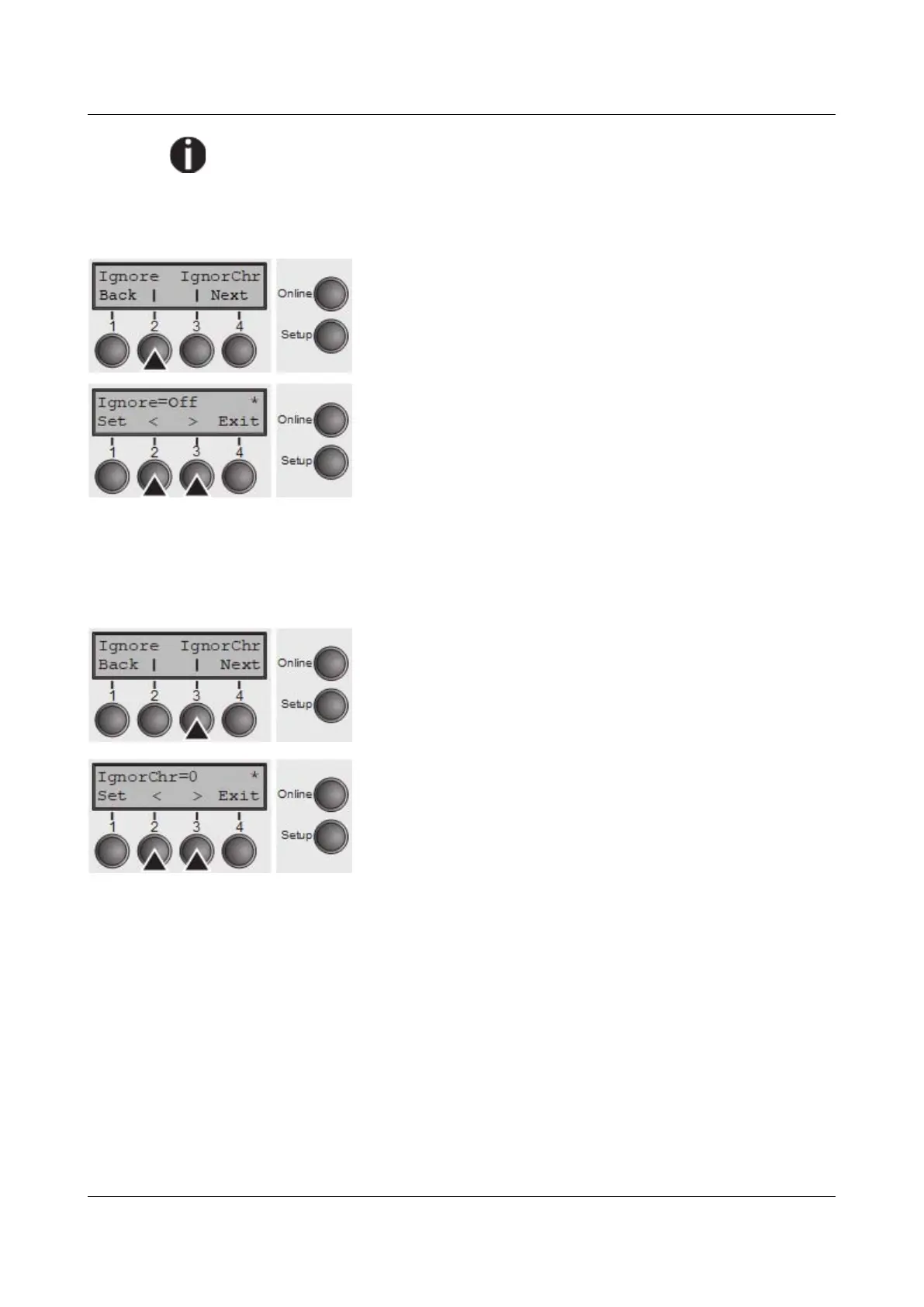
Ignore characters (Ignore)
With this function set to On the printer ignores the character defined in IgnorChr.
Select the Ignore (2) menu.
Setting options: On/Off
Default setting: Off
Confirm the setting by pressing the Set (1) key.
Ignore character (IgnorChr)
Set the character to be ignored as a decimal number.
Select the IgnorChr (3) menu.
Setting options: 0–255
Default setting: 0
Confirm the setting by pressing the Set (1) key. Change to
the next parameter group with the Next key (4).
109



 To Next Page