Options and accessories User Guide
Care and maintenance
The printer is designed to operate with minimal maintenance. It is advisable to
clean the inside of the printer from time to time with a vacuum cleaner.
Before cleaning, turn off the printer, wait 5 to 10 seconds and disconnect
the power cable.
Do not oil or grease the printer, especially the sliderails and shafts.
Replacing the fuse
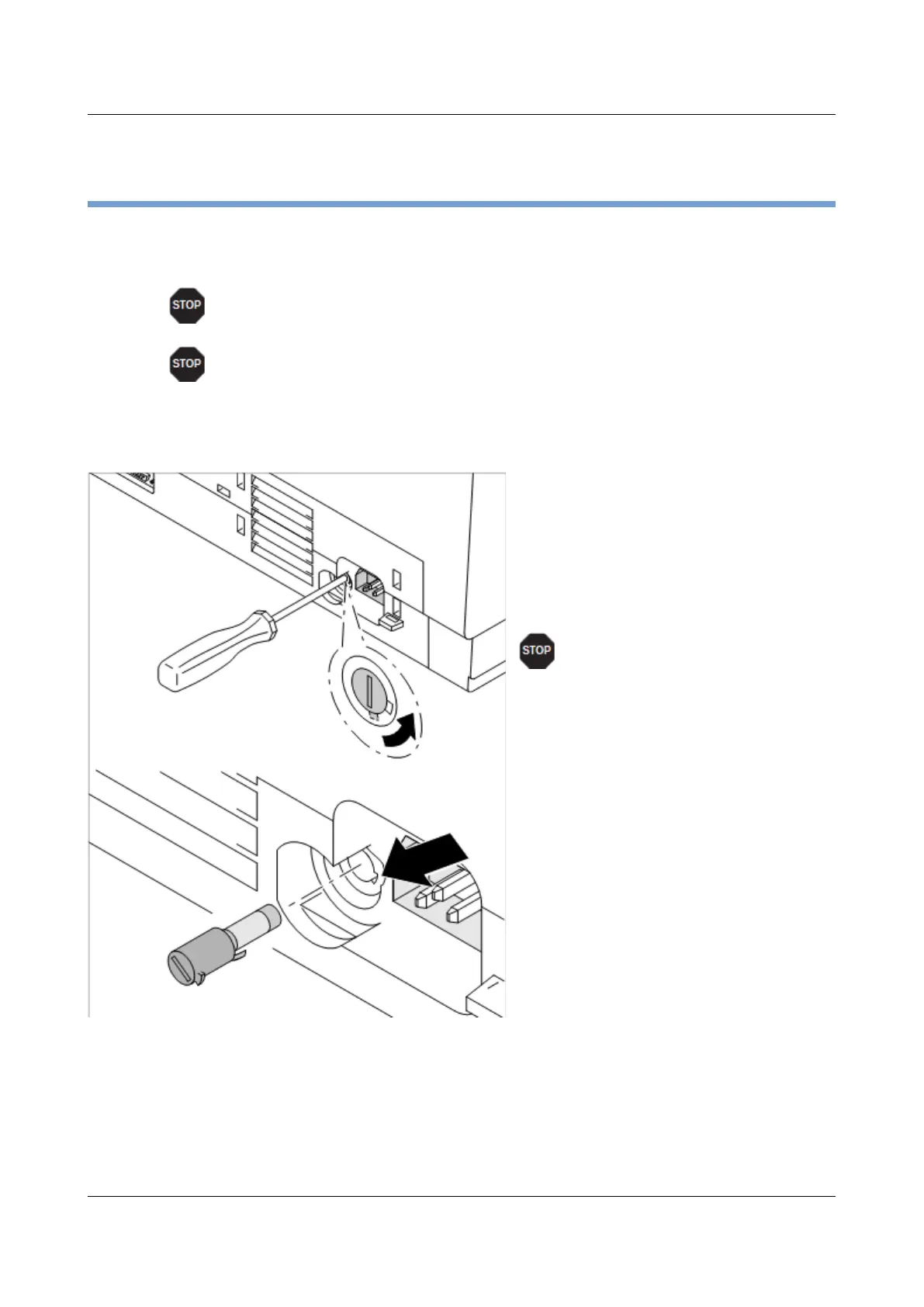
The printer is provided with a line fuse
accessible from the exterior. Press the
fuse cover slightly inwards with a
screwdriver and turn it until the cover tab
comes out through the recess in
housing. Then remove the fuse.
Install the fuse in reverse order of steps.
Only use the same type of fuse
for replacement.
The fuse ratings are specified on the
printer type plate which is mounted
above the power connector on the rear:
T6.3AH250V
118



 To Next Page