User Guide Options and accessories
Automatic paper motion sensor (PMS)
You can use this function to activate or deactivate the paper motion detection
feature. When it is active, printing and paper movements stop in case of a paper
jam and an error message is output in the display. Set the printer to test mode by
pressing the Online key while you switch on the printer.
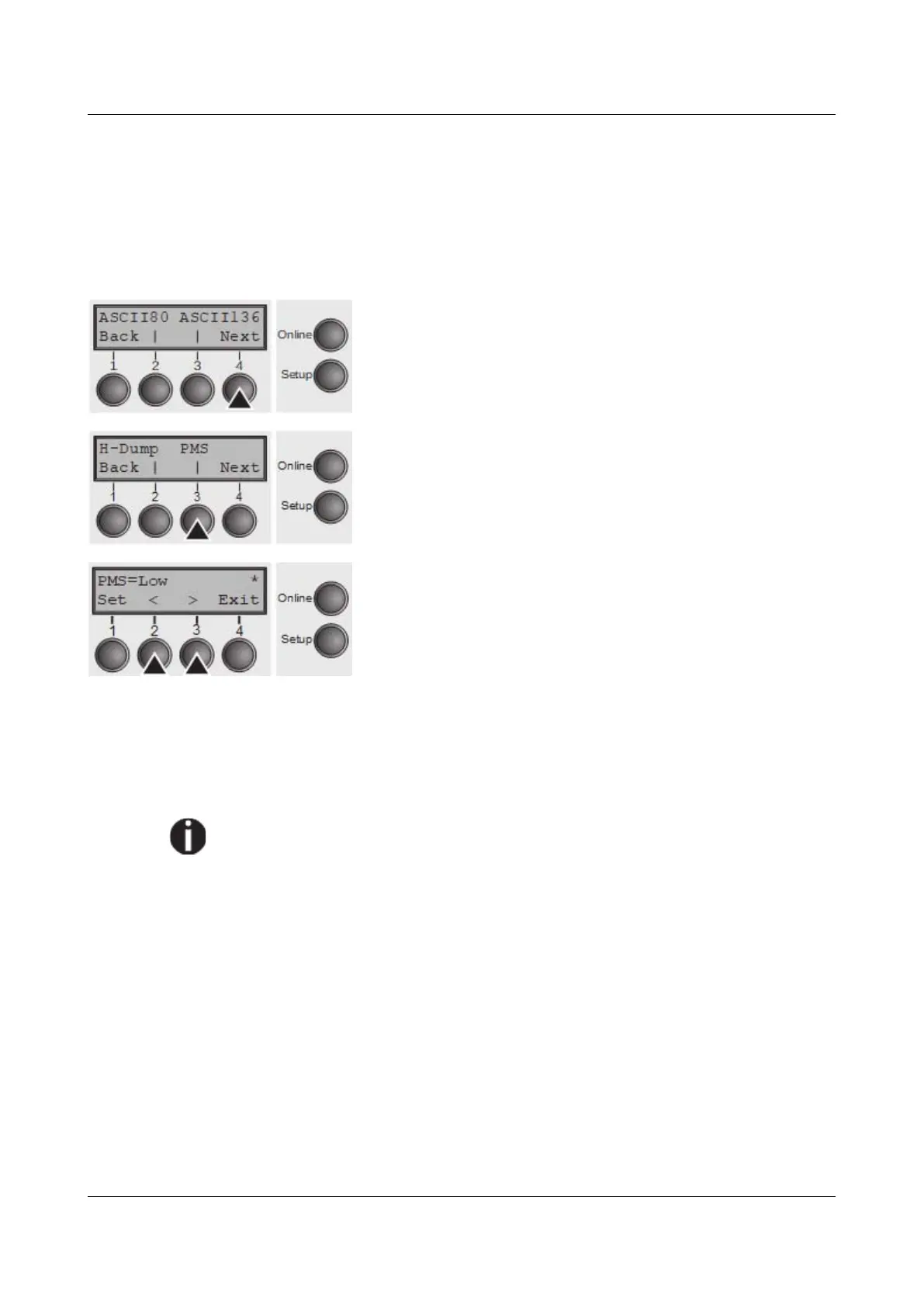
Press the Next key (4).
Select the PMS menu (3).
Setting options: Off/Low/Mid/High
Default setting: Low
PMS=Low/Mid/High: The form movements of the active
paper path are monitored. In case of a paper jam, printing
and paper movements stop and an error message (paper
jam) is displayed.
Low: Sensitivity 800/360"
Mid: Sensitivity 600/360"
High: Sensitivity 300/360"
PMS=Off: A paper jam will not produce an error message.
The Paper Motion Sensor (PMS) detects any paper jam or unintended paper
end condition and provides efficient protection against any paper transport
problems together with the paper end sensor. This prevents the printer
from printing on jammed paper or printing without paper. Disabling the
PMS can affect the operational reliability of your printer and should
therefore be avoided.
Confirm the setting by pressing the Set (1) key. Change to the next parameter
group with the Next key (4).
97



 To Next Page