Options and accessories User Guide
Language (Language)
The menu can be shown in six languages on the LC display.
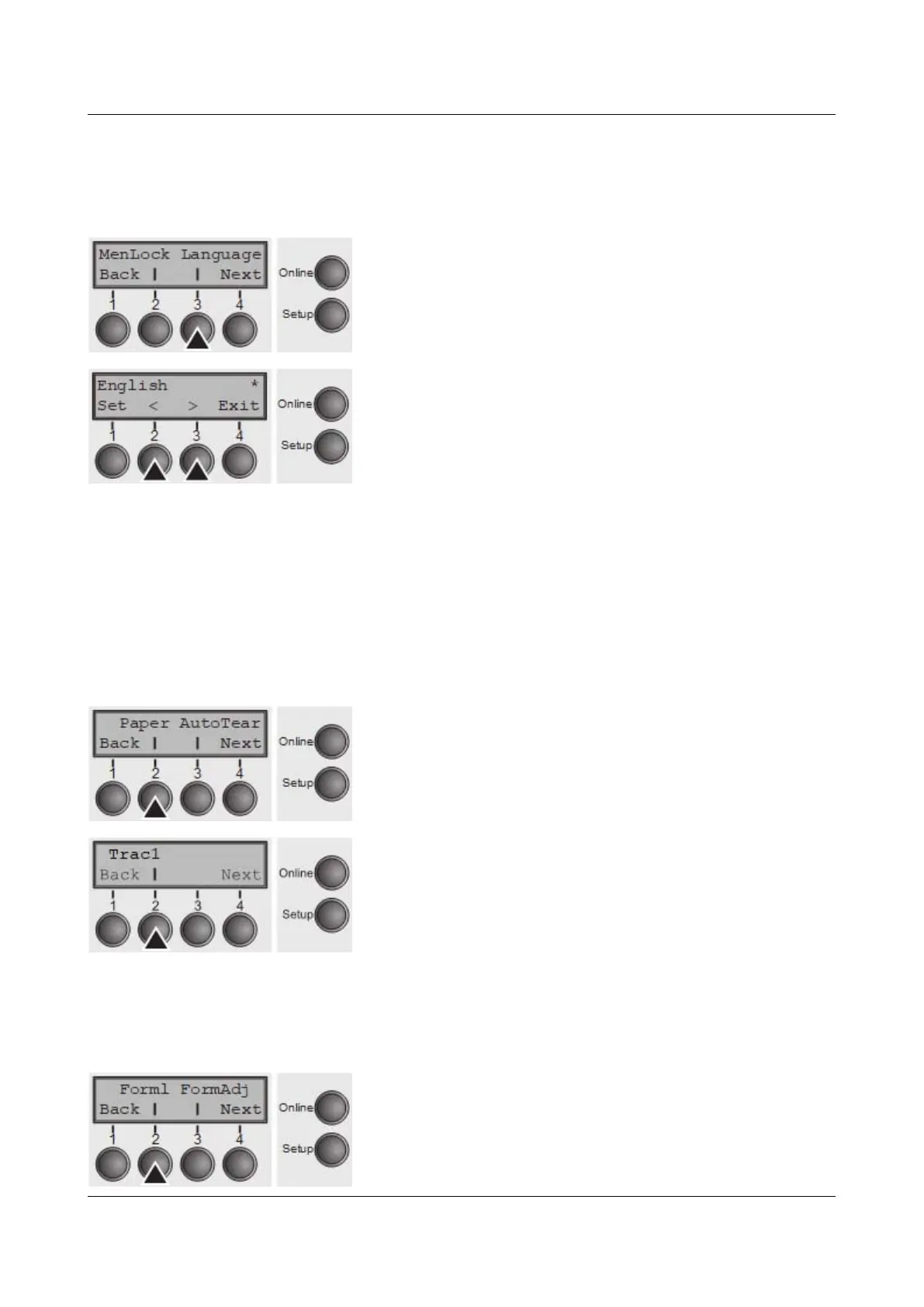
Press Language (3) key.
Use the < (2) or > (3) key to select the desired setting.
Setting Options: English, German, French, Italian,
Spanish, Turkish
Default Setting: English
Confirm the setting by pressing the Set key (1). Press the
Next key (4) to access the next group of parameters.
Paper parameters (Paper)
Selects the paper parameters Formlen (form length), FormAdj (first printing
position) and Head (printhead gap, only if AGA=Off) separately for each paper
source in the current menu.
Non-installed and with the parameter PapOpt activated options cannot be
selected.
Press Paper (2) key.
You can now choose between the following paper options:
► Tractor 1
► Tractor 2 (front, option)
Select the desired paperway, in our example Trac1 (2).
Press Next (4) key, to proceed to the installed optional
paperways.
Form length (Forml)
You can define the form length in one of two ways: via the number of lines or via
standard formats (e.g. DIN A4).
Press Forml (2) key.
76



 To Next Page