Options and accessories User Guide
Setting the tear position
If the tear position of the paper is not aligned with the tear edge of the printer, you
can adjust it. Inserted paper needs to be torn off if necessary and retracted to
park position.
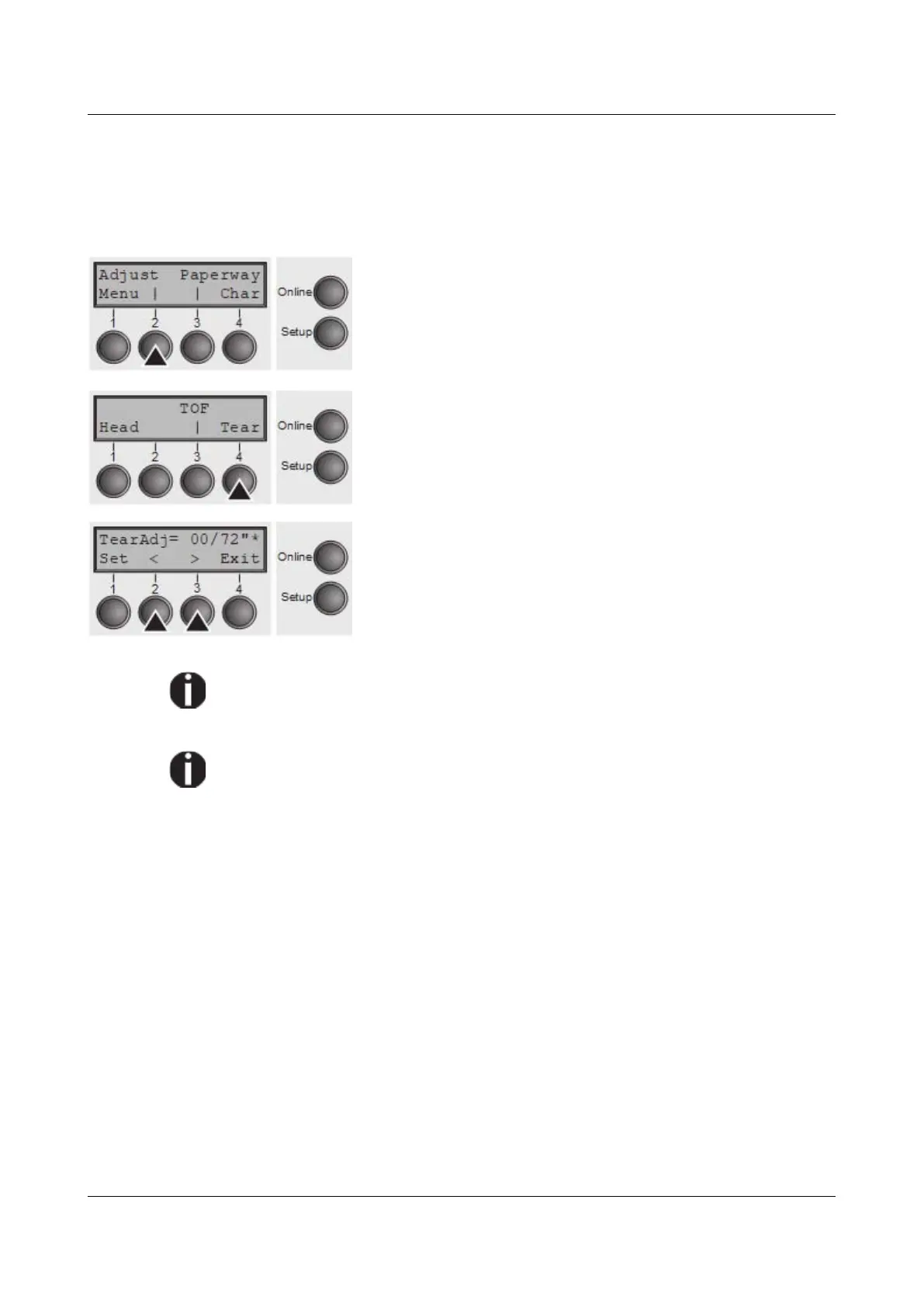
Press the Setup key. The printer changes to setup mode.
Press the Adjust (2) key.
Press the Tear (4) key.
Press the < (2) or > (3) key to move the perforation to the
desired position. Confirm the input by pressing the Set (1)
key. Confirm the input again by pressing the Setup key.
The printer is reset to the initial status.
The correction made – a maximum of approx. 1" (2.5 cm) in each direction –
will be retained after switching the printer off.
It can be set separately for each paper path.
Make sure that the set form length corresponds to the actual length of the
forms you are using.
40



 To Next Page