User Guide Options and accessories
Printer self-test (Rolling ASCII)
To check operational readiness, your printer contains a self-test routine which
allows testing of the printer configuration, the print quality and correct operation
of your printer.
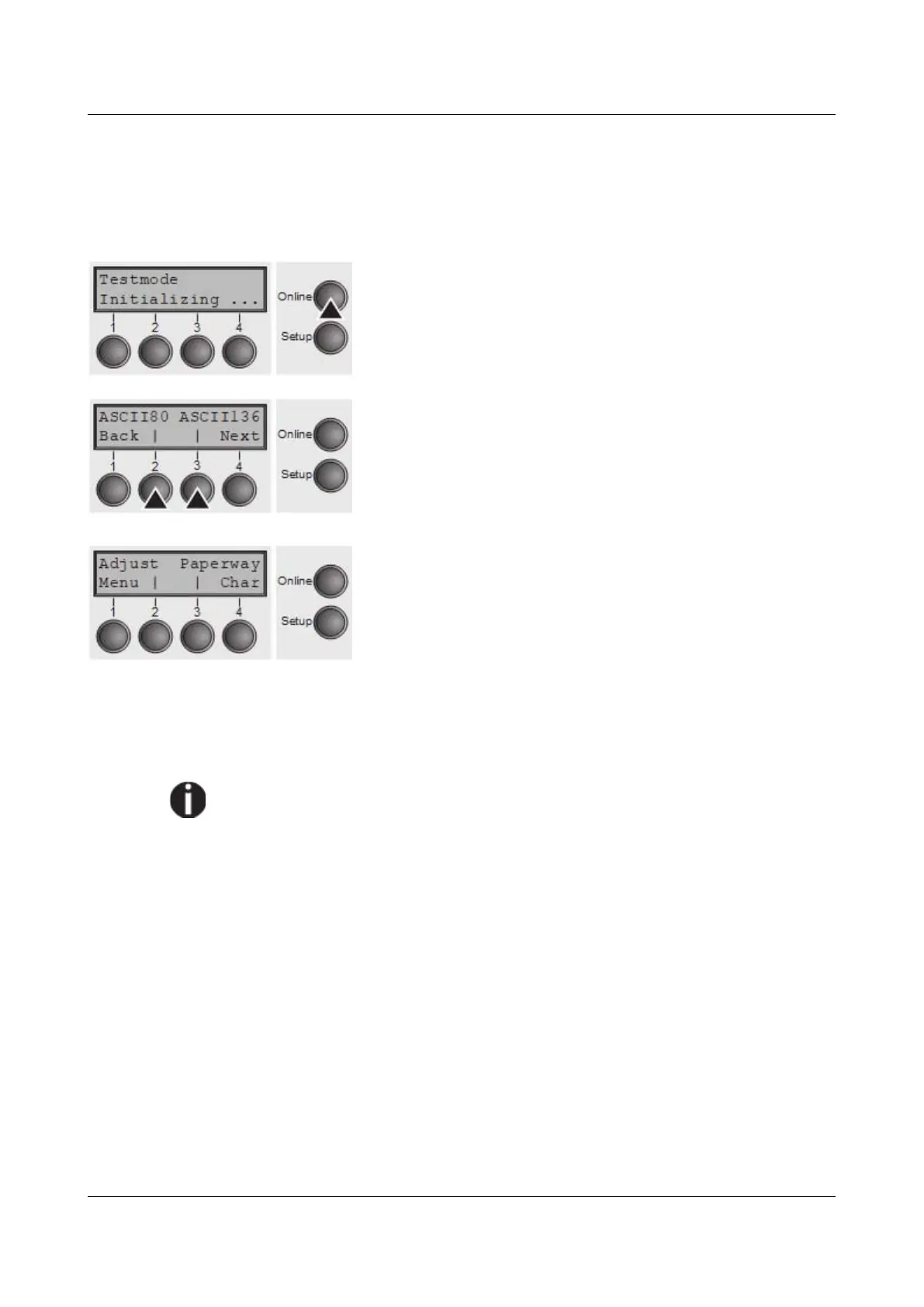
Before performing a self-test, your printer must be switched
off. Ensure that paper is inserted. Keep the key Online
pressed while switching on the printer, until Testmode
appears on the display.
Press the soft key for the ASCII 80 format (corresponds to
Legal Portrait) or for ASCII 136 (Double or Legal
Landscape). The display will indicate Test mode Off.
Press the Online key, to start the test.
It is also possible to change to Setup mode when you are
in Rolling test mode if you want to change the configuration
for the test printout.
To do this, press the key Setup. The printer then changes
to Setup mode and the first of the main levels is then
displayed.
Program your printer in the usual way for the test printout to change the
parameters. See section Programming via the control panel.
Some changes in menu mode may cause the printer to reinitialize; in this case
the Rolling ASCII test is aborted.
By pressing the key Setup you exit Setup mode and the printer once again
returns to Rolling ASCII test mode test mode.
Testmode Off is displayed. Press the key Online, the test printout starts.
The self-test can be interrupted by pressing the key Online which will stop
printing and put the printer into Offline status.
Before you begin printing, you can adjust the paper for the printout with soft keys
↑ and ↓.
91



 To Next Page