Options and accessories User Guide
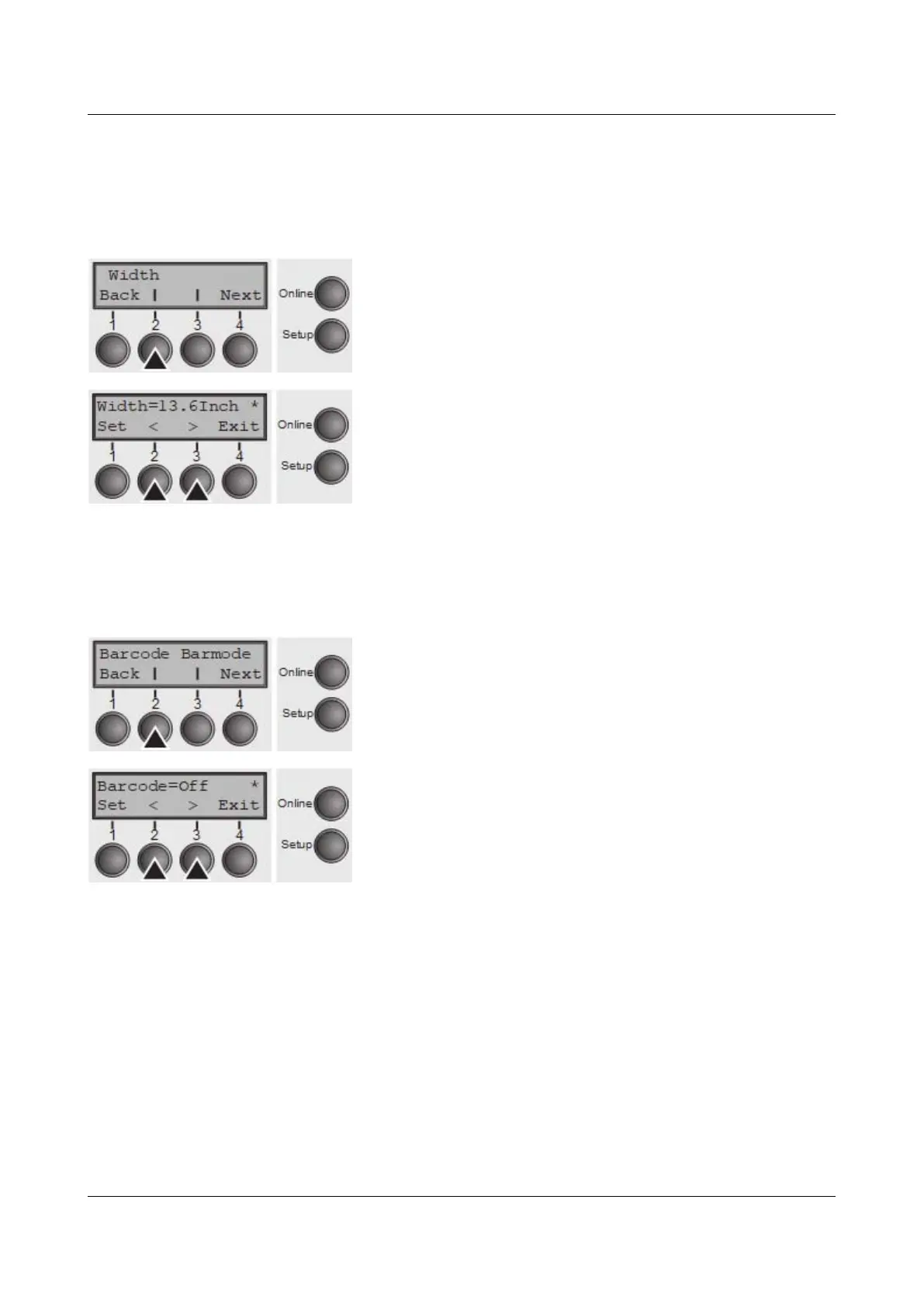
Line length (Width)
Selects the line length in inches. With the setting of 8 Inch, the printer operates
like a printer with a width of only 8 inches.
Press Width (2) key.
Use the < (2) or > (3) key to select the desired setting.
Setting Options: 8 Inch, 13.2 Inch, 13.6 Inch
Default Setting: 13.6 Inch
Confirm the setting by pressing the Set key (1). Press the
Next key (4) to access the next group of parameters.
Barcode (Barcode)
With this function selected it is posible to print different barcodes and LCP (Large
Character Printing).
Press Barcode (2) key.
Use the < (2) or > (3) key to select the desired setting.
Setting Options: On/Off
Default Setting: Off
The definition and activation is performed by special sequences through the
interface. Since this selection is possible for all emulations it must be noted that
conflicts in sequence conformity with the selected emulation may occur. For this
reason the barcode function can also be switched on and off by MTPL
sequences. (The possible barcodes, LCP characters and the operation of these
functions are described in the Barcode Programmer’s Application Manual).
Confirm the setting by pressing the Set key (1).
80



 To Next Page