User Guide Options and accessories
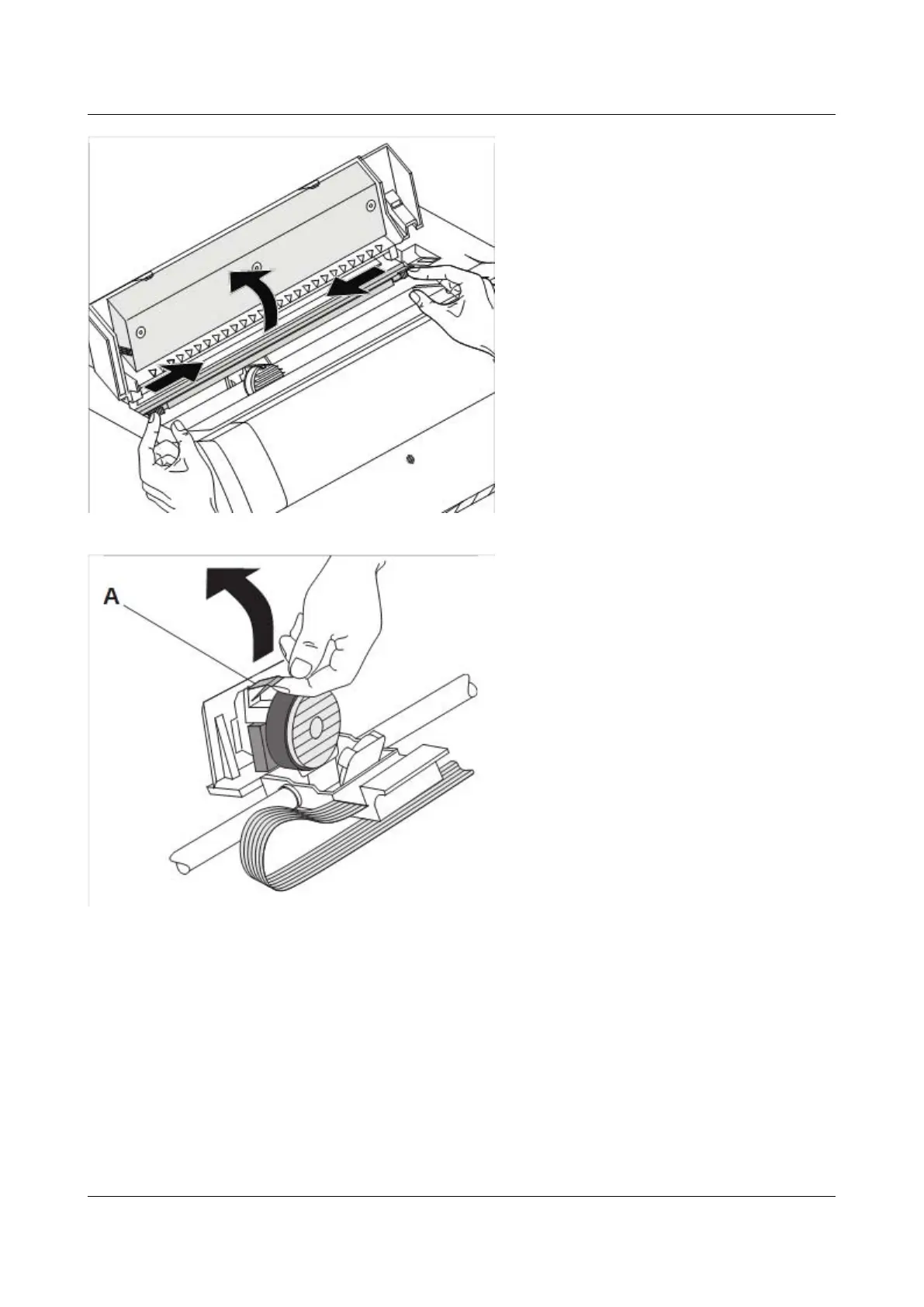
Move the coloured friction tabs to the
left and right (direction of the arrows) as
shown in the figure and raise the friction
mechanism.
Raise the coloured insertion tongue A.
Pull out and remove the coloured strip
A.
17



 To Next Page