October 2017 RiverPro and RioPro ADCP Guide
Page 62
EAR-Controlled Technology Subject to Restrictions Contained on the Cover Page.
System Status and LED Behavior
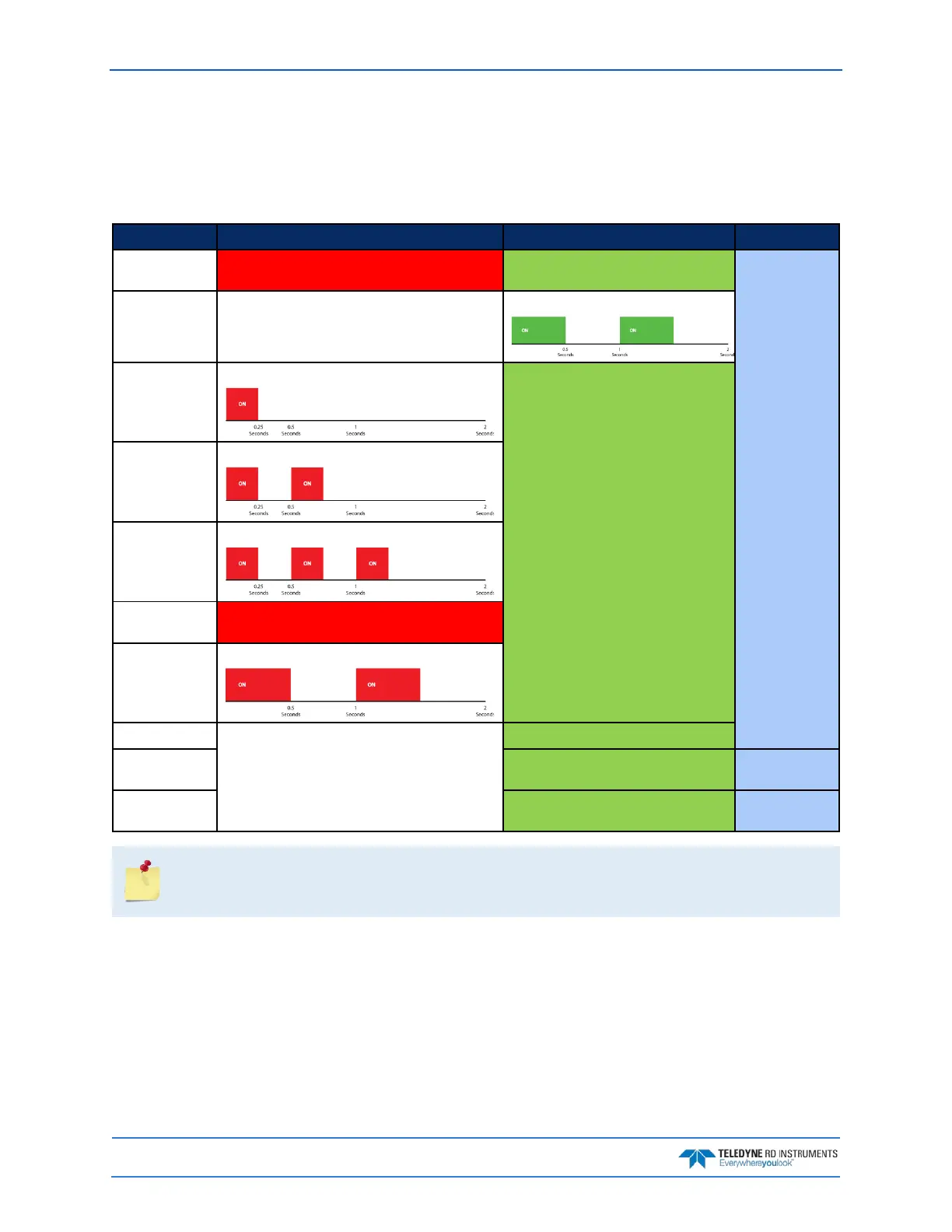
The RiverPro/RioPro LED behavior is illustrated in Table 5. The blue LED indicates Bluetooth connection
status. The green and red LEDs depict the system status and diagnostic information respectively.
Table 5. LED Behavior
Condition
RED
GREEN
BLUE
Loading FPGA
code
ON ON
Based on
Bluetooth
Connect /
Pinging
Power Up Self-
Test Pass
OFF
Two slow blinks then ON
System Error:
Comms Failure
One blink every two seconds
Based on Pinging/ Ready/ Standby
System Error:
Sensor Failure
Two blinks every two seconds
System Error:
Bluetooth Fail-
ure
Three blinks every two seconds
System Error:
Other Failure
ON
Low Battery
Slow blinking
Ready/Standby
Based on Battery/ System Error Status
ON
Pinging Blinks 0.1 sec/ensemble
Blinks 0.1
sec/ensemble
Bluetooth
Connect
based on pinging/ ready/ standby ON
When power is applied and the self-test passes, the Blue and Green LEDs indicate the LAST
connection (blue for Bluetooth, green for Serial).
When a NEW connection is established, then the color will match the type of connection.



 To Next Page