October 2017 RiverPro and RioPro ADCP Guide
Page 56
EAR-Controlled Technology Subject to Restrictions Contained on the Cover Page.
This chapter explains how to test the RiverPro/RioPro using the WinRiver II, SxS Pro, and BBTalk pro-
grams.
Test the RiverPro/RioPro:
• When you first receive the RiverPro/RioPro.
• Before each deployment or every six months.
• When you suspect instrument problems.
• After each deployment.
These test procedures assume all equipment is working. The tests can help isolate problems to a major
functional area of the RiverPro/RioPro. For troubleshooting information, see Troubleshooting.
Testing the System using WinRiver II
To test the RiverPro/RioPro using WinRiver II:
1. Start WinRiver II and establish communications with the RiverPro/RioPro ADCP.
For help on using WinRiver II, see the WinRiver II User’s Guide.
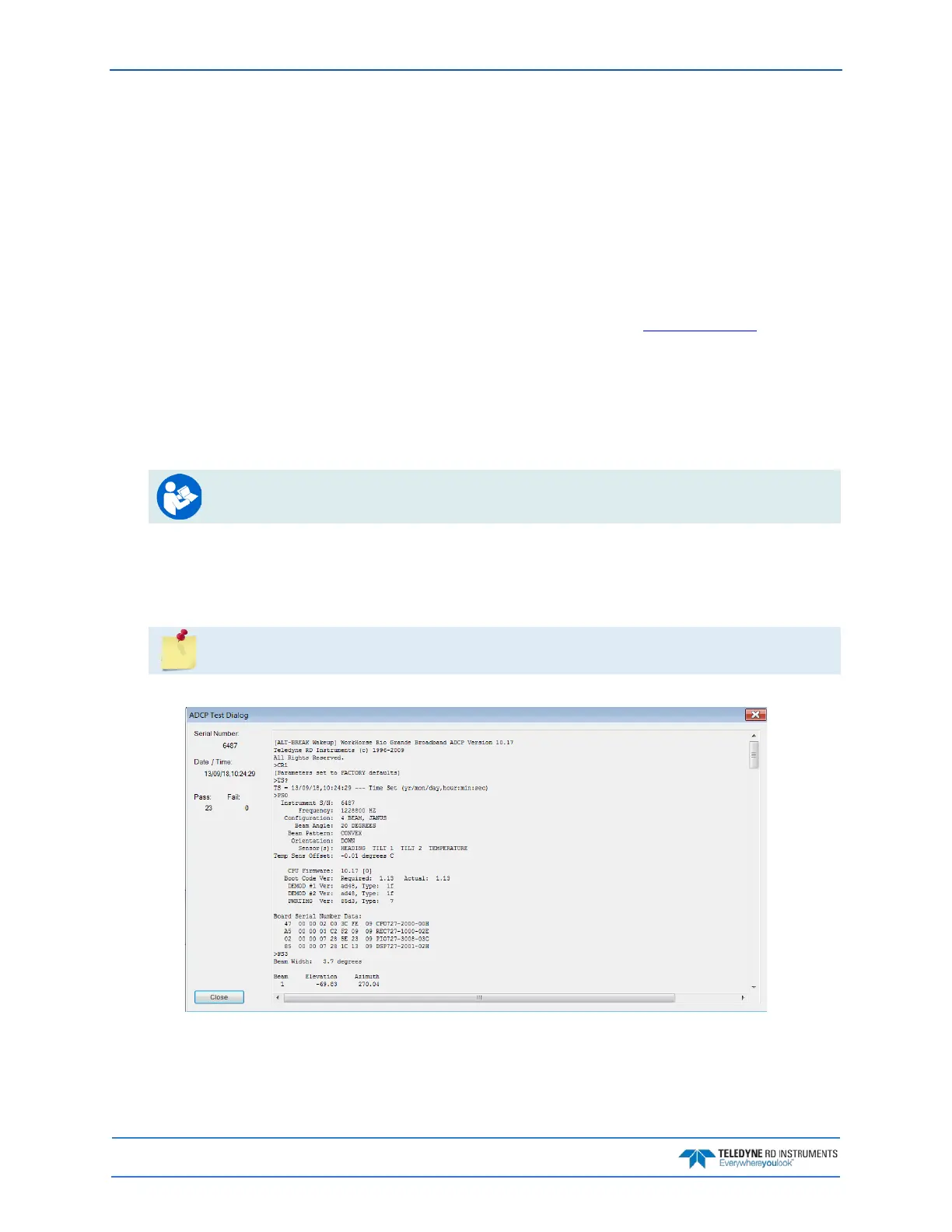
2. On the Acquire menu, click Execute ADCP Test to verify the RiverPro/RioPro is functioning
properly. RiverPro/RioPro ADCP tests should be conducted in non-moving or very slow water ve-
locities to obtain the most accurate results.
3. Click Close to exit the ADCP Test dialog.
The tests should be run while the RiverPro/RioPro ADCP is in water. Running the test in air
will not harm the RiverPro/RioPro, but some tests may fail in air.
Figure 19. Testing the RiverPro/RioPro using WinRiver II



 To Next Page