October 2017 RiverPro and RioPro ADCP Guide
Page 32
EAR-Controlled Technology Subject to Restrictions Contained on the Cover Page.
RiverPro/RioPro Operation Overview
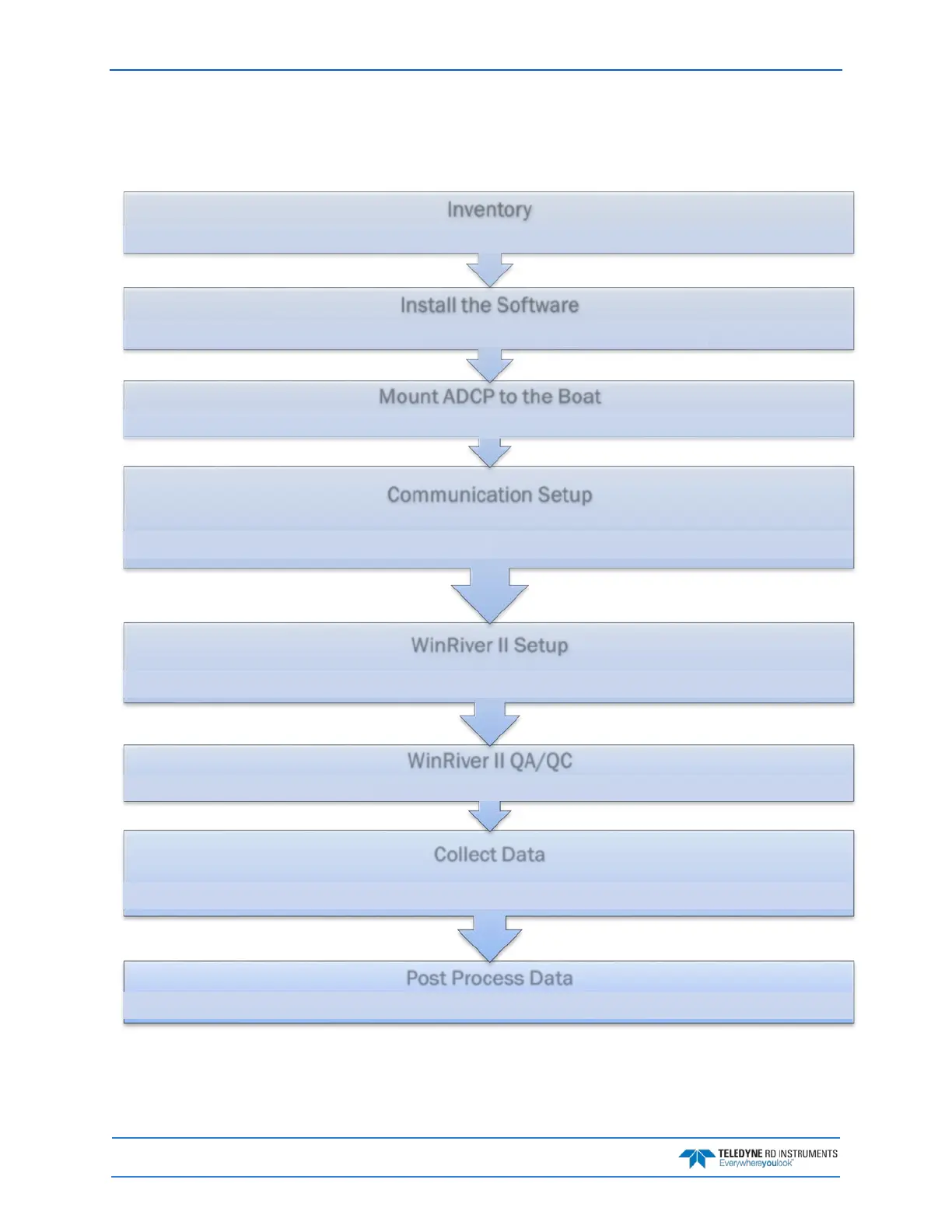
Use the following figure and description on the next page to collect data with the RiverPro/RioPro:
Use WinRiver II
(refer to the WinRiver II Software User's Guide, Chapter 3)
Use WinRiver II to collect at least four transects
(refer to the WinRiver II Software User's Guide, Chapter 3)
Set the ADCP's Clock Test the ADCP Calibrate the compass
Run the WinRiver II wizard
(refer to the WinRiver II Software User's Guide, Chapter 3)
Connect the I/O cable
(refer to the WinRiver II Serial Communications
Setup Card)
Bluetooth Communications (refer to the WinRiver II
Bluetooth Communicaions card)
Refer to the RiverPro/RioPro ADCP Guide, Chapter 2
Install the
Documentation CD
Install WinRiver II Install RDI Tools
Install SxS Pro
(optional )
Install Q-View
(optional)
Verify all parts are present (see the RiverPro/RioPro Reference Card for a list of parts)



 To Next Page