MOBILE CONFIGURATION OPTIONS
CHAPTER 9
185
ECOTEL 3G 16.1. Revised: 2011.
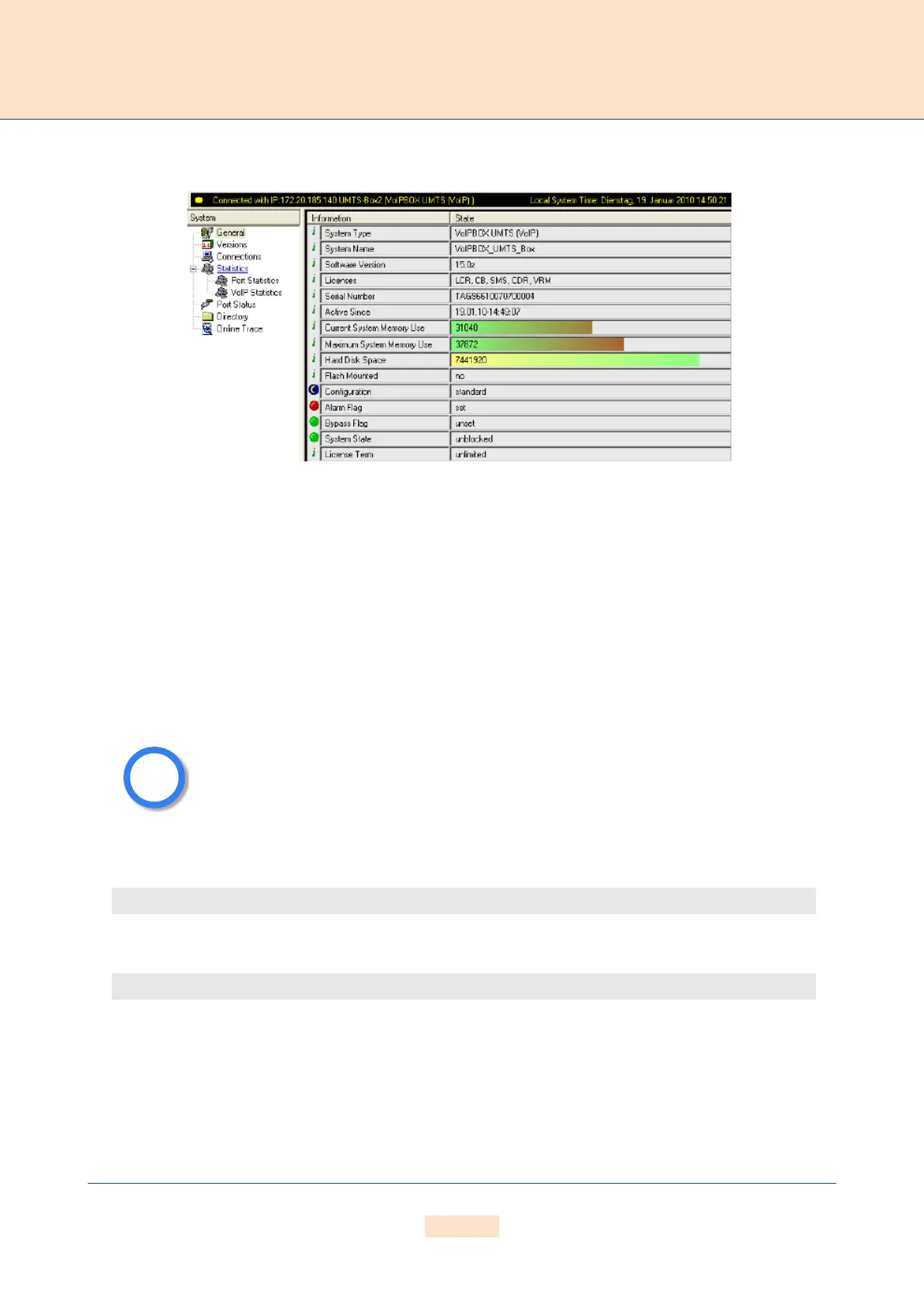
Figure 9.4 GATE Manager General View
The name for the license is SMS. This entry is required to send SMS.
You must configure the mail service in the
[Mail] section of the file pabx.cfg if you want to send the SMS
messages with an e-mail client through a mail server or directly to the ECOTEL:
[Mail]
SmtpServer=<server addr>
MailRcpt=<domain>
MailFrom=<own address or name>
The third entry in the mobile controller's
Subscriber line is the SMS center number:
German example:
You must restart the system to activate the changes.
Then enter the port-specific SMS settings:
MapAllSMS<shortnumber>=LAIN*0001:<number>
MapAllSMS<shortnumber>=port*0001:<number>
Example: In the following German example with LAIN numbers, the short number 00 is routed to the first
This entry is not necessary when using only the GateManager's Send SMS command.
Subscriber00=TRANSPARENT ROUTER UMTS[0000,00000,+00000,1,1,1,SIMS] CHADDR ALARM
Subscriber00=TRANSPARENT ROUTER UMTS[0000,00000,+491721111,1,1,1,SIMS] CHADDR ALARM



 To Next Page