5-4 4157082 First Edition
POWER TRAIN
5
Repair
Clutch Control Cable
Removal
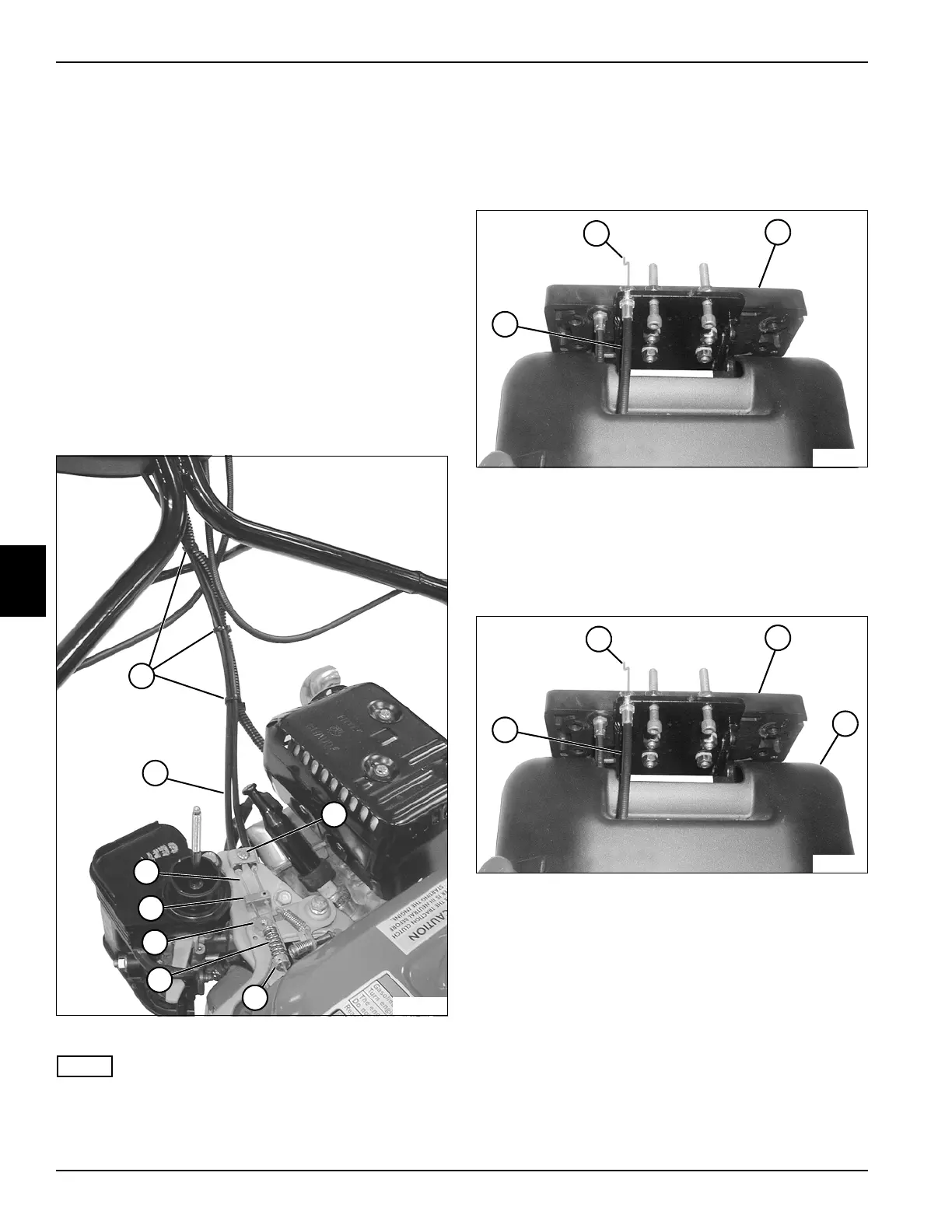
See Figures 5-2 and 5-3.
1. Park mower safely. (See “Park Mower Safely” on
page 1-6.)
2. Remove throttle cover. (See “Throttle Cover” on
page 3-5.)
3. Remove air cleaner cover and air cleaner. (Refer to
engine manual.)
4. Remove OPC bail. (See “Handle and OPC Bail” on
page 6-6.)
5. Remove handle rear cover. (See “Handle Cover” on
page 6-2.)
Figure 5-2
NOTE
Record the position of cable ties before removing to
ensure correct installation.
6. Remove cable ties (1).
7. Remove collar (3) and spring (4) from clutch control
cable (7).
8. Loosen cable clamp screw (2) and remove the clutch
control cable (7) and sheath (8) from swivel nut (5)
and cable guide (6).
Figure 5-3
9. Remove clutch control cable (10) and sheath (9) from
tilt plate (11).
Installation
See Figures 5-4 and 5-5.
Figure 5-4
1. Install clutch control cable (1) and sheath (4) into tilt
plate (2).
2. Install OPC bail. (See “Handle and OPC Bail” on
page 6-6.)
3. Route cable through handle cover (3).
4. Install handle rear cover. (See “Handle Cover” on
page 6-2.)
TN0010
6
2
8
1
3
4
5
7
11
TN0083
10
9
2
TN0083
1
4
3








 To Next Page