BRAKES
4157082 First Edition 7-5
7
3. Loosen screw (7) and pull cable (8) to obtain desired
brake tension. Tighten screw (7).
4. Repeat “Check Procedure.”
5. Install the rear half of the handle cover. (See “Handle
Cover” on page 6-2.)
6. Install transport wheels (if equipped). (See “Transport
Wheels (Optional)” on page 9-2.)
Repair
Park Brake Cable
Removal
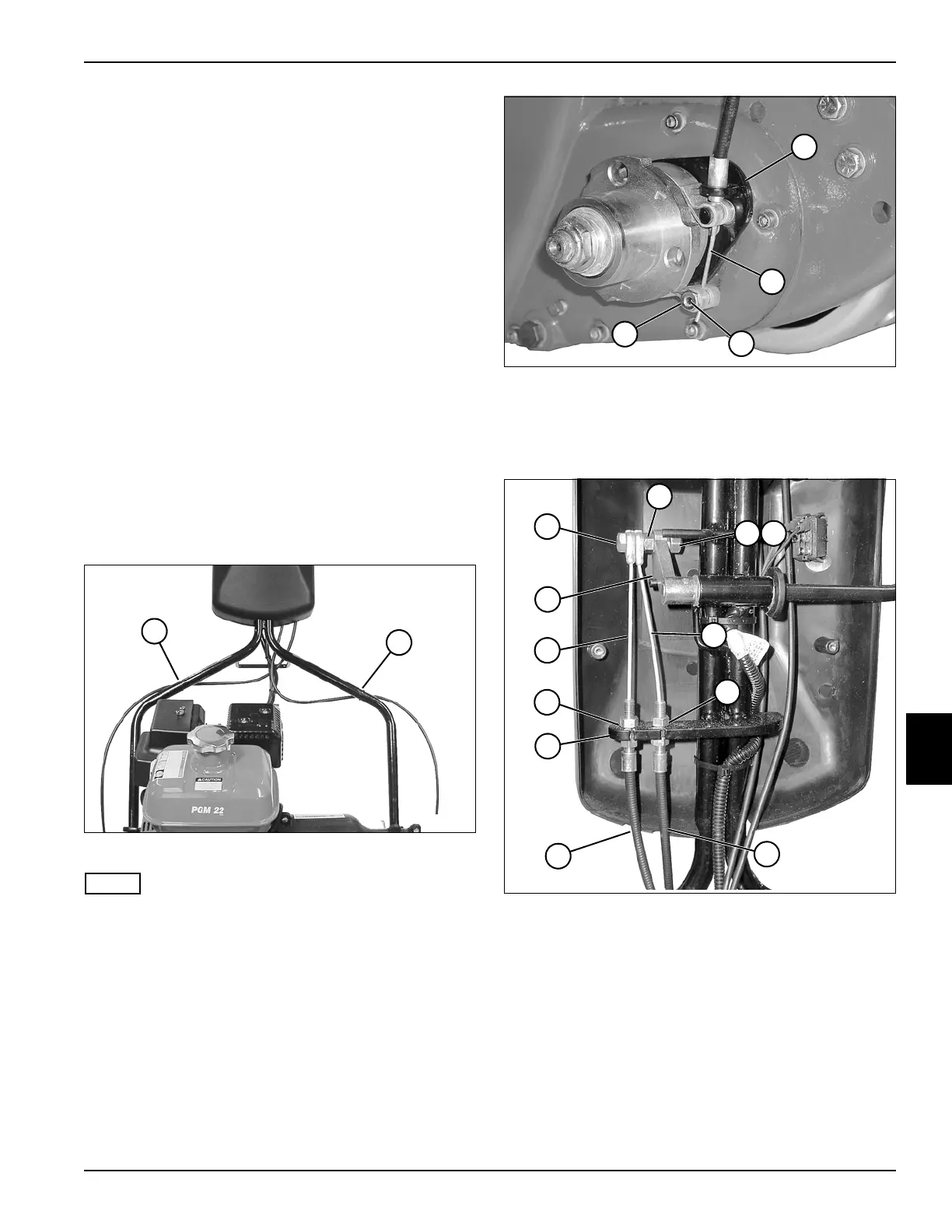
See Figures 7-5 through 7-7.
1. Park the mower safely. (See “Park Mower Safely” on
page 1-6.)
2. Remove the transport wheels (if equipped). (See
“Transport Wheels (Optional)” on page 9-2.)
3. Release the park brake.
4. Remove the rear half of the handle cover. (See
“Handle Cover” on page 6-2.)
Figure 7-5
NOTE
Record the position of cable ties before removing to
ensure correct installation.
5. Remove cable ties (1 or 2).
Figure 7-6
6. Loosen set screw (5) and remove the brake cable (4)
from the lower brake band pin (6) and bracket (3).
7. Remove the lower brake band pin (6).
Figure 7-7
8. Remove nut (9), lock washer (10), and screw (7) from
brake lever arm (18).
9. Remove nut (8) from screw (7) and remove brake
cables (11 and 17).
10. Remove jam nut (12 or 16) from brake cable sheath
(13 or 14), and slide brake cable sheath down and
remove from bracket (15).
1
TN0027
2
TN0012
6
5
4
3
16
TN0013
12
7
9
18
8
17
11
13
14
15
10








 To Next Page