E6582062
4. [Basic operation] Operation methods of motor 4-16
4
9
■ Setting of parameter for which an item should be selected
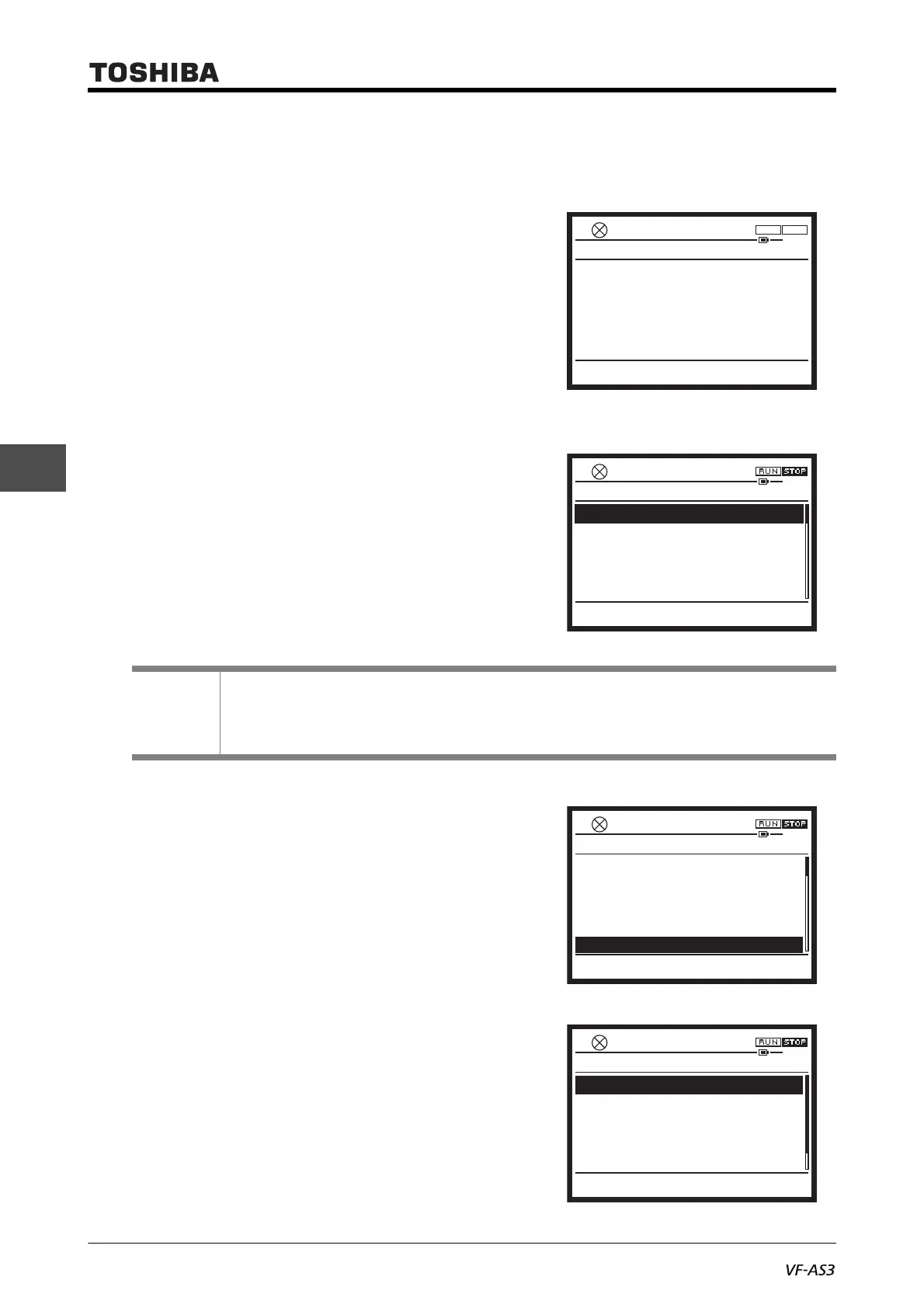
For an example, here is a procedure to set an extended parameter <F710: Standard mode display>.
1 Press the [ESC] key to change from [Standard
mode] to [Setting mode].
In the example on the right, the operation panel is
in [Standard mode], and the output frequency is
displayed in the middle of the screen.
• To switch from [Monitor mode], press the [F3] key
("Setting").
• Switch from [Easy mode] to [Standard mode] or
[Monitor mode]. For details of switching of
display modes, refer to [3. 1. 2].
The [Setting mode] screen is displayed.
2 Select "5. Extended parameter (F---)" with the
touch wheel.
The selected item is highlighted.
3 Press the [OK] key.
The extended parameter screen is displayed. The
screen showing the list of each category with 100
parameters is displayed.
Memo
• If [Setting mode] is not displayed on the screen even after the above operation, check the
<PSEL: Parameter mode select> setting. When "2: Easy mode only" is set, change the setting.
For details, refer to [5. 2. 8].
Standard Mode
Easy Screen Copy Monitor
Hz
0.0HzSTOP
0.0
14:47
F R
1.
History function
2.
Direct access
3.
Guidance function
4.
Basic parameters
5.
Extended parameters(F - - -)
Top
0.0HzSTOP
14:00
Monitor
Setting Mode
Easy
1.
History function
2.
Direct access
3.
Guidance function
4.
Basic parameters
5. Extended parameters(F - - -)
Top
0.0HzSTOP
15:07
Monitor
Setting Mode
0.0HzSTOP
14:36
Extended parameters (F ---)
0
3.2 Frequency parameters (F2 - -)
3.3 Operation parameters (F3 - -)
3.4 Motor parameters 1 (F4 - -)
3.5 Acc/dec parameters (F5 - -)
3.1 Input/output parameters (F1 --)
Top
Monitor



 To Next Page
 Loading...











