Smart Plus (PHT-35LHS)
Technical Manual
VT-TECH-Smart Plus-001
COPYRIGHT© 2018 VATECH.
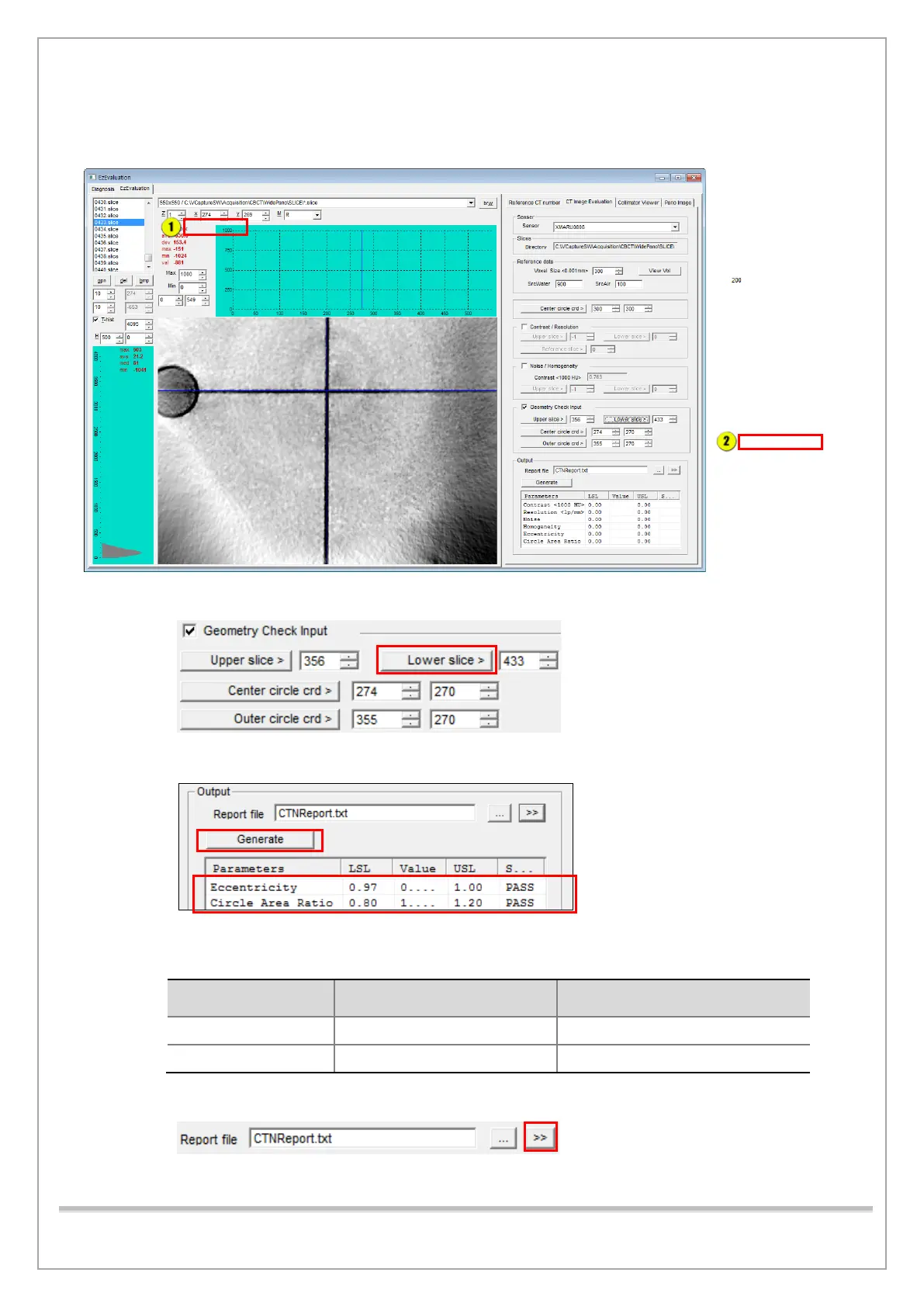
18) Select a top slice image of the Phantom Jig where its center line comes into view as shown in
the below image.
19) Click the Lower slice button under Noise / Homogeneity.
20) Click Generate to get the result and compare it with the standard.
Geometry Standard Value
LSL
(Lower Specification Limit)
USL
(Upper Specification Limit)
21) Click >> to see the test report.
22) When finished, exit the EzEvaluation.














 To Next Page