Smart Plus (PHT-35LHS)
Technical Manual
VT-TECH-Smart Plus-001
COPYRIGHT© 2018 VATECH.
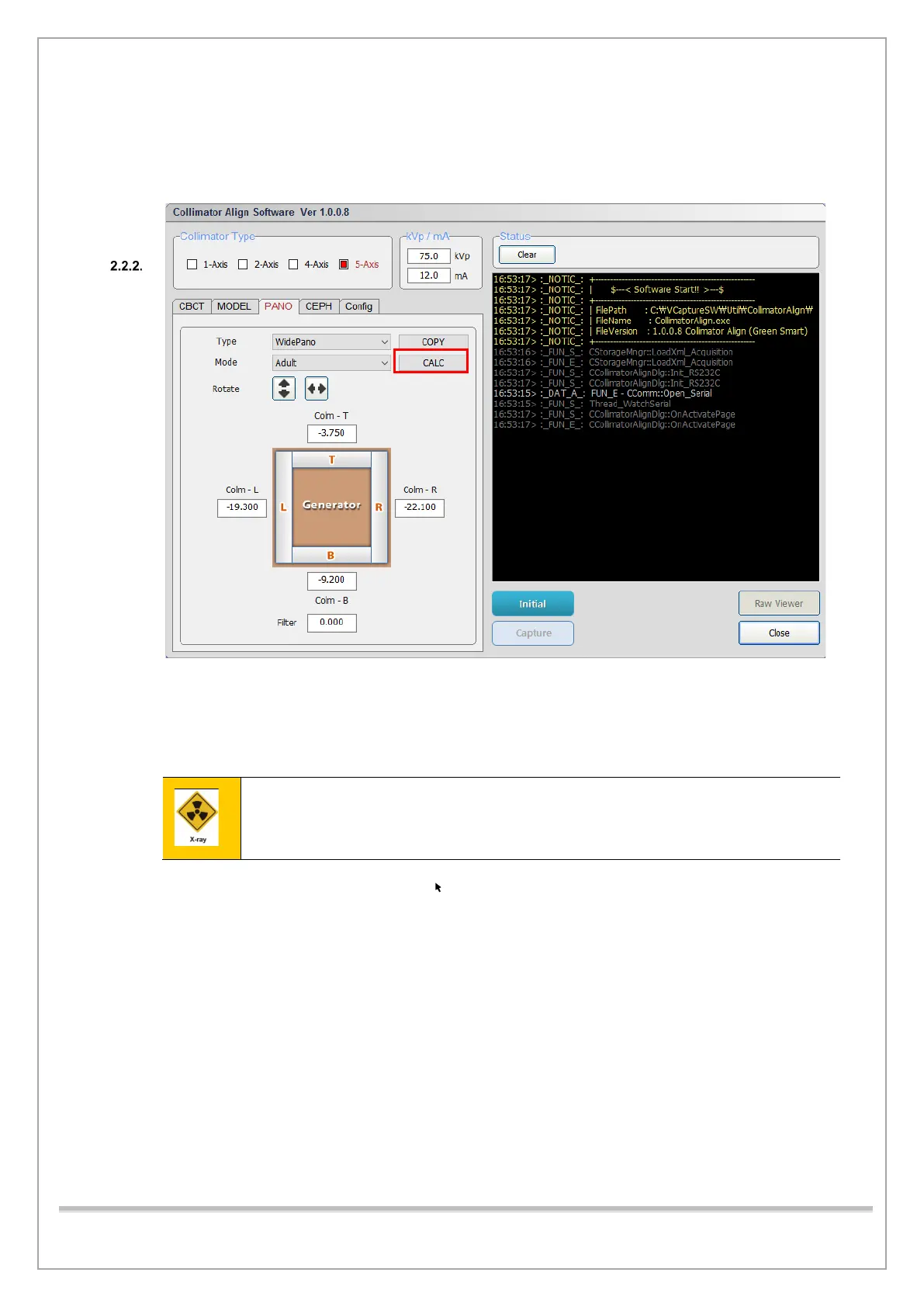
In Child mode
1) When the Collimator Alignment at an adult is completed, click the “CALC” button. Child mode
values will be calculated.
\
2) Click Initialize and wait until the system is initialized.
3) Click Capture when it is enabled.
4) When Align Sequence window appears, press the X-ray exposure switch
Stay outside of the X-ray shielding room to avoid unnecessary X-ray radiation during
exposure.
5) Select 0009. raw in the raw file list.
6) Type 90 in the T box.
7) Select S in the M box.
8) Make sure that the result meets the PANO collimator-alignment standard.
9) Click Close to exit the Collimator Align program.














 To Next Page