Smart Plus (PHT-35LHS)
Technical Manual
VT-TECH-Smart Plus-001
COPYRIGHT© 2018 VATECH.
Center Pin Position Calibration(POFS)
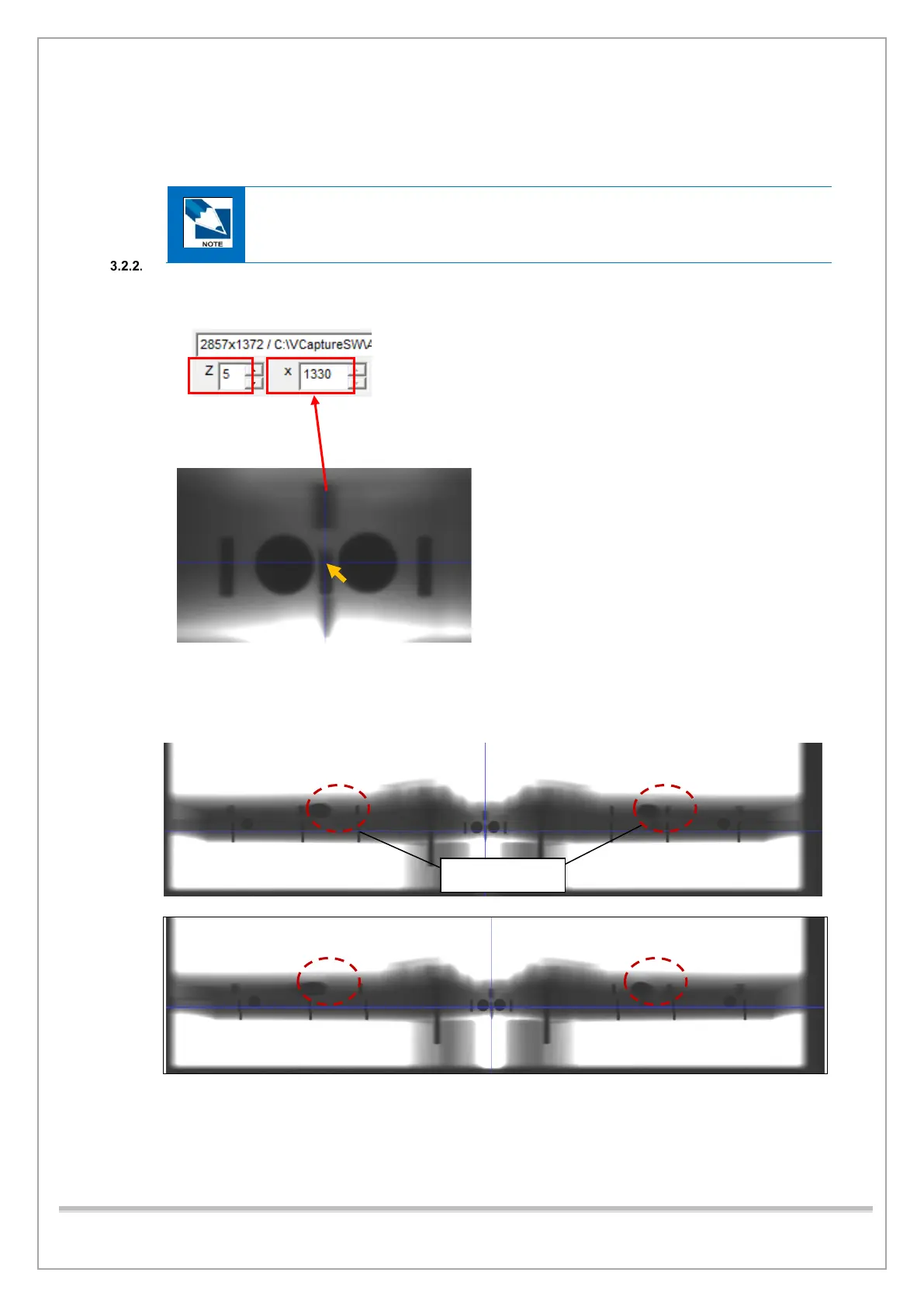
1) Acquire the PANO BALL PHANTOM image and open it.
Refer to the Right and Left Pin Distance Calibration to step 1) through 9) for the
image acquisition procedure.
2) In the Z box, type 5. Then use the mouse to drag the image to show Center Pin. Click Center
Pin to check the Pixel Number.
3) Make sure that the Center Pin pixel number meets the standard (within 1329-pixel line ± 10
pixels).
4) In the Z box, type 1. Make sure the ghost image has bilateral symmetry as shown below.
[Wrong BALLPHANTOM Geometry]
If the center pin pixel number does not meet the standard, do the steps that follow:














 To Next Page