Smart Plus (PHT-35LHS)
Technical Manual
VT-TECH-Smart Plus-001
COPYRIGHT© 2018 VATECH.
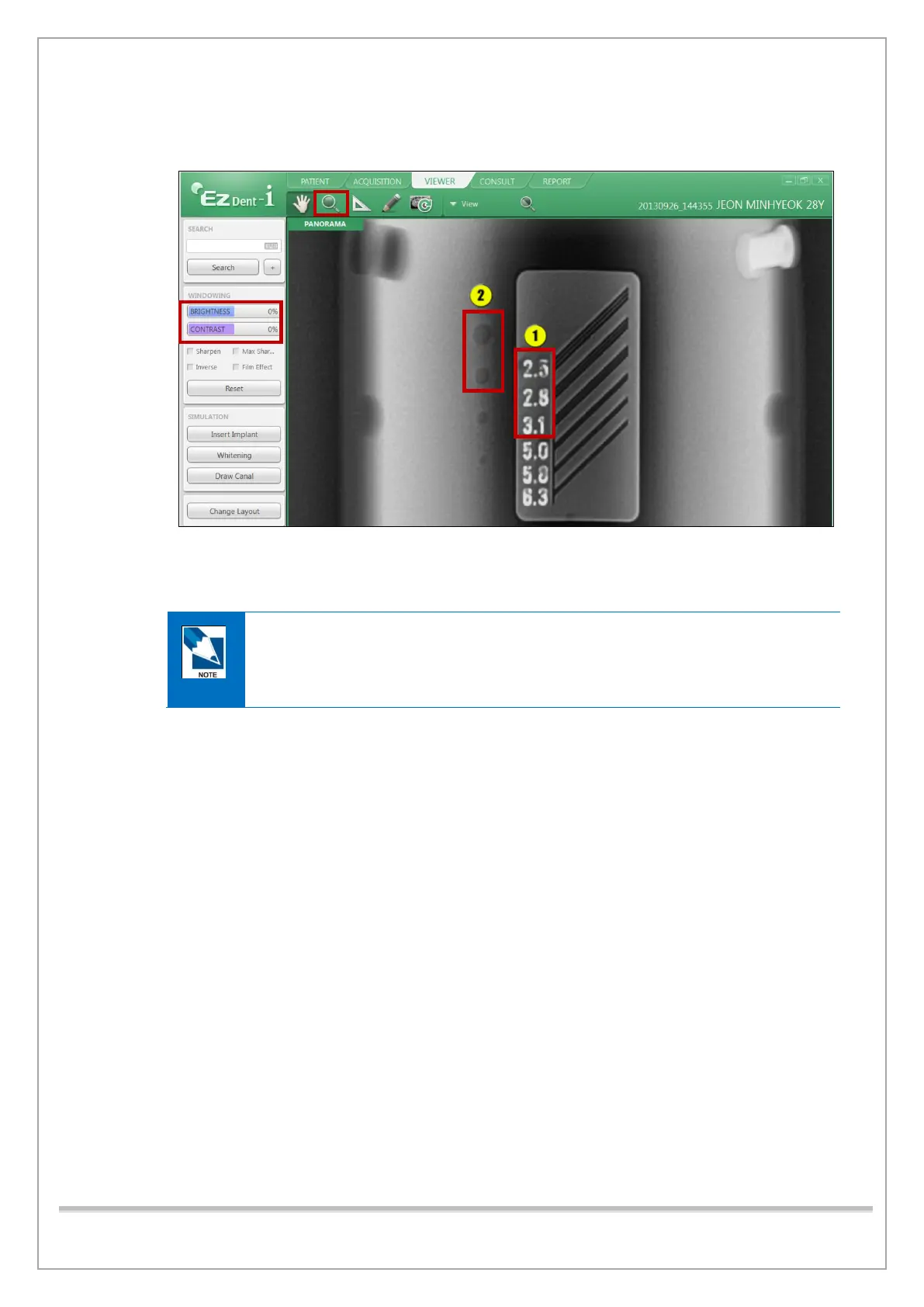
8) Click the zoom icon and drag right to magnify the line pair of Quart Phantom. Adjust
BRIGHTNESS and CONTRAST bar to show the line pair well.
9) [Line Pair Resolution] Make sure that the lines can be seen clearly at 2.5 lp/mm.
10) [Low Contrast Resolution] Make sure that a 2.0mm hole can be seen clearly.
If the standard is not met,
- Refer to the PANO Geometry Calibration section and perform CENTER BALL Size
(PYST) Calibration.
- Perform PANO sensor calibration and PANO Collimator Alignment again.














 To Next Page