Smart Plus (PHT-35LHS)
Technical Manual
VT-TECH-Smart Plus-001
COPYRIGHT© 2018 VATECH.
6) Perform the image acquisition according to the Console Software guidance.
7) When the image acquisition is completed, run VAKCAP.exe
(Path: C:\VCaptureSW\Acquisition\Ceph\WideCeph\Norm\VAKCAP.exe)
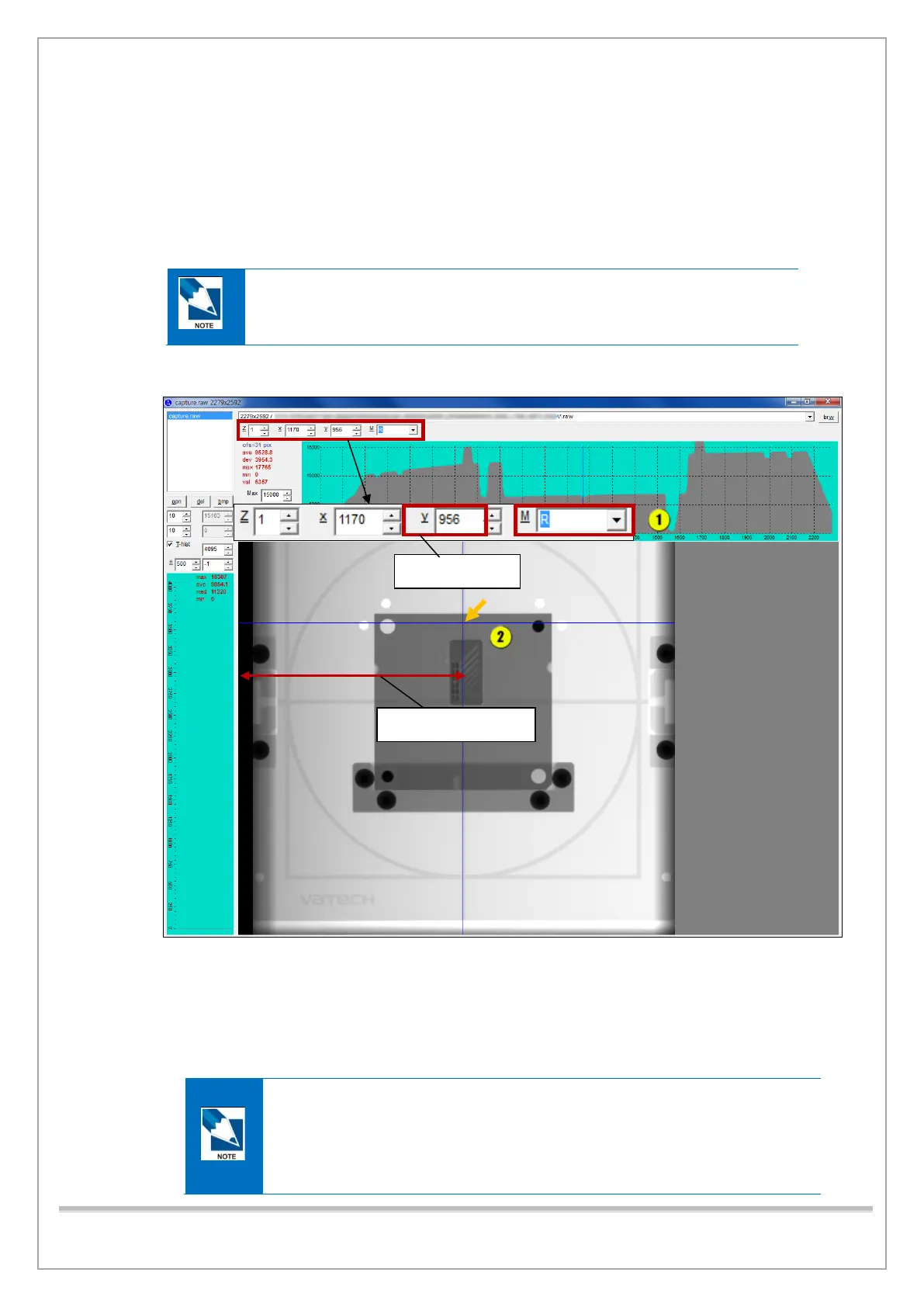
8) Click the Panorama tab > V Pan to open View16.
9) Click Brw and select Capture.raw to open the captured image.
Capture.raw file path :
C:\VCaptureSW\Acquisition\Ceph\WideCeph\Norm\PAN folder
10) Select R in the M box and click the center of the PHANTOM image.
11) Make sure that X value(pixel number) meets the standard (1160 ~1180 pixels)
12) If the X value is out of the permitted value, do the steps that follows:
① In Panorama tab, calculate a new UBTT value with current UBTT value(default value = 0340)
and type [SPM_UBTT_####] and click Send. ( #### : Calculated UBTT Value)
UBTT Value: When change the UBTT Value by 10, the Pixel Number at the
center of PHANTOM will be changed by approximately 1~2 Pixels.
Increase UBTT Value à Decrease Pixel Number
Decrease UBTT Value à Increase Pixel Number














 To Next Page