Smart Plus (PHT-35LHS)
Technical Manual
VT-TECH-Smart Plus-001
COPYRIGHT© 2018 VATECH.
Point Setting Method for Lateral Mode Image
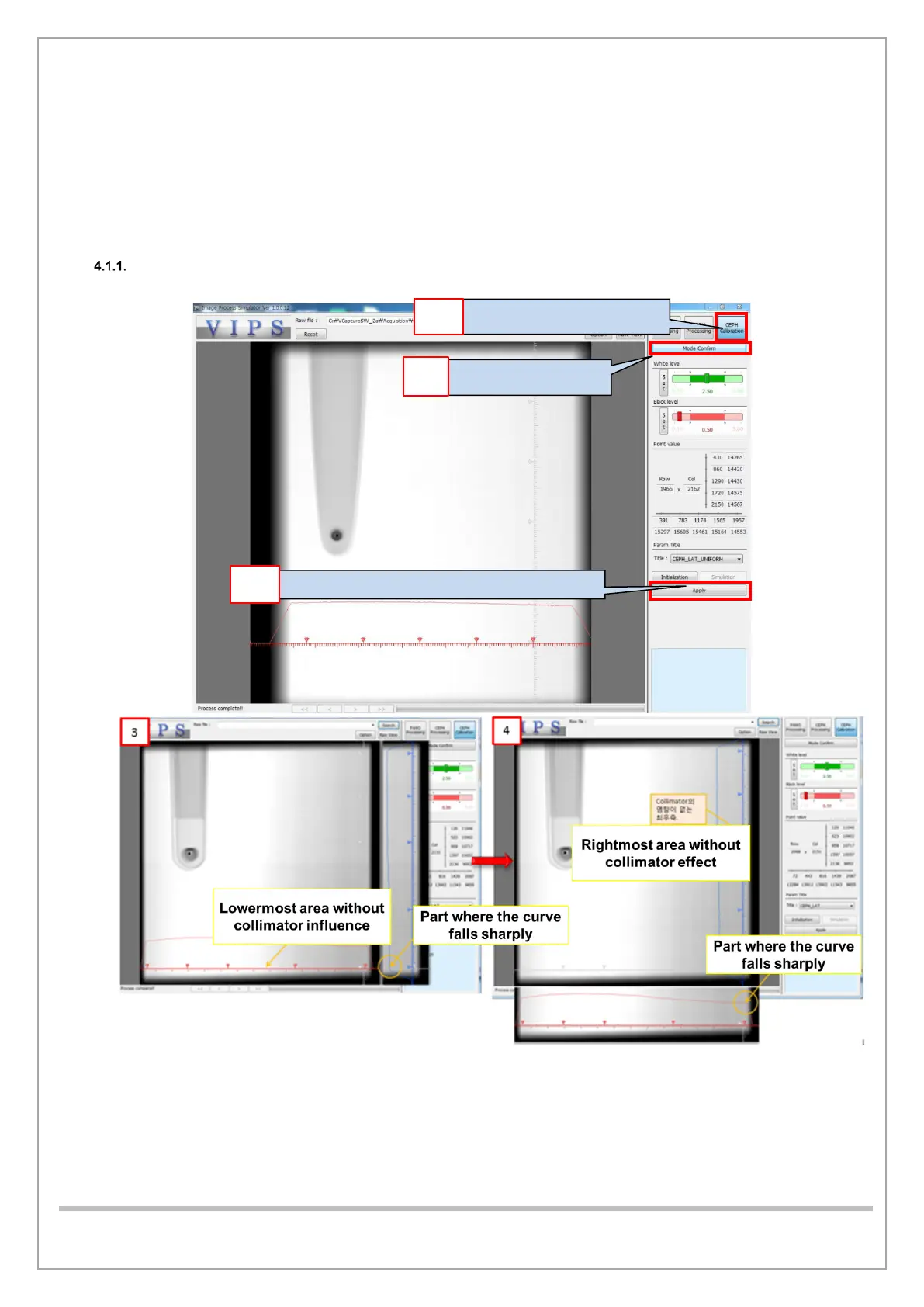
Follow the procedure below to set points for the lateral mode.
1) The Row Guideline sets the lower part without the influence of the collimator.
2) Use the Histogram of the column guideline to set within the range before the curve descends
rapidly.
3) Click Apply after you finished setting the point as shown in pictures 3 through 8.
<V.I.P.S execution screen>
1. Choose CEPH calibration.
8. Click Apply after you completed steps from 1 to 7.














 To Next Page