Smart Plus (PHT-35LHS)
Technical Manual
VT-TECH-Smart Plus-001
COPYRIGHT© 2018 VATECH.
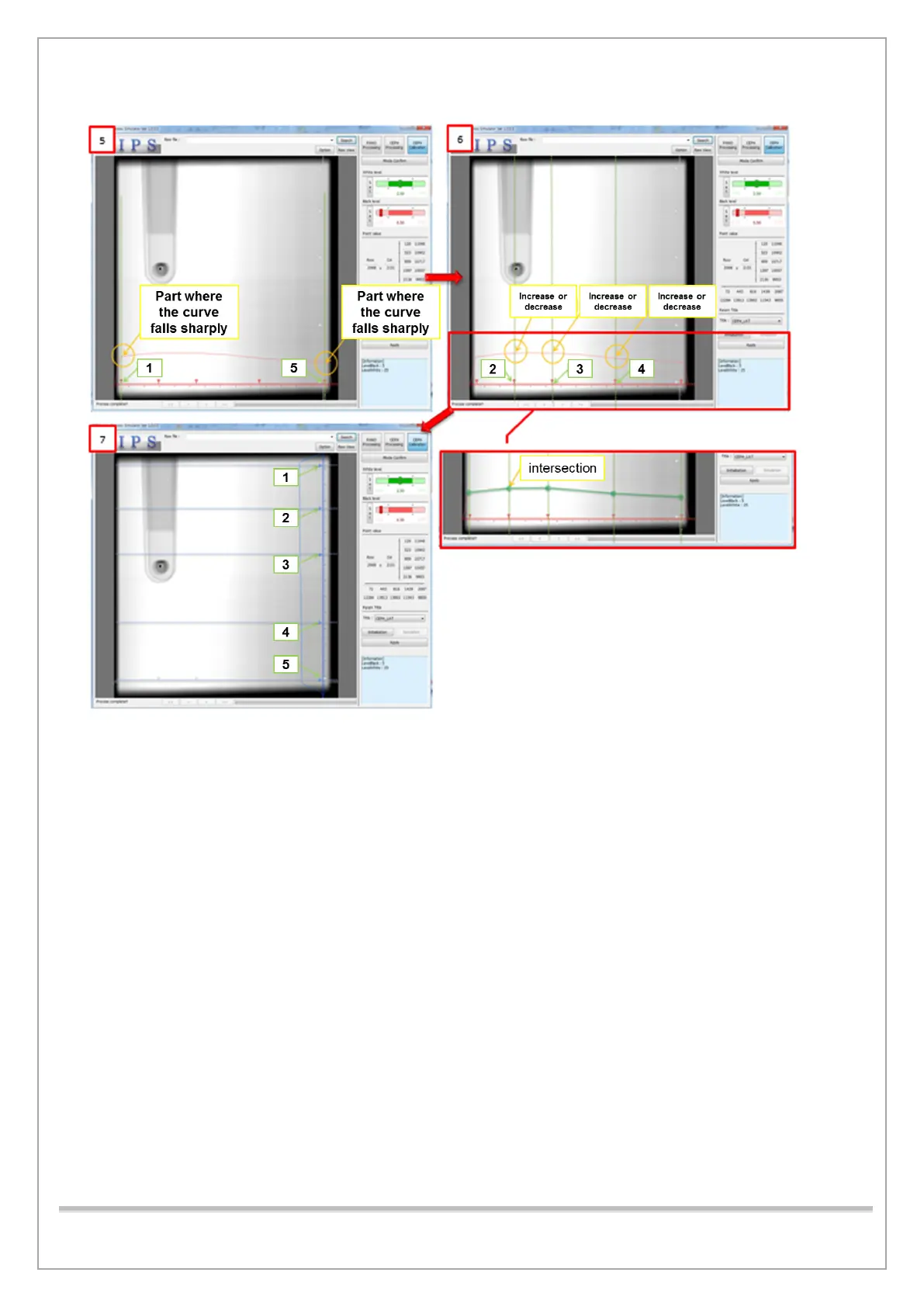
4) As in [5], Row Points 1 and 5 set the endpoint without the influence of the left and right
collimators.
5) This is set at the point before the left, and the right curves descend sharply in the raw
histogram.
6) Set row point 2,3 and 4 to the position as shown in [6]. Each point’s position must reflect the
histogram’s trend.
7) Set the parts in the histogram where the curve increases and decreases.
8) As shown in [7], if the intersections between the vertical lines of Row Points 1 to 5 and the
Histogram are almost identical to each other, if the curve of the Histogram is almost identical,
the correct point is set.
9) Reset the point when the difference is e between the lines connecting the histogram and the
intersection.
10) Ensure to set the column point 1 through 5 as row points 1 through 5.














 To Next Page