Smart Plus (PHT-35LHS)
Technical Manual
VT-TECH-Smart Plus-001
COPYRIGHT© 2018 VATECH.
If the median value does not meet the requirement, do the following steps:
① Click the Settings tab.
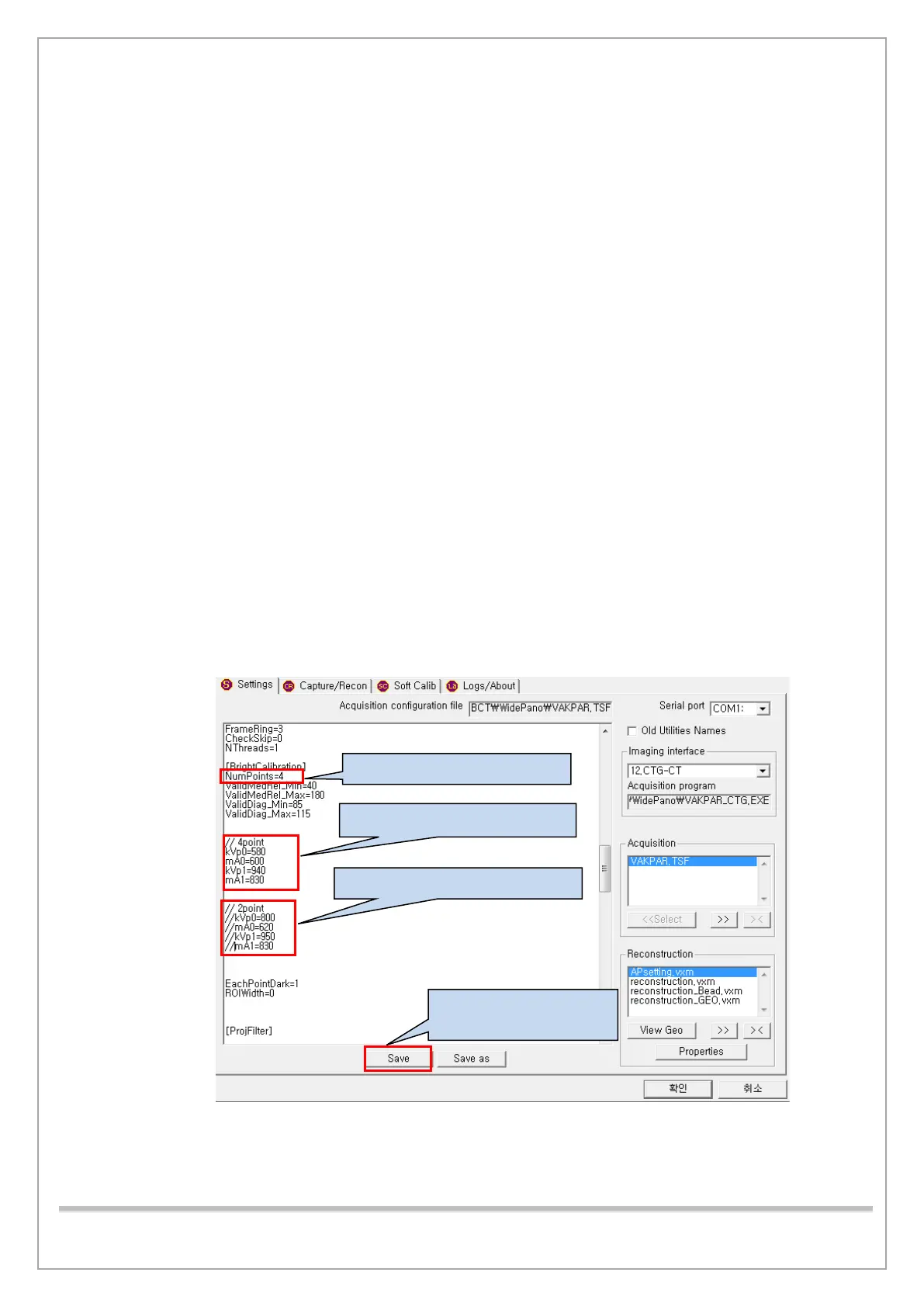
② Adjust kVp0 value by 10 in the [BrightCalibration] field.
③ Click Save.
④ Input the following commands only if you restarted the equipment, otherwise continue to
step V below: [SPM_ARCT] [SPM_CSON] [SPM_FISS_0001] [SPM_FIPM_0001]
[SPM_FISM_0001] [SPM_FOVO] [SPM_COLM_0009]
⑤ Acquire Bright calibration data again.
21) Click the 2 Point Bright Calibration data file on View16 and ensure that
the Median value meets the standard. If the median value does not meet the requirement,
do the following steps:
① Click the Settings tab.
② Adjust kVp1 value by 10 in the [BrightCalibration] field.
③ Click Save.
④ Input the following commands only if you restarted the equipment, otherwise continue to
step V below [SPM_FISS_0001] [SPM_FIPM_0001] [SPM_FISM_0001] [SPM_FOVO]
[SPM_COLM_0009] [SPM_ARCT] [SPM_CSON]
⑤ Acquire Bright calibration data again.
22) Copy and paste the 2-Point Bright Calibration data to the following folder:
C:\VCaptureSW\Acquisition\CBCT\WidePano\CAL\Open
23) Attach Copper (1mm) Filter to obtain Bright Calibration data of 4Point.
is checked, click
3. Check comment processing.














 To Next Page