Smart Plus (PHT-35LHS)
Technical Manual
VT-TECH-Smart Plus-001
COPYRIGHT© 2018 VATECH.
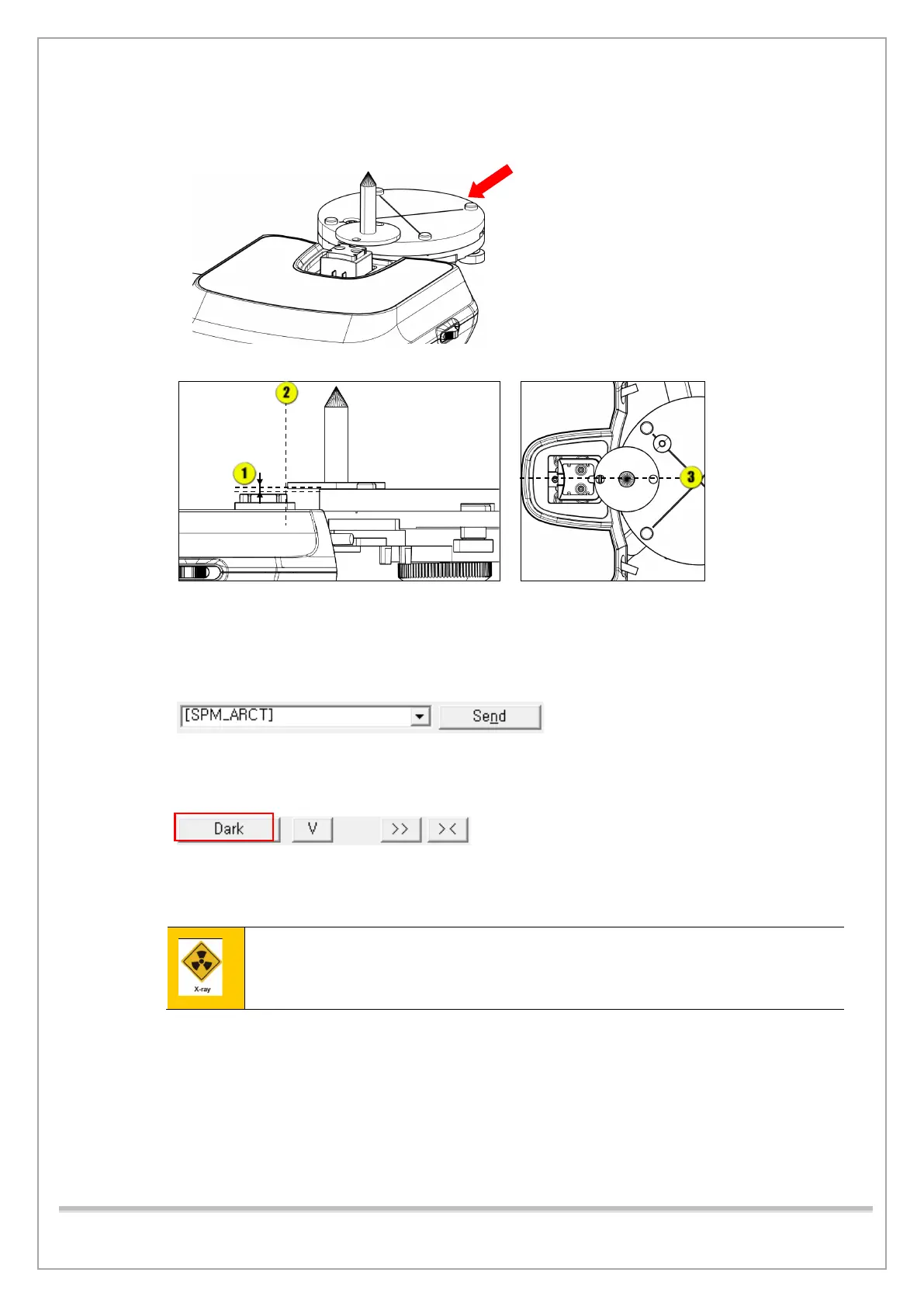
6) Adjust the tripod to constant height and put the tripod and the BEAD PHANTOM in position as
shown in the figure.
7) Run VAKCAP.exe. and input the following commands: [SPM_ARCT] [SPM_CSON]
[SPM_FISS_0001] [SPM_FIPM_0001] [SPM_FISM_0001]
8) Select Capture/Recon tab and type [SPM_FOVO] click Send to initiate the system into CT
mode, then type [SPM_COLM_0009] to provide the power.
9) Type [SPM_AAMS] and click Send to go into CT capture mode A (at 15 secs, 360 degrees).
10) Select the Soft Calib tab and click Dark to acquire Dark Calibration Data.
11) Click the Capture/Recon tab and set the parameters as shown below.
12) Click Capture and make the exposure by pressing the X-ray exposure switch button.
Leave the radiology room to minimize radiation exposure when the X-ray system starts
operation after you press the button.














 To Next Page