Smart Plus (PHT-35LHS)
Technical Manual
VT-TECH-Smart Plus-001
COPYRIGHT© 2018 VATECH.
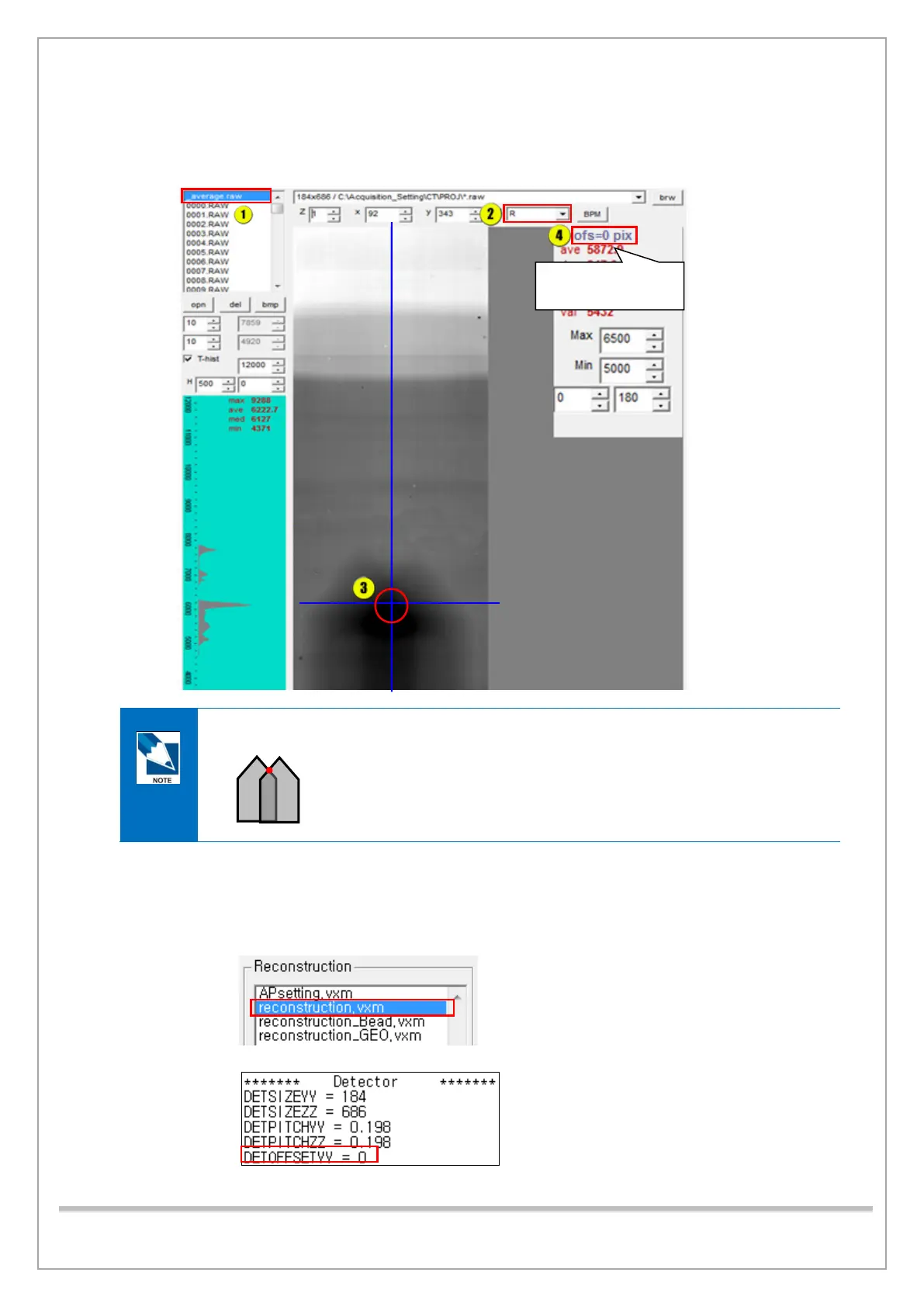
16) Click _average. raw in the raw file list and select R in the M box.
17) Click the top point of the cone image and read the ofs value.
Be sure to click the horizontal center of the cone image like the image below.
18) If the ofs value is within the permitted range (-1~+1), do the following steps:
① Close View 16.
② Click the Settings tab and double-click reconstruction. vxm.
③ Type the ofs value in the “DETOFFSETYY =” field, save the file, and exit.
④ Do the same with reconstruction_Bead.vxm, reconstruction_GEO.vxm.
Optimal value = 0
Permitted range: -1 ~ +1














 To Next Page