Smart Plus (PHT-35LHS)
Technical Manual
VT-TECH-Smart Plus-001
COPYRIGHT© 2018 VATECH.
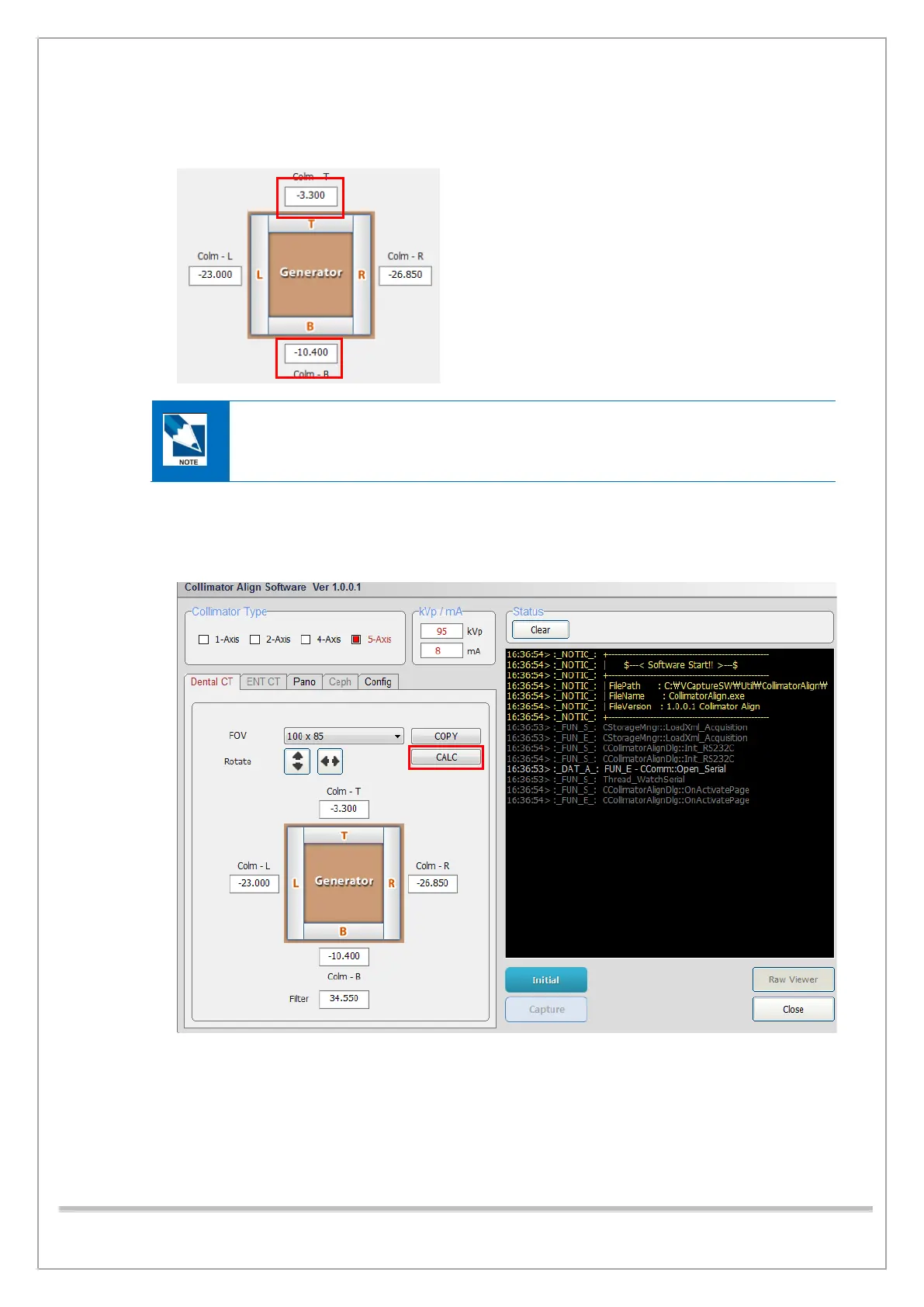
12) If the red pixel count is out of the permitted range, change the top/bottom collimator position
values.
0.1(mm) is approximately 3 pixels.
To close the 4-axis collimator, decrease the collimator position values
To open the 4-axis collimator, increase the collimator position values.
13) Do the steps 3) through 10) until the top/bottom red pixel count is within the permitted value.
14) When the Collimator Alignment at 100 x 85 is completed, click the “CALC” button. FOV 100 x
70, 50x50 values will be calculated.
15) When the Collimator Alignment is completed, click Close to exit the Collimator Align program.














 To Next Page