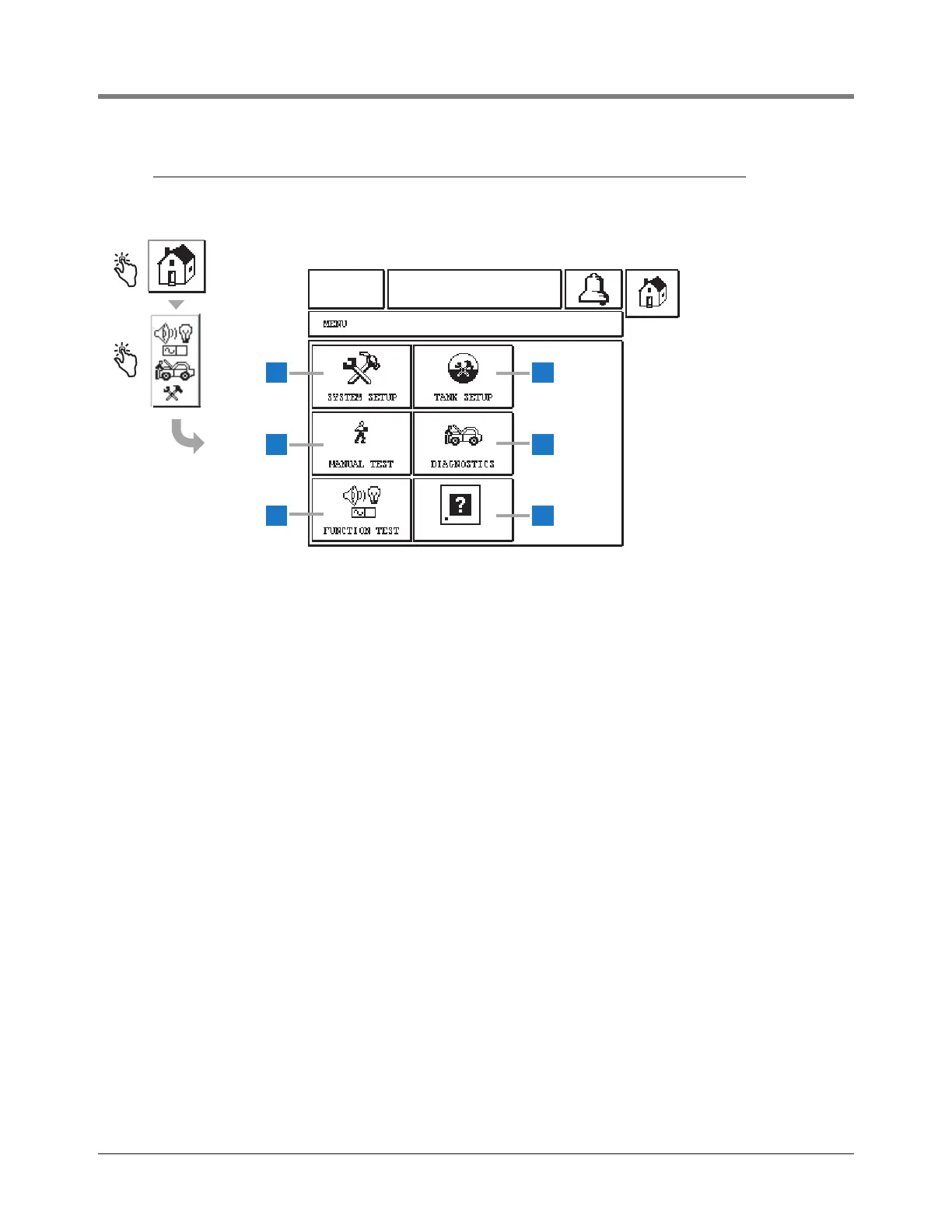
1 System Setup button - touch to display the System
Setup menu (page 8).
2 Manual Test button - touch to display the Manual Tank
Test Start/Stop Screen (page 62).
3 Function Test button - touch to display the Function
Test Menu Screen (page 72).
4 Tank Setup button - touch to display the Tank Setup
Menu Screen (page 47).
5 Diagnostics button - touch to display the Probe
Diagnostic Screen (page 73).
6 About button - touch to display the About Screen (page
45) for information about the TLS2P Console’s
software and installed features.



 To Next Page