01-01-2000
12:00 AM
ALL FUNCTIONS NORMAL
1
2
MANUAL SHIFT CLOSE: SHIFT 1
T1: OPEN T2: OPEN T3: OPEN
T4: OPEN T5: OPEN T6: OPEN
PLEASE CONFIRM SELECTION
SHIFT 1 05-11-08 05:37
TANK VOLUME HEIGHT WATER WVOL
1 17508 1229 25 500
2 14993 966 0 0
3 9843 771 0 0
4 10844 801 0 0
5 4844 900 0 0
6 9843 775 0 0
OK CANCEL
3 4
PLEASE CONFIRM SELECTION
SHIFT 1 05-11-08 05:37
TANK VOLUME HEIGHT WATER WVOL
1 17508 1229 25 500
OK CANCEL
3 4
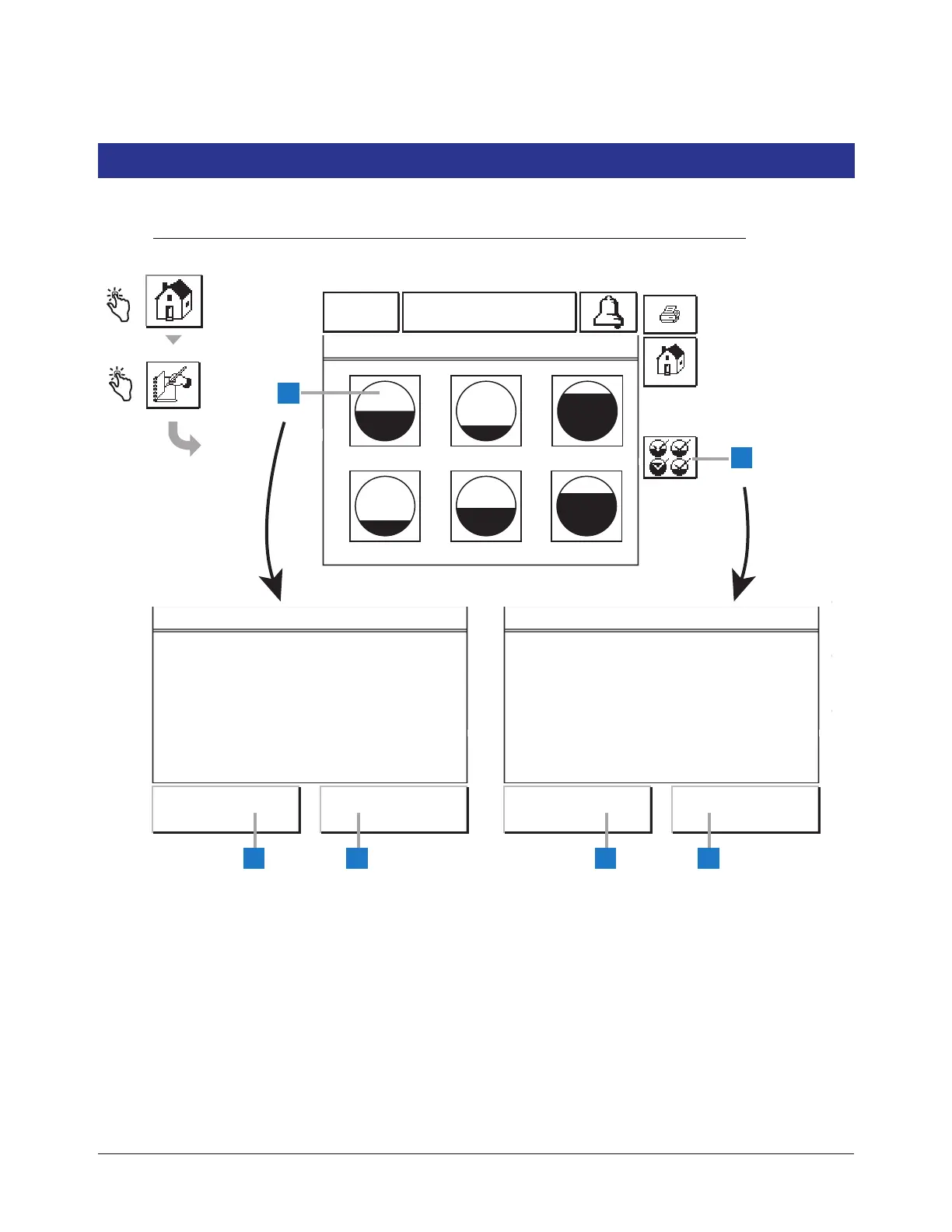
1 You can manually close the shift for any tank by touching
the desired tank’s graphic on the screen, or
2 You can manually close the shift for all tanks by touching
the All Tanks button.
3 For either Single or All Tank shift closure, touch the OK
button to confirm the closing.
4 For either Single or All Tank shift closure, touch the
Cancel button to abort the closing.
NOTES:
Pressing a tank that is already closed will not
display the confirmation close screen.
Once all tanks are closed, you can not close
another shift until 2 hours after the last tank was
closed.
From midnight to 11:59 pm, you can manually
close a maximum of four shifts.



 To Next Page