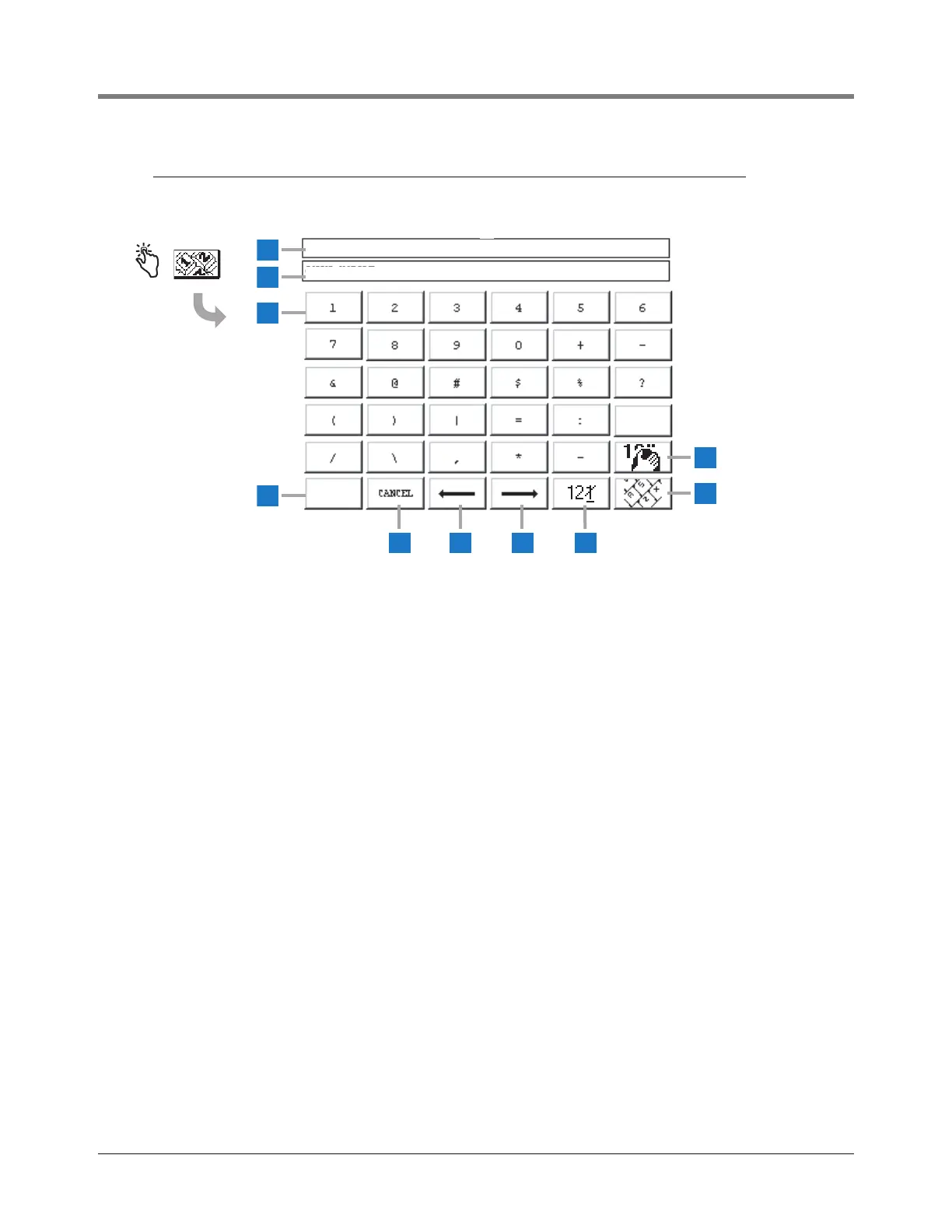
1 Displays title of data to be entered.
2 Data Entered Window displays data entered.
3 Numeric Keypad buttons - touch a character button to
place that character in the Data Entered Window (2).
4 Save button - touch to accept entered data and close
Screen.
5 Cancel button - touch to cancel any entry and close
Screen.
6 Cursor left button - touch to move the cursor one
position left in the Data Entered Window (2).
7 Cursor right button - touch to move the cursor one
position right in the Data Entered Window (2).
8 Backspace delete button - touch to delete character
above cursor.
9 Alpha keypad button - touch to display the Alpha
Keypad Screen.
10 Clear button - touch to clear contents of Data Entered
Window (2).



 To Next Page