Accessing The TLS2P Web Server Probe Diagnostic Screen
81
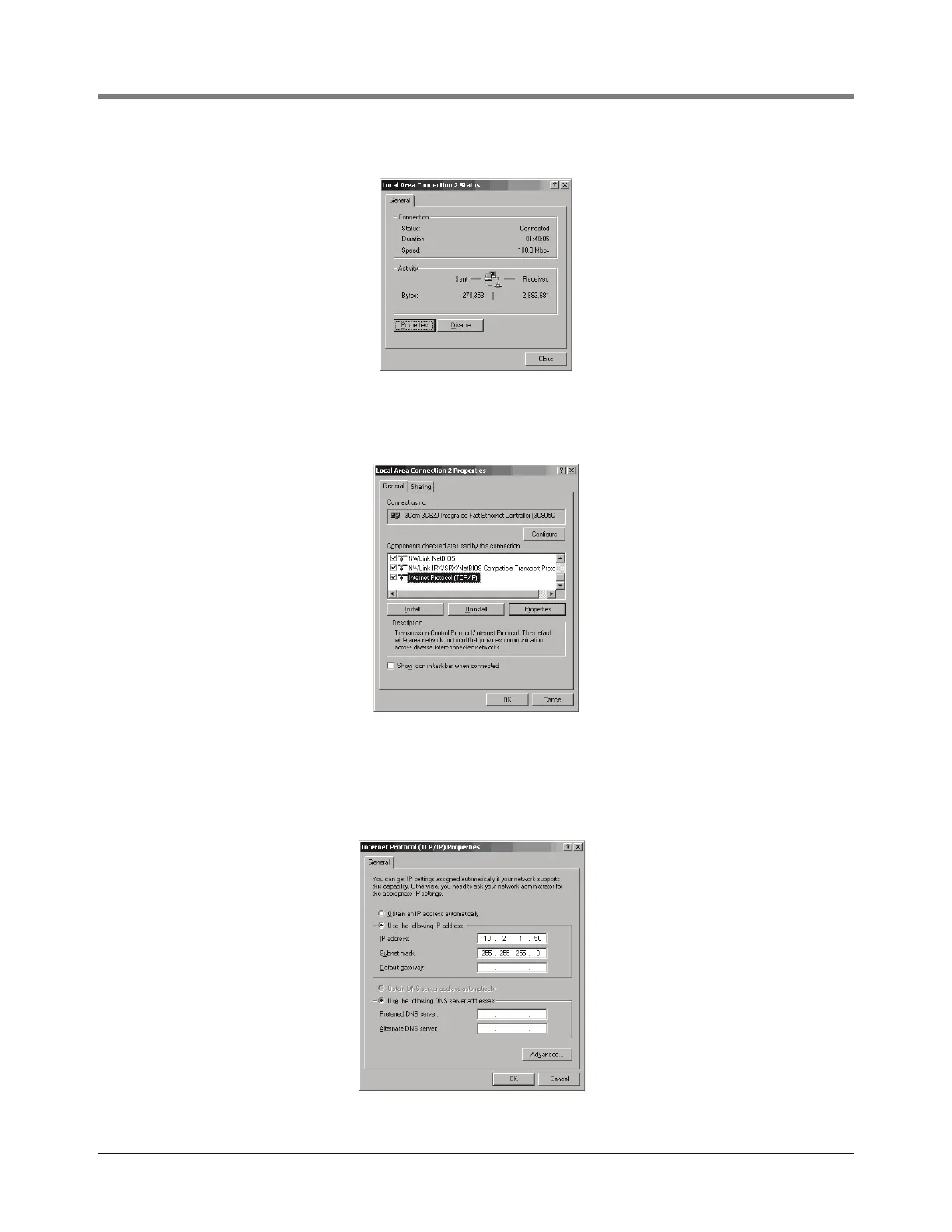
Figure 2. Local Area Connection Status Screen
3. Click the Properties button and the Local Area Connection Properties screen displays (Figure 3).
Figure 3. Local Area Connection Properties Screen
4. In the ‘connections or components used check list’ window, highlight Internet Protocol (TCP/IP) and
then click the Properties button to display the Internet Protocol TCP/IP Properties dialog box
(Figure 4).
Figure 4. Internet Protocol TCP/IP Properties dialog box



 To Next Page