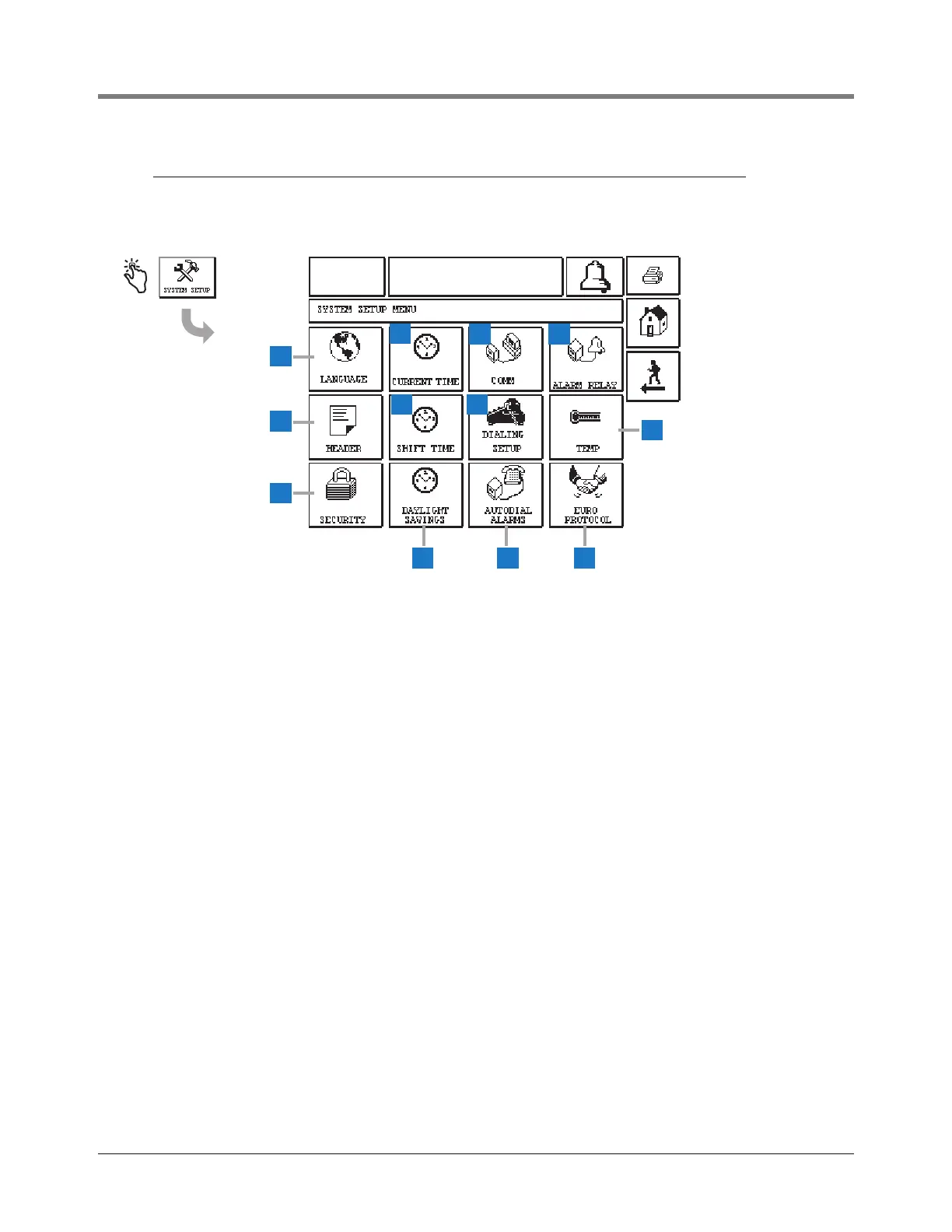
1 Language button - touch to display the Language and
Units Setup Screen (page 9)
2 Current Time button - touch to display the Time/Date
Setup Screen (page 15).
3 Comm button - touch to display the Comm Setup
Screen (page 21).
4 Alarm Relay button - touch to display the Alarm Relay
Setup Screen (page 42).
5 Header button - touch to display the Station Header
Setup Screen (page 10).
6 Shift Time button - touch to display the Setup Shift
Times Screen (page 19).
7 Dialing Setup button - touch to display the System
Setup Dial Out Setup Screen (page 33).
8 Temp button - touch to display the Temperature Setup
Screen (page 43).
9 Security button - touch to display the System Security
Setup Screen (page 13).
10 Daylight Savings button - touch to display the Daylight
Savings Setup Screen (page 20).
11 Autodial Alarms button - touch to display the Autodial
Alarms Setup Screen (page 38).
12 EuroProtocol button - touch to display the EuroProtocol
and Stick Offset Setup Screen (page 44). This screen
also lets you select a leak test report format.



 To Next Page