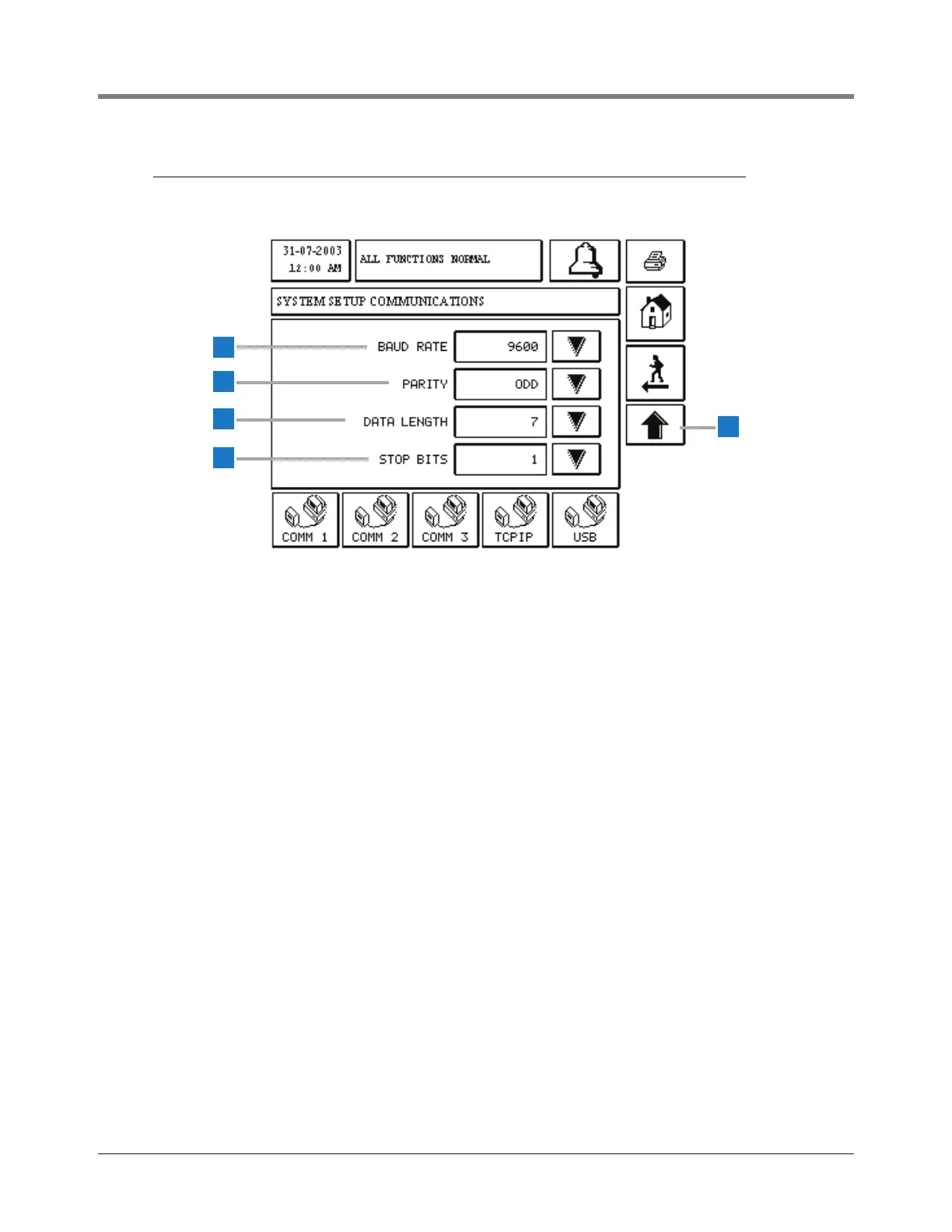
The screen above contains page 2 of the setups for
COMM 1 Serial, Printer and Modem Comm Types, and for
COMM 2 and 3 Serial Comm Types.
1 Baud Rate [249]- touch the Down Arrow button to the
right of the window and select a desired baud rate:
300, 600, 1200, 2400, 4800, or 9600 (default).
2 Parity [250] - touch the Down Arrow button to the right
of the window and select a parity: None, Odd (default),
or Even.
3 Data Length [251] - touch the Down Arrow button to
the right of the window and select a data length: 7
(default) or 8 .
4 Stop Bits [252] - touch the Down Arrow button to the
right of the window and select the number of stop bits:
1 (default) or 2.
5 Up Arrow - touch to return to Page 1 of the selected
Comm port’s setup.



 To Next Page