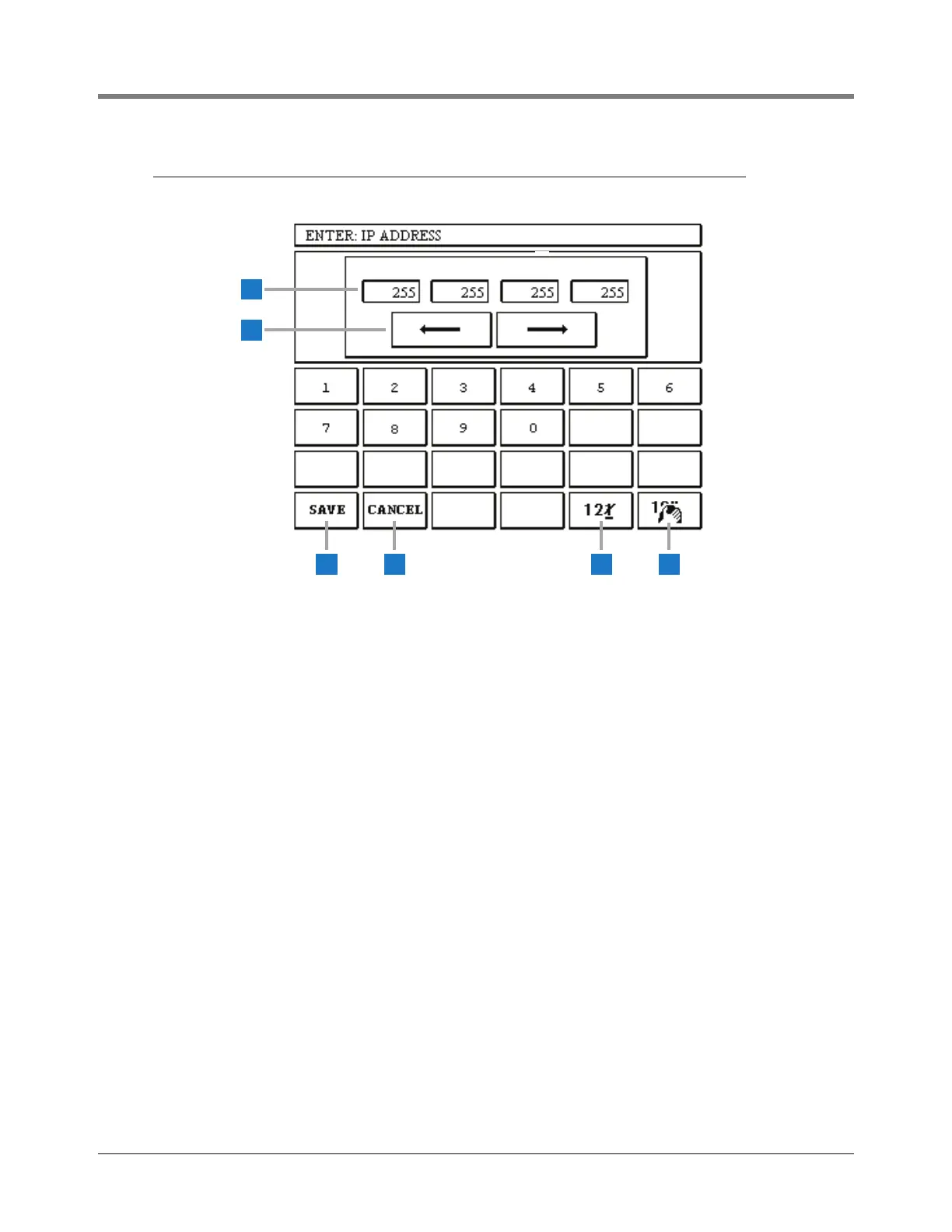
The IP Address Entry dialog screen is displayed above.
1 Values for these fields must fall within the range of 0 -
255 to be accepted.
2 Right/Left arrows - touch to select the desired field.
3 Save button - touch to accept entered data and close
screen.
4 Cancel button - touch to cancel all entries and close
screen.
5 Back delete button - touch to delete character above
cursor.
6 Clear button - touch to clear contents entered in a
field’s window.



 To Next Page