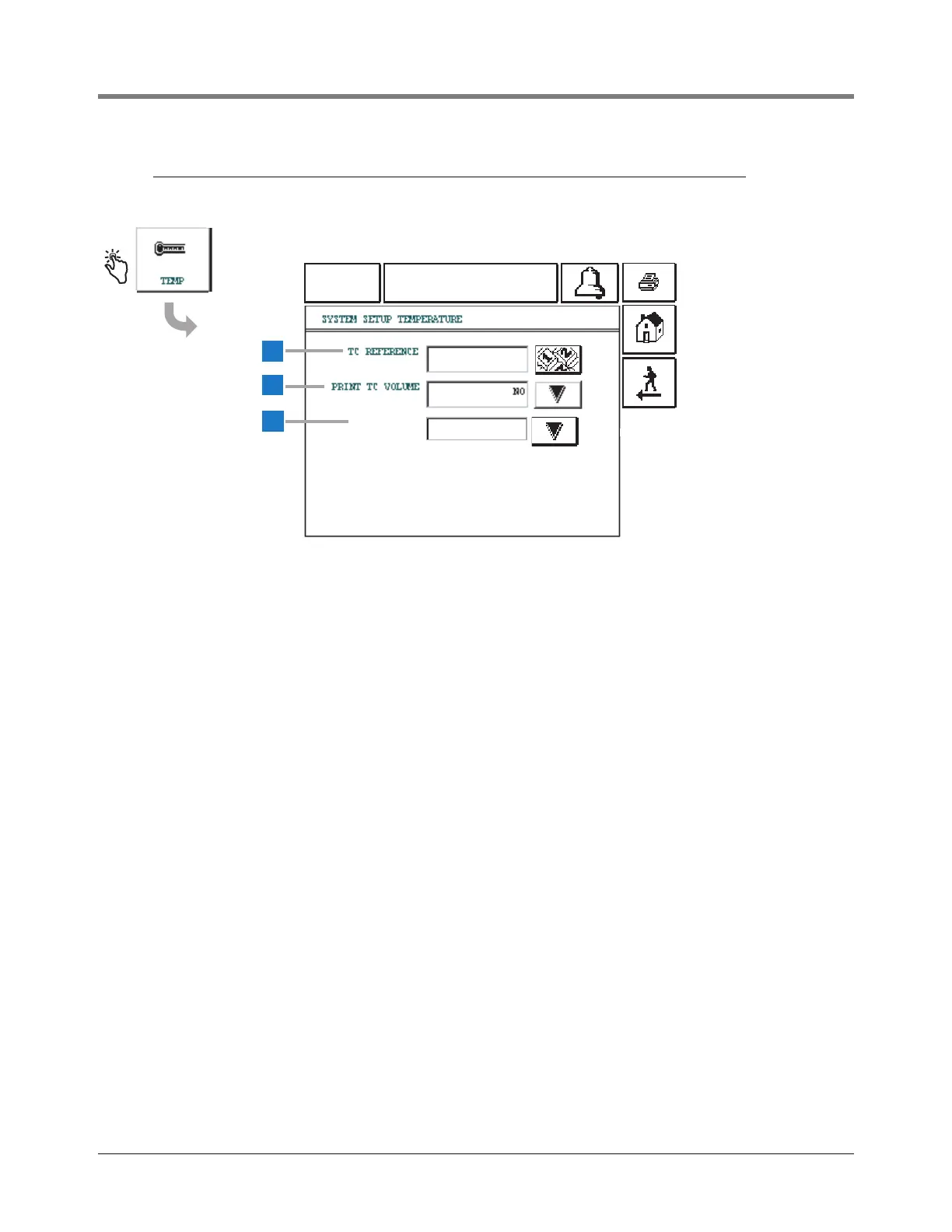
This screen displays the Temperature Compensation Setup
Screen.
1 TC Reference [257]- touch the Down Arrow button to the
right of the window and enter a desired Temperature
Compensation reference temperature. The allowable range
is -49 to +120°F (-45 to +48.9°C). The default is 59°F
(15°C).
2 Print TC Volume [258] - touch the Down Arrow button to
the right of the window and select: Yes or No (default).
When set to NO, TC Volumes are not reported in displays,
printouts, and serial reports.
3 TC Density [254] - touch the Down Arrow button to the
right of the window and select: Yes or No (default).
When set to Yes, all the inventory/delivery screens,
printout and RS-232 commands will display density
values as temperature compensated and this will be
indicated by “TC”.



 To Next Page