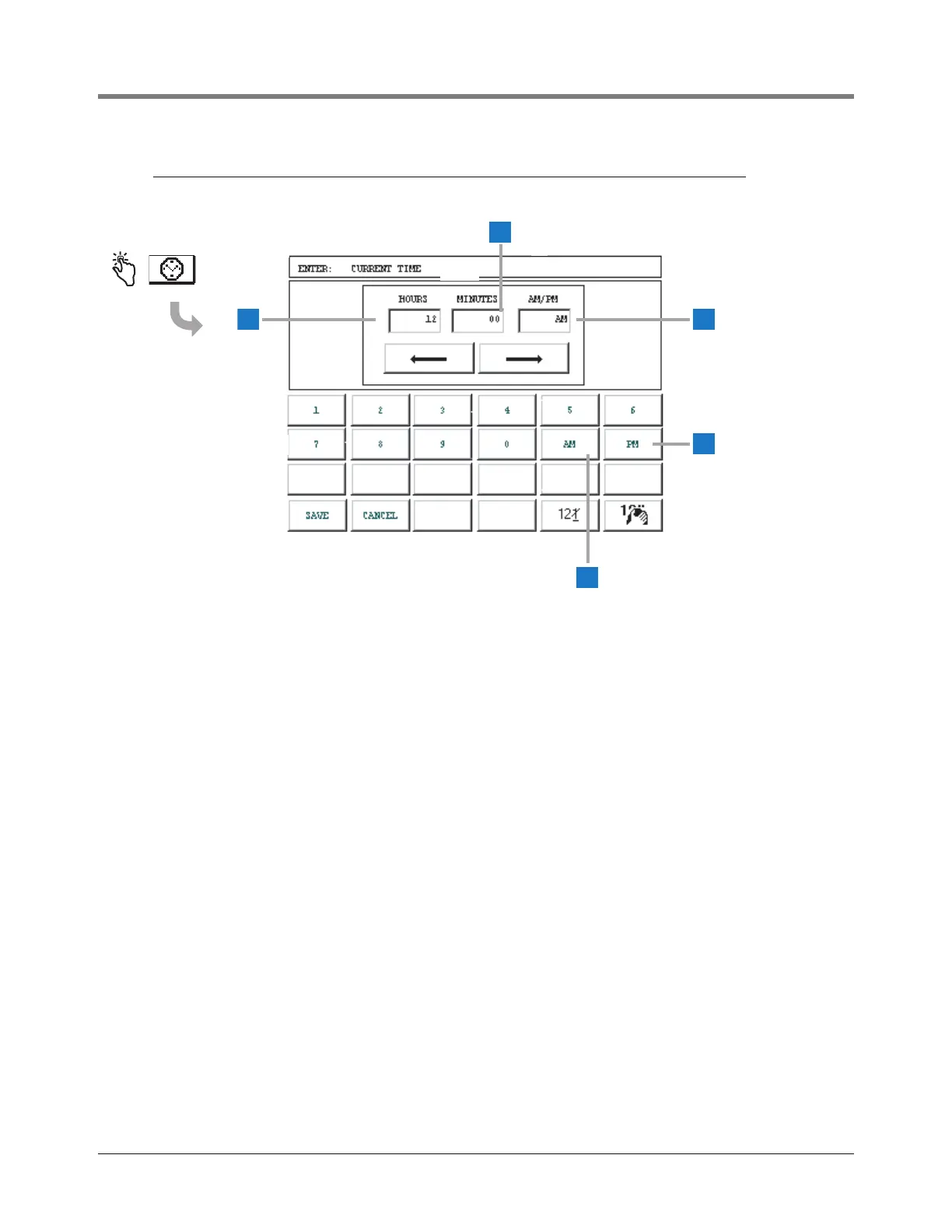
1 Hours entry window - enter 00 - 23, or 01 - 12
1
2 Minutes entry window - enter 01 - 59
3 AM/PM entry window
1
- enter AM or PM
4 Touch PM if after noon
1
.
5 Touch AM if before noon
1
.
The remaining buttons function as described on page
12.
1
(select only if the MM-DD-YY-HH-MM-xM time/date format
was selected in the System Time/Date Setup Screen (page
15).



 To Next Page