Reports Inventory Report (Metric Units and Density Probe)
66
EXAMPLE REPORT PRINTOUT - INVENTORY LOG REPORT
DATE VOLUME HEIGHT WATER TEMP
08-5-08 09:00 17508 1229 25 15
08-5-08 08:00 16508 1129 25 12
08-5-08 07:00 15508 1029 25 12
08-5-08 06:00 14508 929 25 12
08-5-08 05:00 13508 829 25 12
08-5-08 04:00 12508 729 25 12
Inventory Log Report Notes
• The Inventory Log report (reference page 18) is a rolling log of 72 (max.) records.
Inventory Report (Metric Units and Density Probe)
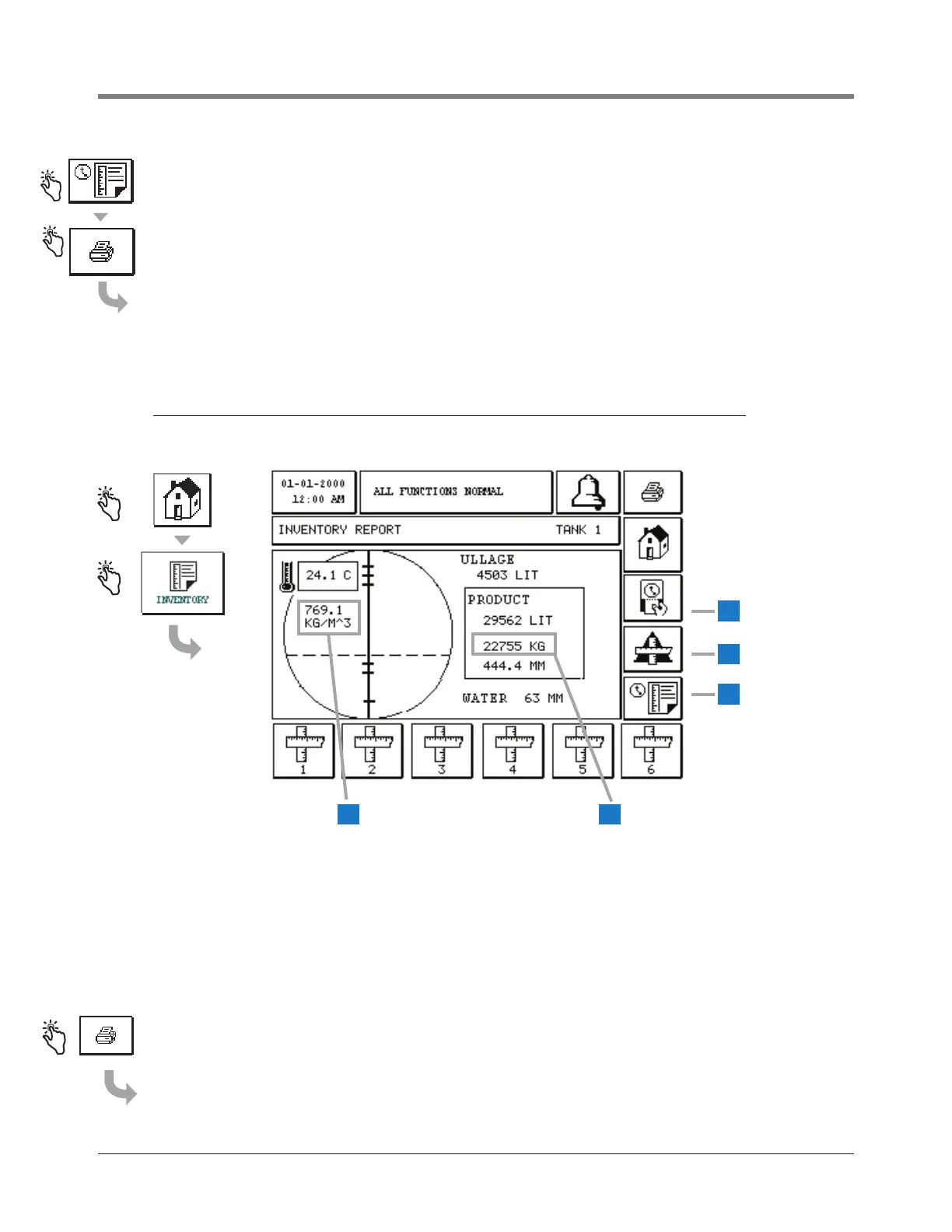
The inventory report for a tank with a density probe has the density value displayed in the tank graphic
(item 1 in the screen above) and the mass value displayed in the Product box (item 2 in the screen above).
If Temperature Compensated Density is enabled, TC will follow the density value, e.g., 769.1 kg/m
3
TC).
The other values are in the same locations as for the non-density probe. Touch the inventory report button
for the desired tank at the bottom of the screen. To view the Shift Inventory report for the selected tank,
touch the Shift Inventory button (item 3 in the screen above). To view the stick height (if enabled) for the
selected tank, touch the Delta Stick button (item 4 in the screen above). To view the Inventory Log report
for the selected tank, touch the Inventory Log Report button (item 5 in the screen above).
EXAMPLE REPORT PRINTOUT - INVENTORY REPORT WITH DENSITY PROBE
T 1:REGULAR UNLEADED
TANK VOLUME MASS DENSITY HEIGHT WATER TEMP
1 29562 22755 769.1 444 63 24.1
4
5
3
21



 To Next Page