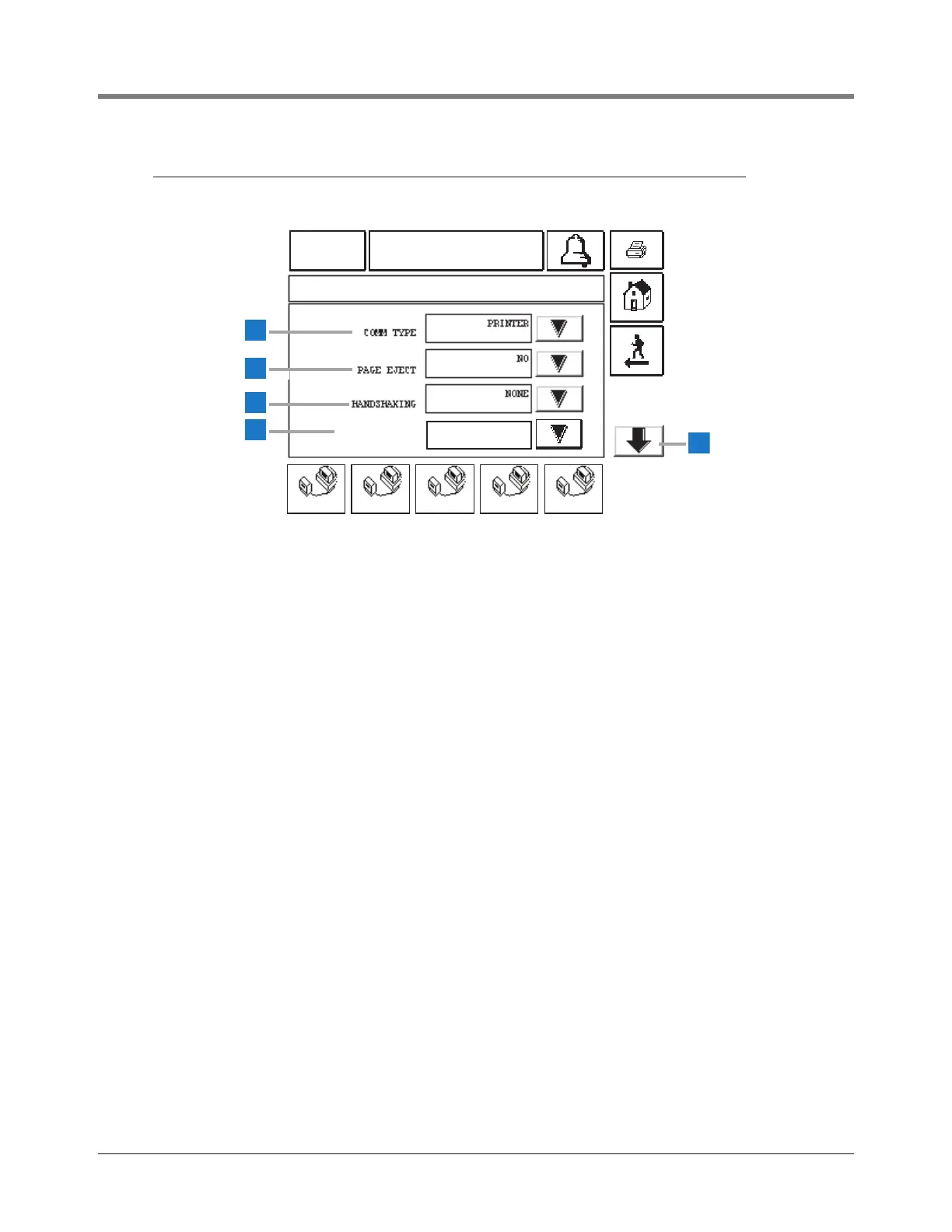
This screen displays if you selected Printer as the Comm
Type for COMM 1.
1 Comm Type [238] Printer selected
2 Page Eject [241] - touch the Down Arrow button to the
right of the window and select Yes or No (default). If the
page eject is set to Yes, a page feed command will be
sent to the printer at the conclusion of the report, or
when a report exceeds the length of the current page. A
page length is defined as 50 lines for languages that
have single height characters and 25 lines for
languages that have double height characters.
3 Handshaking [239] - touch to select one of three
options: None (default), XON/XOFF or Hardware.
4 Printer Lang [253] - touch to select one of three printer
language options: Epson ESC/P (default), IBM
Emulation, and DPU-414.
5 Down button - touch this Down Arrow button to display
page 2 of the Printer Setup (page 23).



 To Next Page