EasyManua.ls Logo

Veeder-Root TLS2P - System Time;Date Setup Screen

Veeder-Root TLS2P
92 pages
Print Icon
To Next Page IconTo Next Page
To Previous Page IconTo Previous Page
Loading...
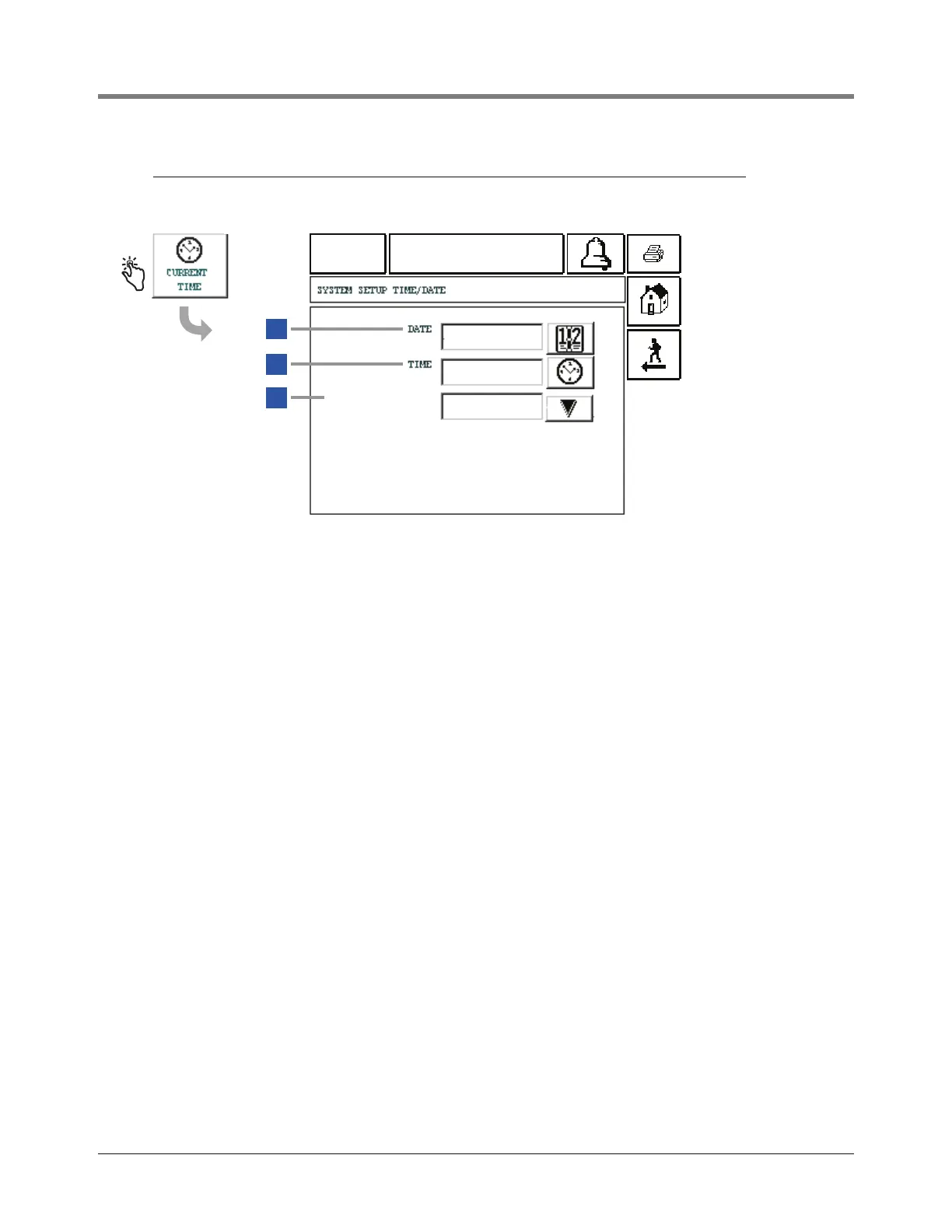
System Setup Screens [212-214] System Time/Date Setup Screen
15
[212-214] System Time/Date Setup Screen
Legend for numbered boxes
10-04-01
13:54
ALL FUNCTIONS NORMAL
3
2
1
[212]
[213]
[214]
TM/DATE FORMAT
DD-MM-YY-HH-MM
10-04-01
13-54
1 Date [212] - Enter current date.
2 Time [213 - Enter current time.
3 TM/Date Format [214] - Select one of 3 formats:
DD-MM-YY-HH
1
-MM (default)
YY-MM-DD-HH
1
-MM
MM-DD-YY-HH
2
-MM-xM
where:
DD = 01 - 31,
MM = 01 - 12,
YY = last 2 digits of year, i.e., 01,
HH
1
= 01 - 24
HH
2
= 01 - 12,
MM = 00 - 59, and
xM = AM or PM (used only with 3rd format choice
above).


Table of Contents

Related product manuals