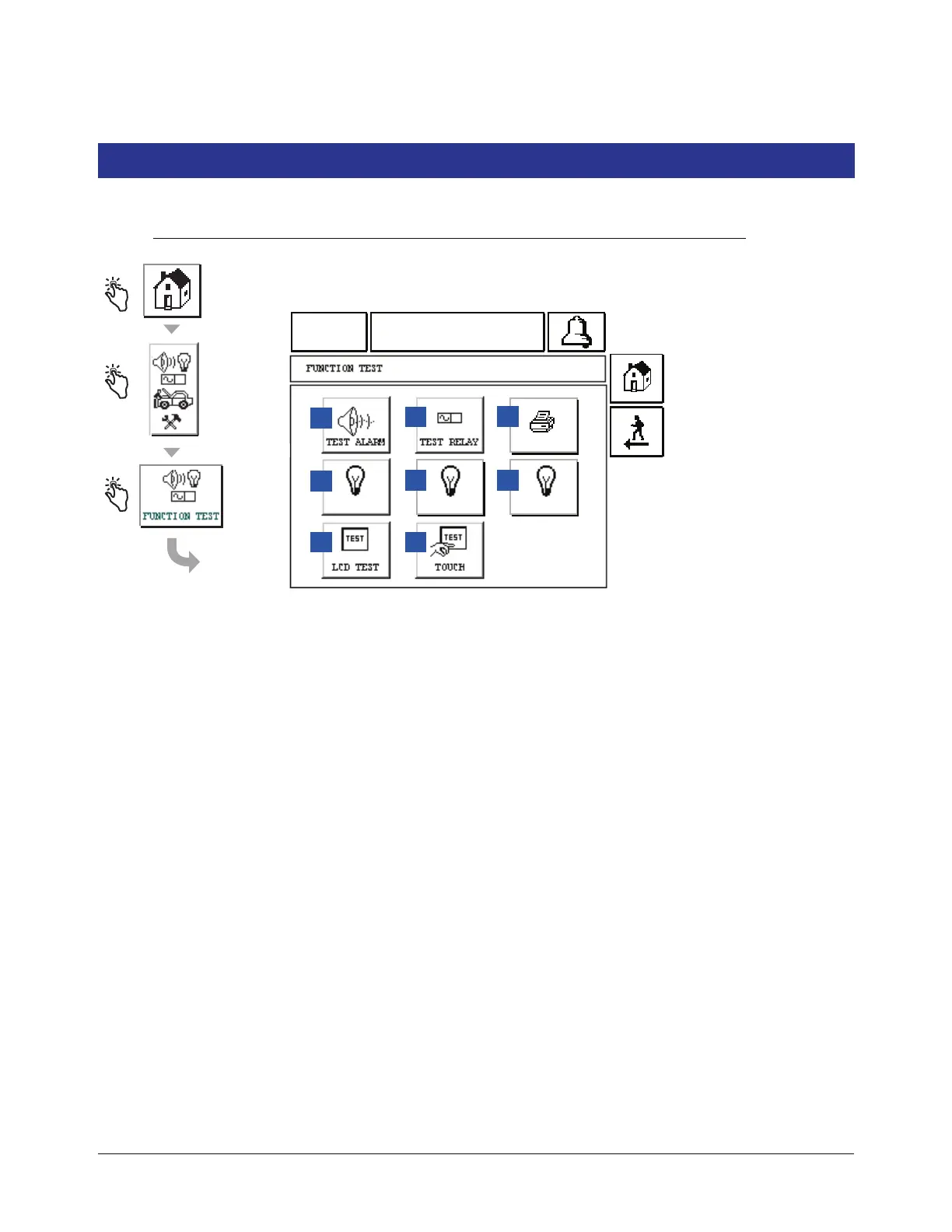
This screen displays System Test Functions.
1 TEST ALARM button - Touch and the console beeper will
beep.
2 TEST RELAY button - Touch and the relay is activated for
5 seconds.
3 Printer button - Touch and a test line will print to a
connected printer.
4 RED LED button - Touch and the red front panel LED
turns On for several seconds.
5 GREEN LED button - Touch and the green front panel
LED turns On for several seconds.
6 LCD OFF button - Touch and the Display Screen
backlight is turned Off. Touch this button again to turn the
Display Screen backlight back On.
7 LCD TEST button - Touch and a video test pattern will run
for several seconds and then clear.
8 TOUCH button - Touch to display the LCD Touch Test
Screen (page 73).



 To Next Page