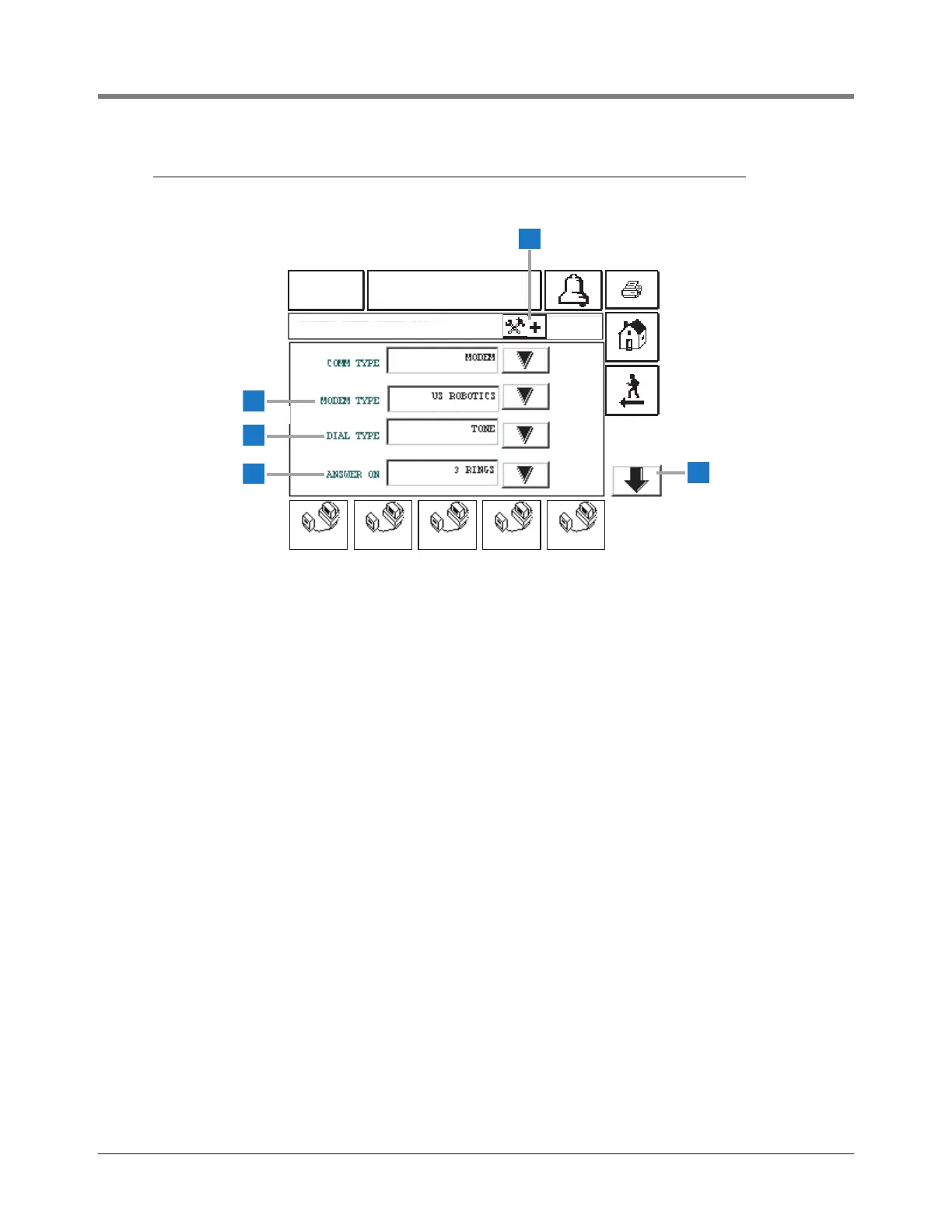
This screen displays if you selected Modem as the Comm
Type for C O M M 1.
1 Advanced Setup button - touch the Advanced Setup
button and go to the Advanced Communications Setup
Screen (page 26)
2 Modem Type [244] - touch the Down Arrow button to
the right of the window and select your external modem
type.
3 Dial Type [245] - touch the Down Arrow button to the
right of the window and select dial type: Pulse or Tone
(default).
4 Answer On [246] - touch the Down Arrow button to the
right of the window and select number of rings to wait
before answering: 0-9 (default 1).
5 Down button - touch this Down Arrow button to go to
page 2 of the Modem setup (page 23).



 To Next Page