Error Messages
VTK-TR-BA-072e-1 - User Manual MDS 358X Series
502 502 MDV TempHigh
Automatic shut-down because of high temperature
In order to protect the piezoelectric element from excessive heat, the temperature is internally
monitored by a corresponding circuit. This is automatically switching OFF the system in case
of need. As the needle lift has a big impact on the condition of the piezo, the temperature
limit is depended on the needle lift as well.
Limits:
NL ≤ 80 % = 140 °C
NL > 80 % = 120 °C (from 81 % – 100 % the temperature is variable at ca. 140 °C – 120 °C)
Once the temperature has fallen below 80 °C, the display changes from “502 MDV TempHigh
Please Wait” to “502 MDV TempHigh Press Enter”. After pressing the [enter] key, you can
again trigger normally. During the display of “502 MDV TempHigh” the valve is closed.
If the error message happens directly after starting the MDC, pressing [enter] will initiate a re-
start.
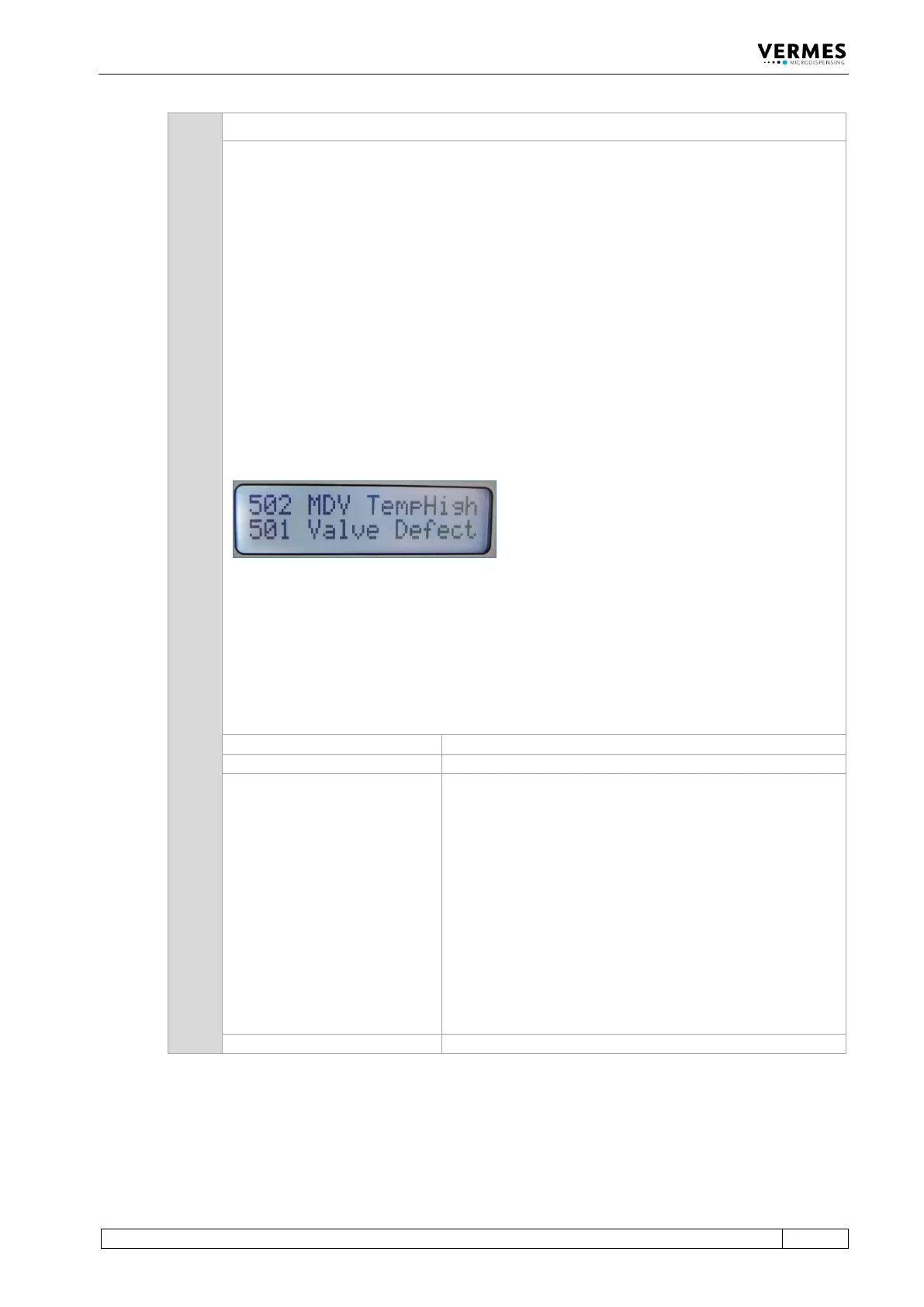
In certain circumstances, it can happen that in this phase an error “501 Valve Defect Error” is
detected. In this case, both errors are shown in the display of the MDC (see picture below).
Follow the instructions regarding error 501.
Important Note!
This error message can also appear, when the MDC is connected to an MFC 3000 for cooling a
valve, and you switched ON the MDC too early.
When using an MFC for cooling, you always have to keep this order of steps:
1. Switch ON MFC
2. Switch ON the channel used for cooling at the MFC
3. Switch ON MDC
502 MDV TempHigh Please Wait
• The temperature of the valve is too high. System has to
cool off, then press [enter]. Maybe you have to lower the
Needle Lift and/or frequency parameters, in order to
prevent a re-occurrence of the problem. In case of an air
cooled valve, you need to increase the air flow.
• Switch OFF control unit, and inspect the sensor and
actuator cables and their connections. If a cable is
damaged, it must be exchanged before restarting.
• If your dispensing application includes the use of an
MFC and a flow control valve FCV, make sure the
channel for cooling in the MFC is switched “ON”, before
you start the MDC (see also User Manual MFC 3000,
chapter 3.8.3)



 To Next Page