General Operation
78 TVM Series Installation and Operation Handbook
Copyright © 2008, Harris Corporation
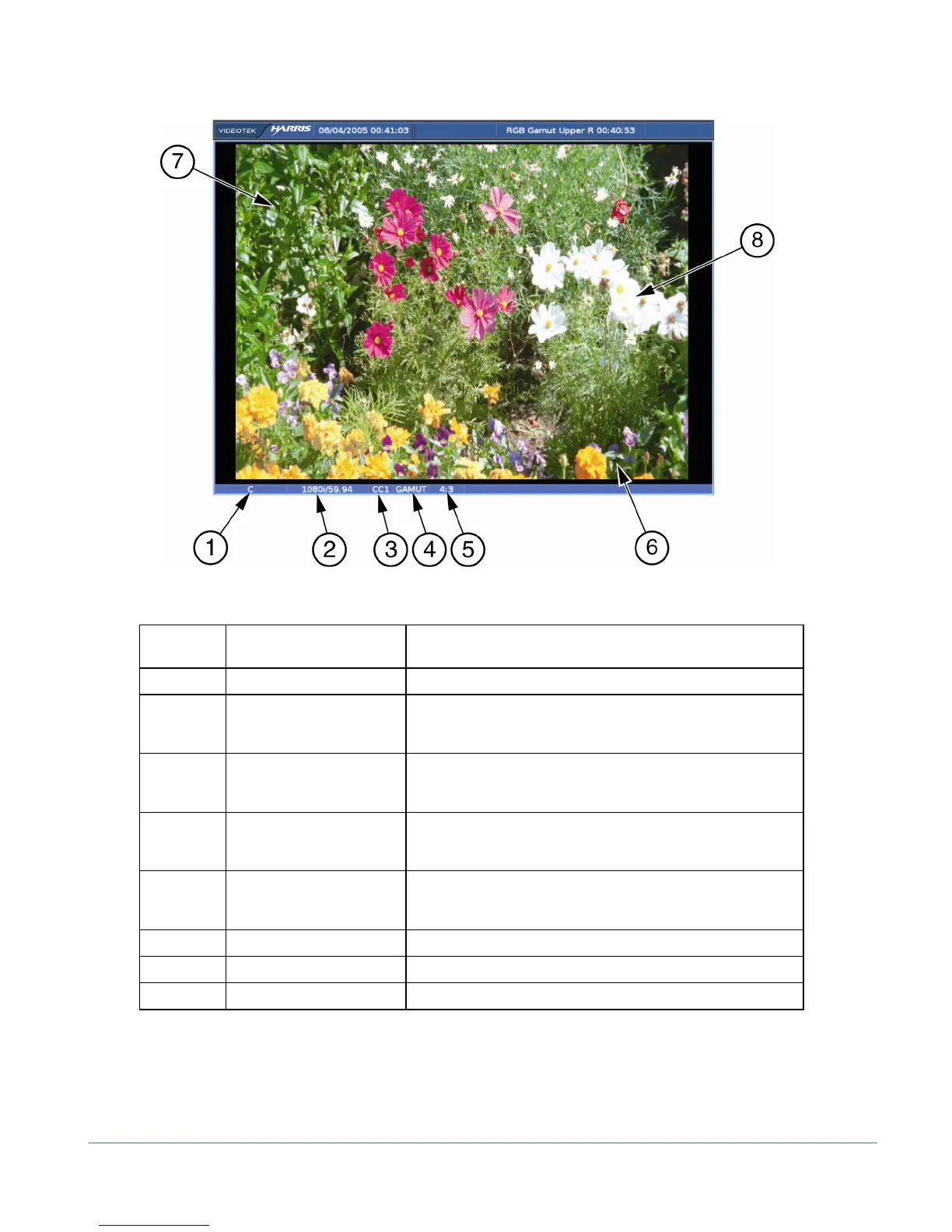
Figure 3-44. Picture Display Diagram
Table 3-31. Description of Picture Display Diagram
Field
Identifier
Field Information Nomenclature
1 Input Displays user-configurable source IDs for input and routers
2 Standard Displays the Line Rate/Frame Rate [1080i/59.94]; select the
Standard in the VIDEO FORMAT > VIDEO A thru D
CONFIGURE menu
3 Closed Caption Shown as CC1 – CC4, T1 – T4, or 708; Closed Caption
selections are located in the PICTURE SETUP > CLOSED
CAPTION DISPLAY menu
4 Gamut Indication Status Displayed when Gamut is enabled (this field is not displayed
when Gamut for the input is disabled); select GAMUT in the
PICT pane menu to enable GAMUT
5 Aspect Ratio Displays the selected aspect ratio; select the HD or SD
aspect ratio in the PICTURE SETUP > SD or HD ASPECT
RATIO menu
6 Picture Displays picture of the selected video input
7 XDS Displays location of the XDS information
8 TIMECODE Displays location of the timecode information
The picture display changes according to the aspect ratio and anamorphic selections in
the global setup menu. A picture display diagram, shown as the left drawing in
Figure 3-45, shows the 4:3 display with a 16:9 source. Also, the picture to the right in
Figure 3-45 shows a 4:3 display with a 4:3 source.



 To Next Page