General Operation
114 TVM Series Installation and Operation Handbook
Copyright © 2008, Harris Corporation
• CAT (Conditional Access Table) - The Condition Access Table (CAT) is the
pointer the Entitlement Management Message (EMM) associated with the CA
system(s) that it uses.
• NIT (Network Information Table) – the NIT contains the information for the
transmissions of a stream in a network. Each stream is individually identified with
a network ID and a transport stream ID.
• SDT (Service Description Table) – The SDT describes services found within a
transport stream. Press ENT and the UP and DOWN navigation buttons to scroll
through the services.
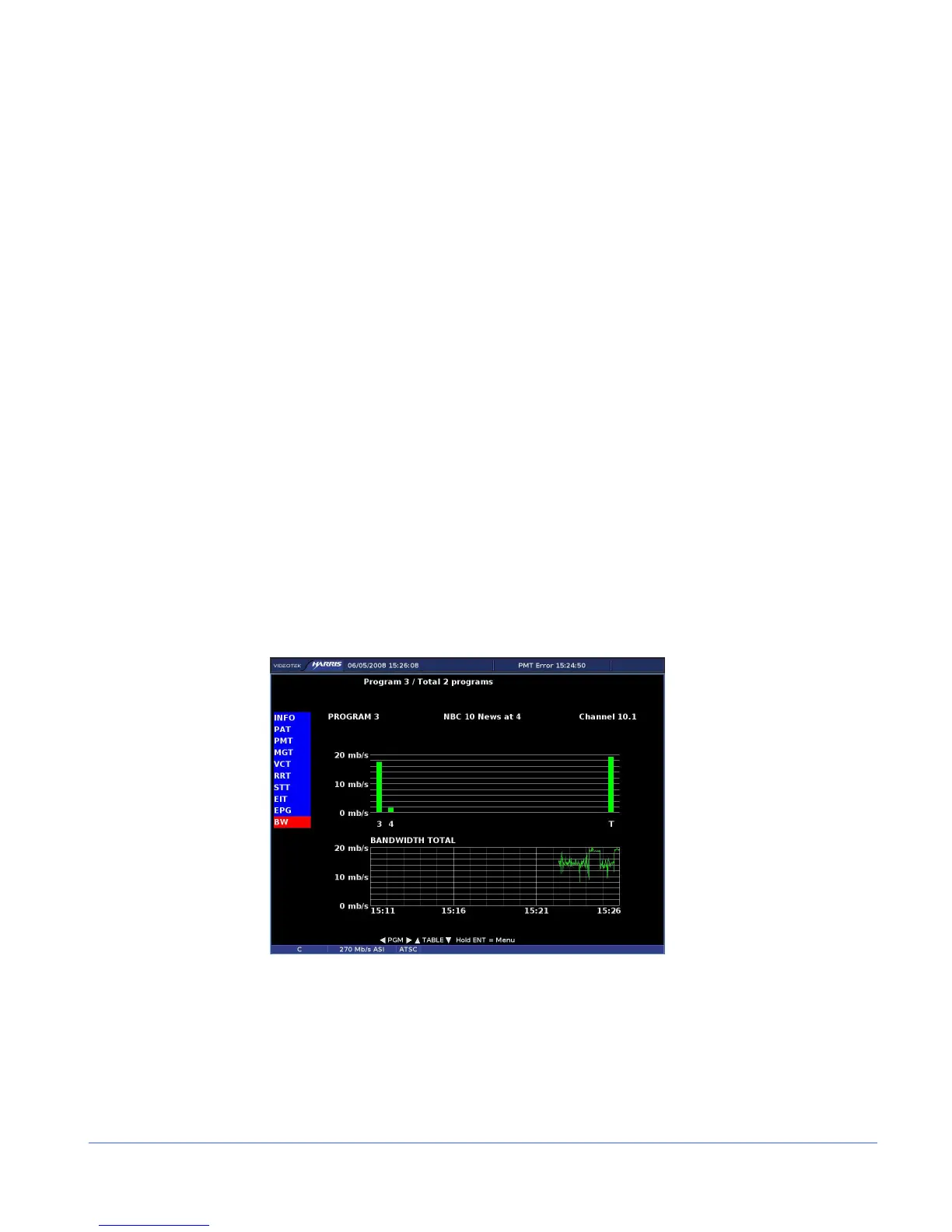
• BW (Bandwidth) – The BW screen displays the trend data, total bandwidth, and
bandwidth per program.
Bandwidth and Trending Screen
The Bandwidth screen, shown in Figure 3-63, indicates the trend data, total bandwidth,
and the bandwidth per program. The top of the display is a bar graph. The far right of
the bar graph indicates the total bandwidth. The bars to the left of the total bandwidth
bar indicate the bandwidth per program.
Beneath the bar graph is a plotted chart (trending chart) that displays the bandwidth
level in Mb/s over the selected time. The trending chart is displayed with the selectable
bandwidth level on the left and the selectable time on the bottom of the chart. The
trending chart can display the Total bandwidth over time, the selected program, or
NULL bandwidth. Samples are plotted in 15, 30, 45, or 60-minute intervals.
Figure 3-63. ASI Bandwidth Display
ASI Menu Selections
Pressing and holding the ENT button in the active ASI pane selects the ASI pane
menu. The ASI Pane menu is described in Table 3-55.



 To Next Page