General Operation
TVM Series Installation and Operation Handbook 127
Copyright © 2008, Harris Corporation
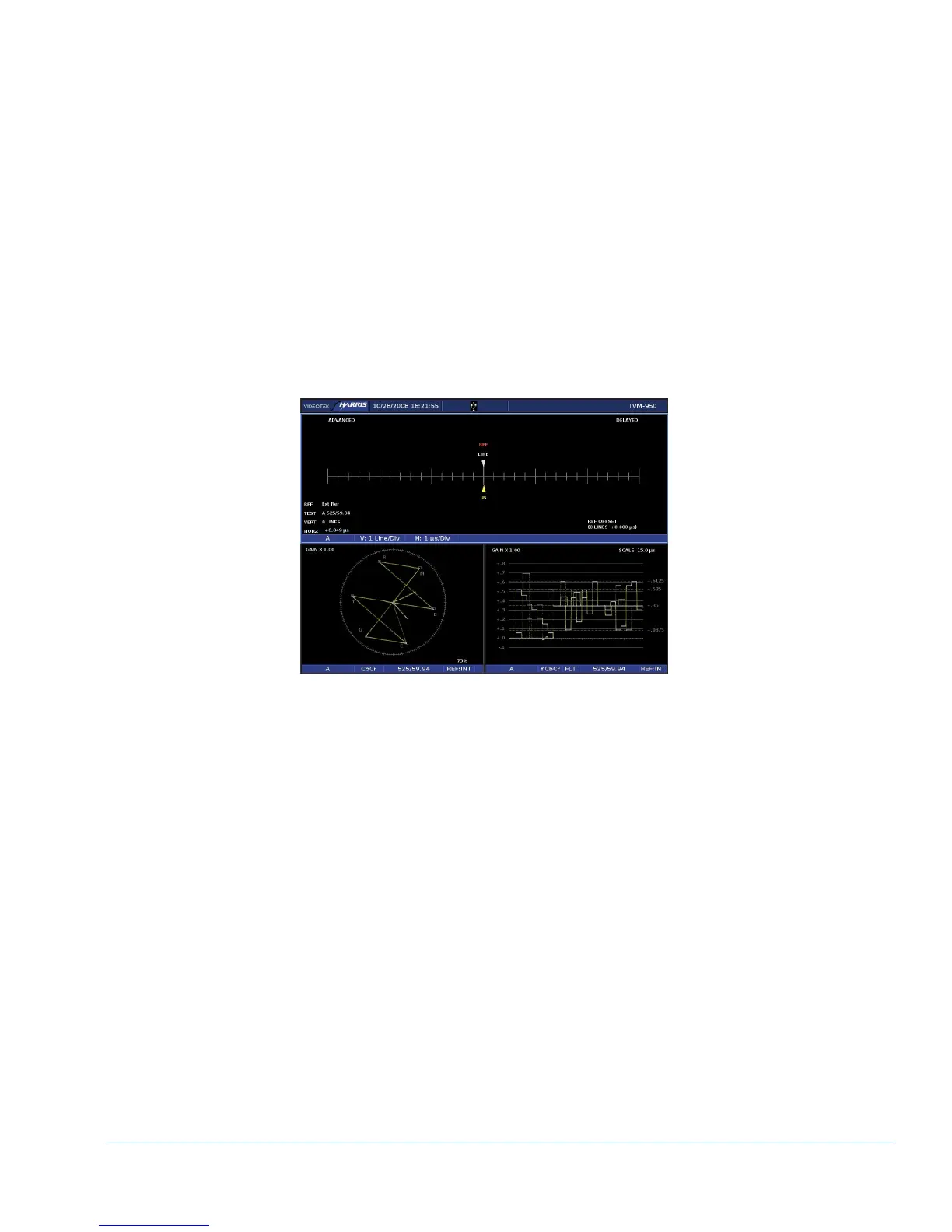
Timing Custom Display
Relative timing of the inputs is compliant with SMPTE RP168.
Selecting the Timing Custom Display creates a fixed three-pane display with the
Timing Display filling the top two horizontal panes. The Timing pane status
information appears in the lower-left section of the pane.
The Vector or Gamut display is the lower-left pane. The waveform display is the
lower-right display. These displays cannot be moved. Selecting the pane and then
pressing and holding the WFM, VEC, GAMUT, or TIMING function buttons open the
associated pane menu.
A sample illustration of the Timing Custom Display is shown in Figure 3-70.
Figure 3-70. Custom Timing Display
The upper-left DISPLAY button is high tally when the timing display is selected.
WFM/VEC Only Display (Dual-Screen Display)
Pressing and holding the MLT button accesses the MLT DISPLAY menu. From the
MLT DISPLAY menu, select WFM/VEC ONLY to display the dual Waveform and
Vector display. The Vector or Gamut display appears in the upper-left pane, and the
waveform or eye pattern display appears in the upper-right pane. The lower two panes
are off and not functional while using this display.
A sample illustration of the Waveform/Vector only display is shown in Figure 3-71.



 To Next Page