General Operation
TVM Series Installation and Operation Handbook 31
Copyright © 2008, Harris Corporation
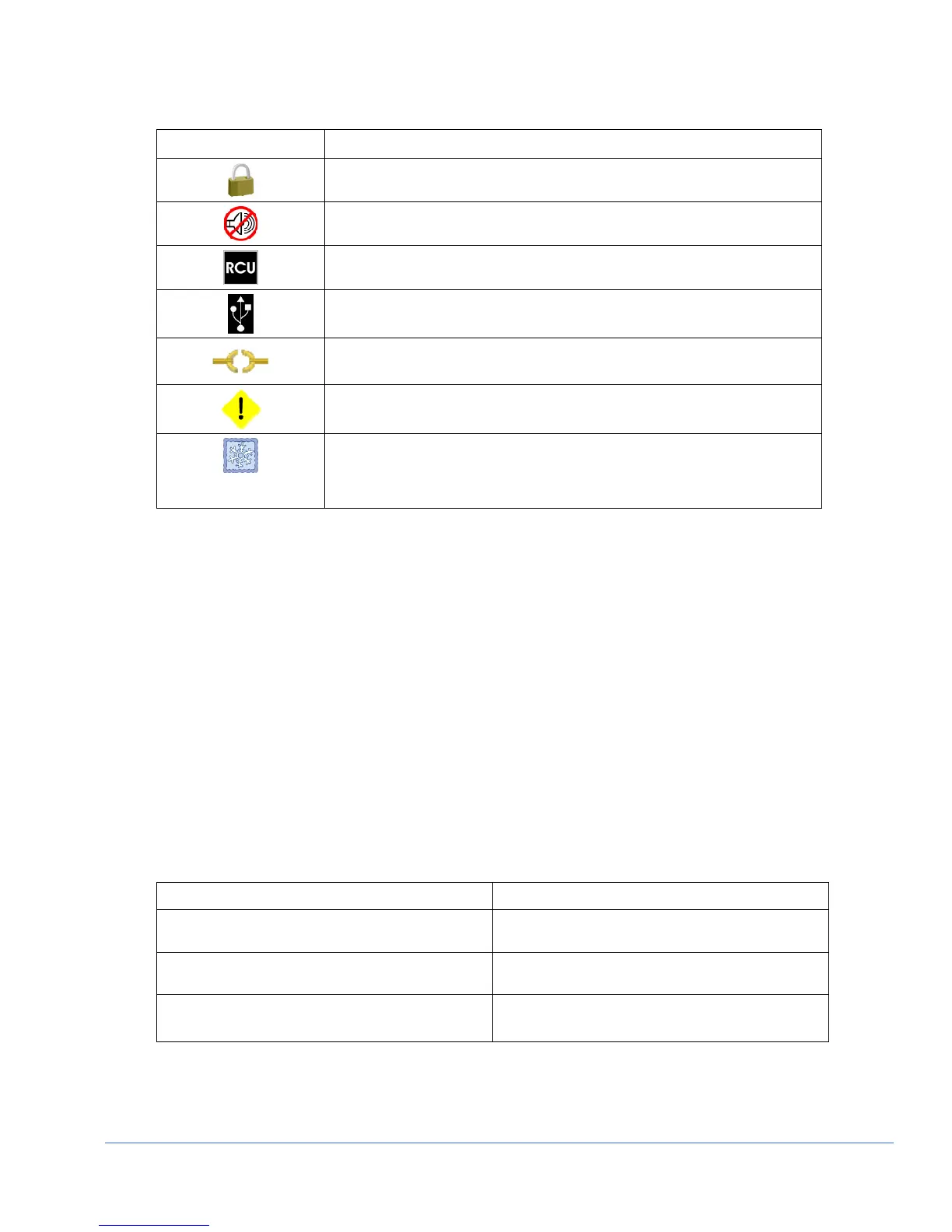
Table 3-3. Description of Icons
Icon Condition
Panel Lock engaged
Aural Alert silenced (No Sound)
RCU connected and active. The RCU icon replaces the Alarm condition
active icon when the RCU is connected and active.
External USB device connected
Inputs not linked (broken link)
Alarm condition active
DISP or SDI data is frozen in memory. If a display is captured and in
memory, DISP overlays the icon. If SDI is captured and in memory, SDI
overlays the icon. If both DISP and SDI are captured and in memory, DISP
and SDI overlay the icon.
Status Bar
A status bar is located at the bottom of each pane. The status bar for each pane displays
information based on the function selected and configuration applied. See the specific
pane function section (Waveform, Vector, Audio, Picture, Alarm, Gamut, Timing, Eye,
and Option) for more detailed information on the status bar that is displayed.
The Waveform Display
Pressing the WFM function button accesses the Waveform display for the selected
pane. The waveform graticule scales, units of measure, and critical amplitude limits
change according to the video format displayed. Table 3-4 shows the Units of Measure
that appear for a video format. Table 3-5 lists the critical amplitude limits, which are
indicated on the screen by special dashed lines for the video formats that can be
displayed.
Table 3-4. Video Formats and Units of Measure
Video Format Unit of Measure
High Definition and Standard Definition 525 and
625
Volts or Percent (Selectable)
Composite or Standard Definition 525 displayed as
composite (NTSC)
IRE
Composite or Standard Definition 625 displayed as
composite (PAL)
Units or Volts (Selectable)



 To Next Page